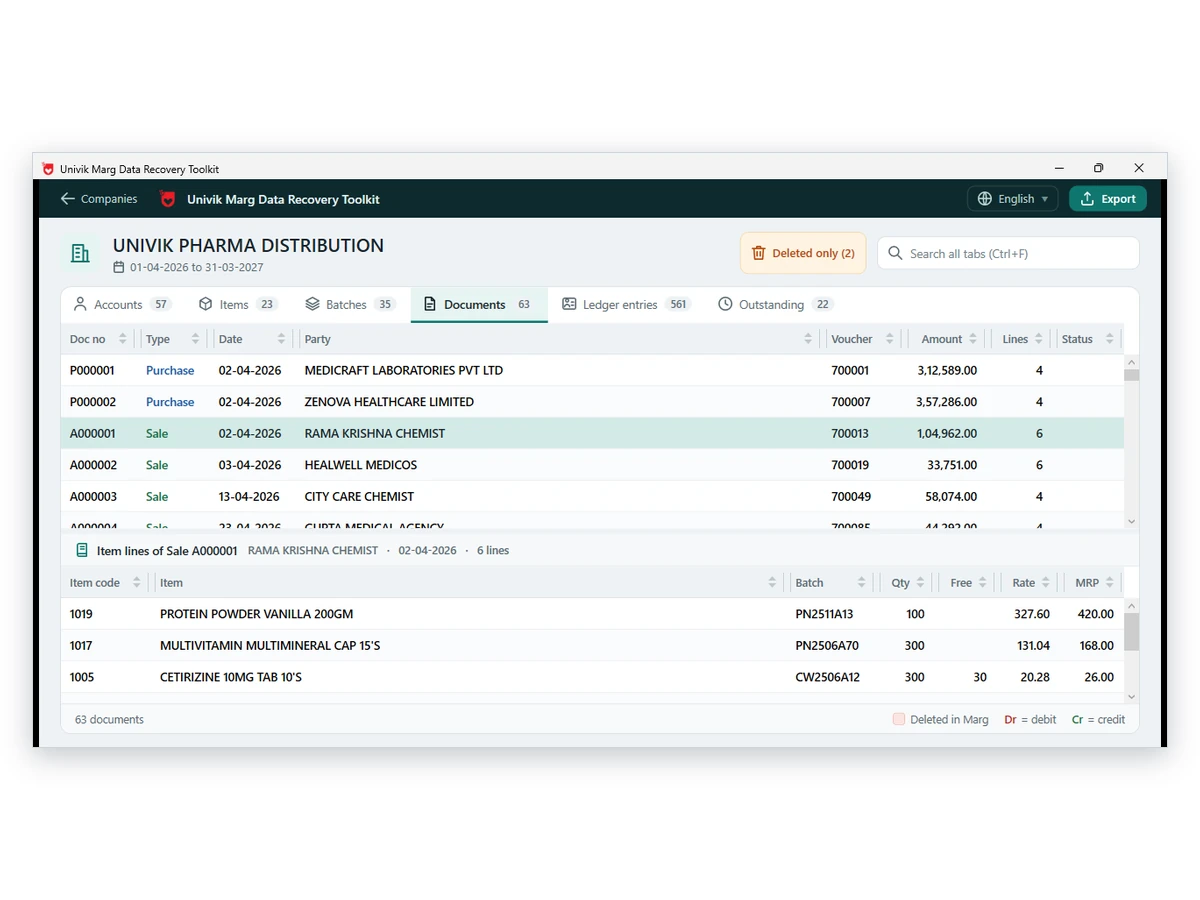
Marg sale and purchase bills can be written to PDF from a copy of the Data folder, as a single PDF or one PDF per bill.
The data files hold no business name, address or GSTIN, so you type them once and the PC remembers them. PDF text is limited to Latin letters and the rupee prints as Rs. Check the first file against a bill you know.
Customers still ask for a copy of last year's bill, and the PC that printed it may be long gone. The data survives in the folder, which is the good news. The bad news is that a bill is more than its data: the layout and the header have to be added at the moment you write the PDF because the data files never held either one. That's the whole job this guide walks you through.
Who Needs Marg Invoices as PDF Files?
Pick the situation closest to yours.
You need bills for a customer or an audit, and there's no Marg left anywhere to print them from.
See what is possible →Hundreds of bills must go out as PDF for an audit or a customer file, and nobody has the week it would take to print them one at a time.
Follow the steps →The converted file came out without your seller name or GSTIN, and you don't know where it's supposed to come from.
Check the details →A bill is a record first and a document second. The record sits in the Data folder and will outlive the PC. The document needs a layout and a header that the data files never held, so somebody has to supply those at conversion time. This guide shows you what the converter fills in on its own, what you'll have to type and what to check before a file leaves the building.
Can You Print Marg Bills Without Marg?
Yes, from a copy of the folder. Marg prints a bill by reading the table files in the Data folder, and a converter can read those same files and write PDFs from them. So a PC that has never had the ERP program installed can still produce copies of sale and purchase bills. Copies, not originals. Keep that distinction in mind when a customer asks, because they'll often want the second and expect the first.
| Need | Inside Marg | From the Data folder |
|---|---|---|
| Print one bill | Works on a live PC | Works, with typed seller details |
| Print hundreds in one run | One at a time | A bundle or one file per bill |
| No ERP program on the PC | Not possible | Possible |
| Old year from a backup copy | Needs a restored company | Reads the copied folder |
What Goes in the Header of a Converted Marg Bill?
The data files hold no business name, address, GSTIN or drug licence number, so the header has nothing to fill from. The converter asks you for those details on the first run. You type them once and the PC remembers them, and a phone number, email address and payment terms can be added if you'd like them printed. Note: check the GSTIN on the first file, because a wrong header looks official and is still wrong.
| Detail | Source | Required |
|---|---|---|
| Business name and address | You type it once | Yes |
| GSTIN | You type it once | Yes |
| Drug licence number | You type it once | Only if you hold one |
| Phone, email, terms | You type them | Optional |
| Party, items and amounts | Read from the Data folder | Automatic |
If you want the full list of particulars a GST tax invoice must carry, a third-party summary of Rule 46 of the CGST Rules sets them out in plain language. Check the rule text with your accountant before you rely on it, because a copy of a bill isn't a substitute for an invoice you issued earlier and nobody on either side should treat it as one.
How to Turn Marg Bills into PDF Files Step by Step
- Copy the Data folderShut Marg on every PC. Copy the Data folder over to a second drive and run from that copy.
- Enter the seller details onceType the business name, address, GSTIN and drug licence number if you hold one. Add phone, email and terms if you want them printed.
- Choose the billsPick sale or purchase bills and set the date range. Add a voucher type filter if you need one kind only.
- Choose a single PDF or one PDF per billA single PDF suits a bundle for an auditor. One file per bill suits customer copies.
- Run it and read the first PDFCompare the first file with a bill you know. Check the total, the date and the party name.
- Share only what you checkedPrint or email the files after the comparison. Keep the original folder copy safe.
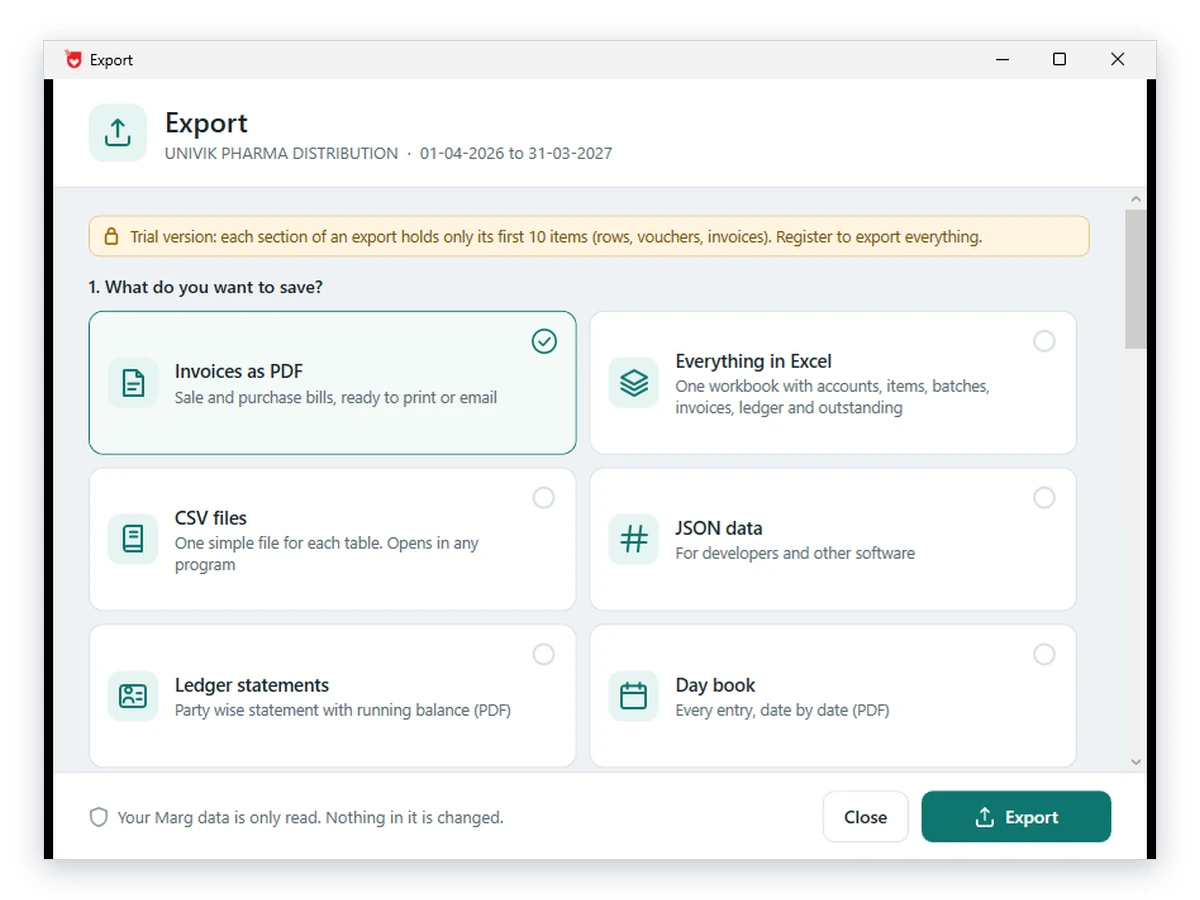
Limitations: the PDF text is limited to Latin letters and the rupee symbol becomes Rs on paper, so a party name that was typed in another script won't look the way it did in Marg. There's no QR code and no IRN on the copy either, which matters if someone expects an e-invoice. Find all of this out on one bill, not on five hundred.
Univik Marg Data Converter produces sale and purchase bills as PDFs from a copy of the Data folder. You can bundle them into one file for an auditor or split them one per bill for customers, and it runs on a PC that has never seen Marg.
In our test companies the bill final amount equalled total plus tax minus discount plus round off in 100% of bills, and header, lines and ledger agreed on bill date and party every time. The sample was 9 bills across two companies, which is enough to trust the arithmetic and not enough to call it a large test.
Download Free Trial Get Full Access - From $99Pick it up on Windows 11 and 10, where ten items per section write out free. Converter page
- The party name, date and total match the bill you know
- The seller name and GSTIN are the ones on your registration
- The rupee amounts read as Rs and not as a broken symbol
- The bill belongs to the customer who will receive it
- You kept the original folder copy untouched
Fix Common Marg Invoice PDF Problems
Do this: Enter the seller details when the converter asks and run the job again; they're saved on the PC after the first entry, so you won't be asked a second time.
Do this: Only Latin letters print. A name that was typed in another script will differ from the original bill, so you'll want to compare the two before anything goes out.
Do this: Check the date range and the voucher type filter first, then open the same bill in a viewer to see whether it's there at all. The guide to opening Marg data shows you how.
Do this: Switch to one PDF for the whole run, which gives you a single file to attach instead of a folder of hundreds.
Seeing a layout we didn't cover? Contact our support team and describe the bill, ideally with a photo of the original next to the PDF.
Questions About Marg Invoices as PDF

Univik staff checked the folder map against real company data, and the product notes come from the converter itself rather than from a brochure. The GST rule summary is a third-party page we read on October 12, 2026. Tax advice is for your accountant and not for us, so take the rule text to them.
Pages we read: Summary of Rule 46, CGST Rules