Quick Answer
A PowerShell script not digitally signed is blocked because the RemoteSigned policy requires a signature on scripts downloaded from the internet. Clear the mark on a script you trust with Unblock-File and run it again.
Changing the policy affects every script. Unblocking affects one file, so unblock first and read the code before you run it.
A script from a vendor site or a forum thread can stop at the first line with a red error. The error says PowerShell found a script without a valid signature. Nothing is wrong with your PC. An execution policy named RemoteSigned asks for a signature on scripts that came from outside and your download carries a mark that says so.
Three steps follow: read the policy that applies to you, clear the mark on a script you trust and decide whether the policy itself should change.
Not Digitally Signed: Why Does PowerShell Block a Script?
Microsoft's about_Execution_Policies page says the RemoteSigned policy runs local scripts without a signature but requires a digital signature on scripts downloaded from the internet. A browser marks a download with Mark of the Web. PowerShell reads that mark to decide that the script came from outside.
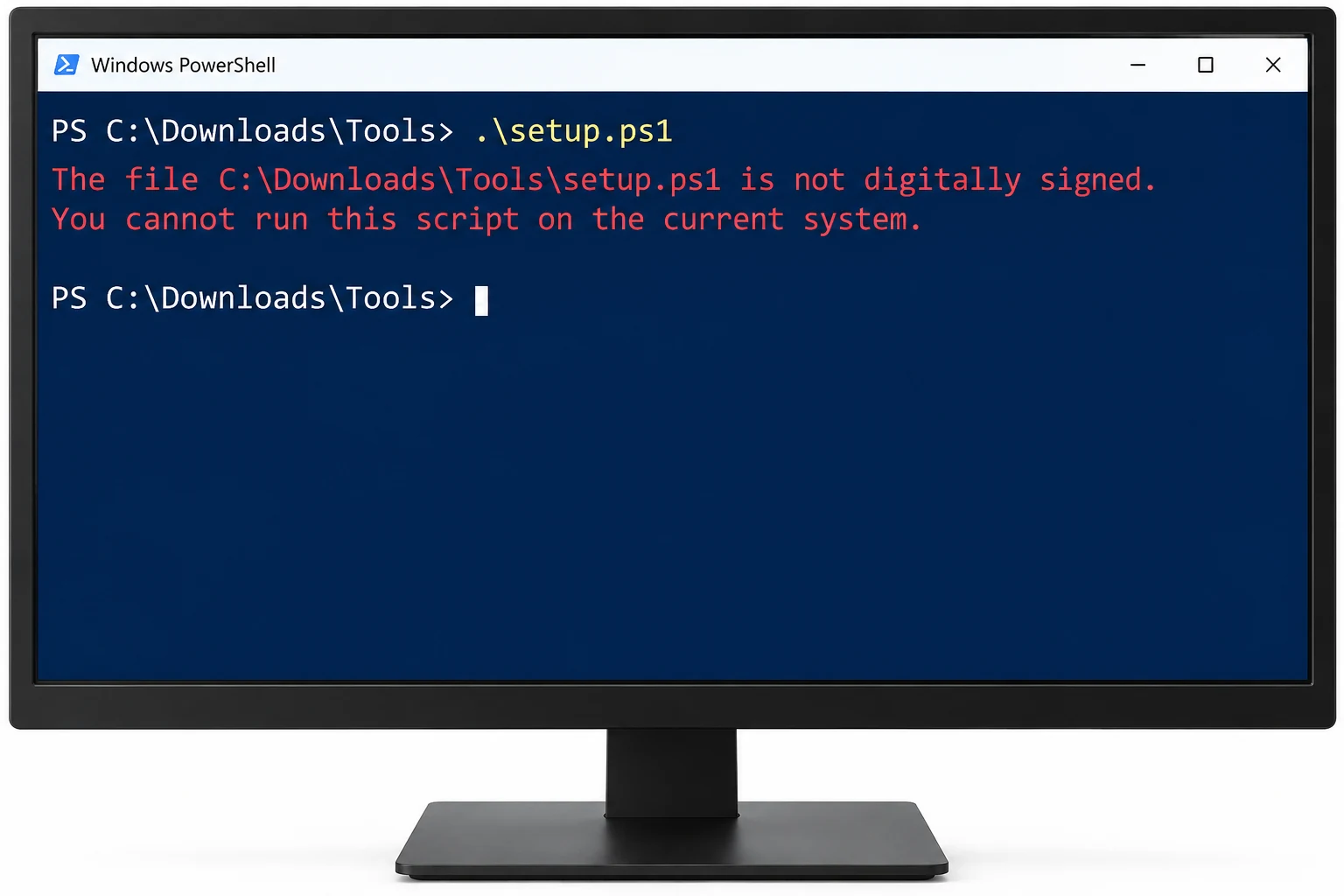
Older Microsoft documentation shows the message in this form: The file is not digitally signed. The script will not execute on the system. Current PowerShell versions may word it differently, so match the meaning more than the exact text.
Windows Server editions default to RemoteSigned. Windows client editions may report a different default, so read your own value in the next section before you change anything.
Which Execution Policy Do You Have?
PowerShell stores an execution policy for several scopes. Run this command in a normal PowerShell window to list every scope at once.
Get-ExecutionPolicy -List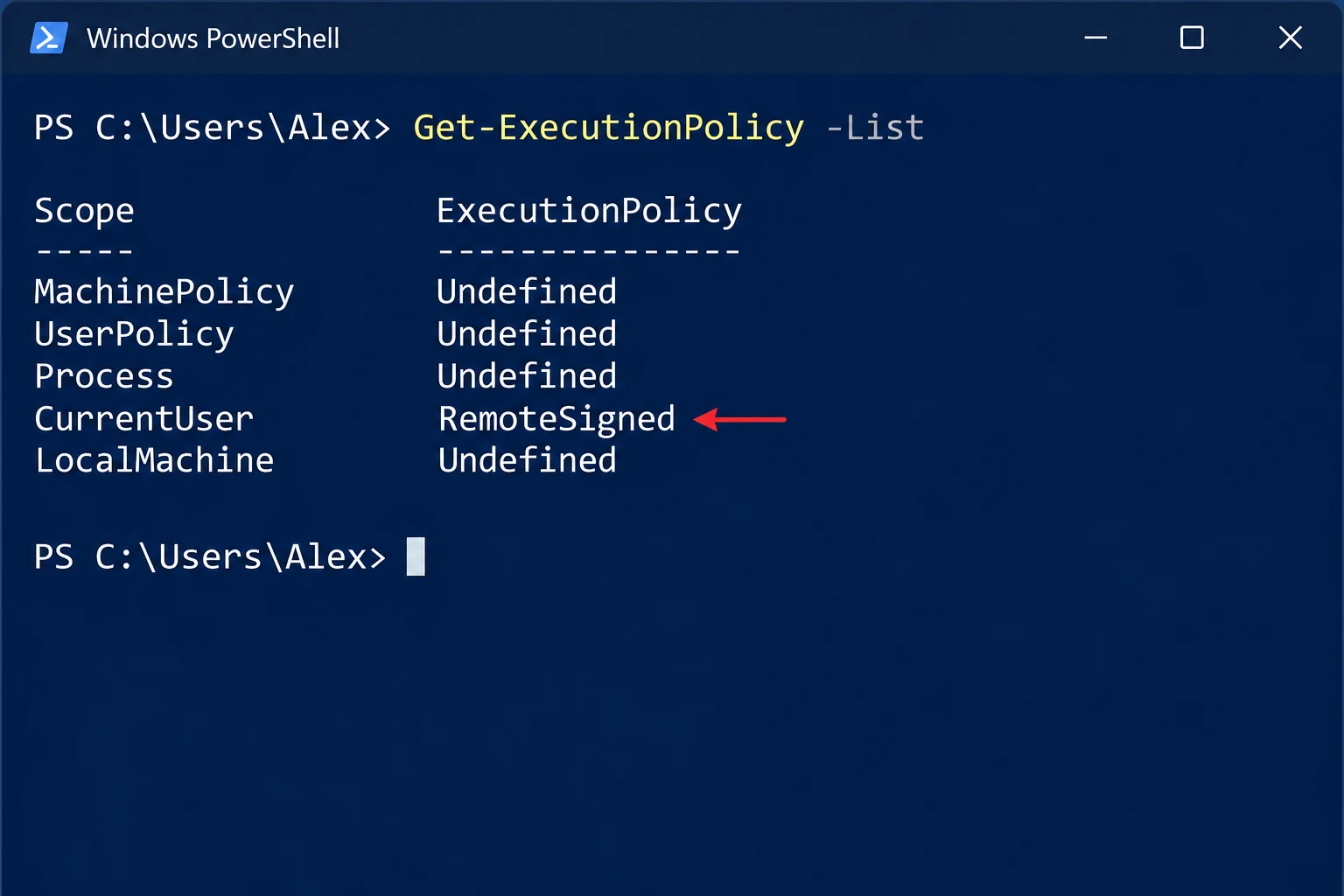
| Scope | Who sets it | Admin rights needed |
|---|---|---|
| MachinePolicy | Group Policy for the computer | Set by an administrator in policy |
| UserPolicy | Group Policy for the user | Set by an administrator in policy |
| Process | The current PowerShell window only | No |
| CurrentUser | Your Windows account | No |
| LocalMachine | Every user of the PC | Yes, Run as administrator |
A policy value of Undefined means that scope sets nothing. Microsoft documents RemoteSigned and Restricted among the possible values. A scope under Group Policy appears in the list with its own value.
Not Digitally Signed: How Do You Unblock One Script?
Clear the mark on a script you trust and the signature requirement no longer applies to it. Microsoft's Unblock-File page says the cmdlet lets you run downloaded scripts without changing the execution policy.
- Read the script. Open the .ps1 file in a text editor. Microsoft's Set-ExecutionPolicy examples tell you to verify a script before you unblock it.
- Clear the mark. Run this command with your own path. The cmdlet prints nothing when it works.
Unblock-File -Path .\\setup.ps1- Run again. Start the script in the same window. The signature error should not return.
Properties works as well. Right-click the .ps1 file then open Properties. A security note on the General tab carries an Unblock box. To confirm that a mark is gone, follow the guide to check if a file has Mark of the Web.
Unblock-File clears the mark and leaves the script text as it was. PowerShell then runs whatever the script contains, so review the code or the publisher first.
Should You Change the Policy Instead of Unblocking?
Changing the policy affects every script, while unblocking affects one file. Microsoft states that an execution policy is not a security boundary, so lowering it adds risk without adding protection. A change for your own account needs no administrator rights.
Set-ExecutionPolicy -ExecutionPolicy RemoteSigned -Scope CurrentUserWithout the Scope parameter Set-ExecutionPolicy writes to LocalMachine. That scope needs a PowerShell window opened with Run as administrator.

How Do You Clear a Folder of Downloaded Scripts?
A tools folder from a vendor or a team share can hold dozens of scripts and each one carries a mark. The guide to unblock all files in a folder gives the commands for that case.
Univik Mark of the Web Remover lists a folder first and clears marks after you confirm. On a test folder I opened the Univik app and checked the folder path listed beside each blocked file. System needs: Windows 11 or Windows 10 with .NET Framework 4.8 installed.
- Choose the folder. Open Choose a Folder and point to your scripts directory.
- Check results. The Here is what we found screen puts a Blocked badge on each marked script.
- Unblock. Press Unblock. When All done! appears open View Log for the record.
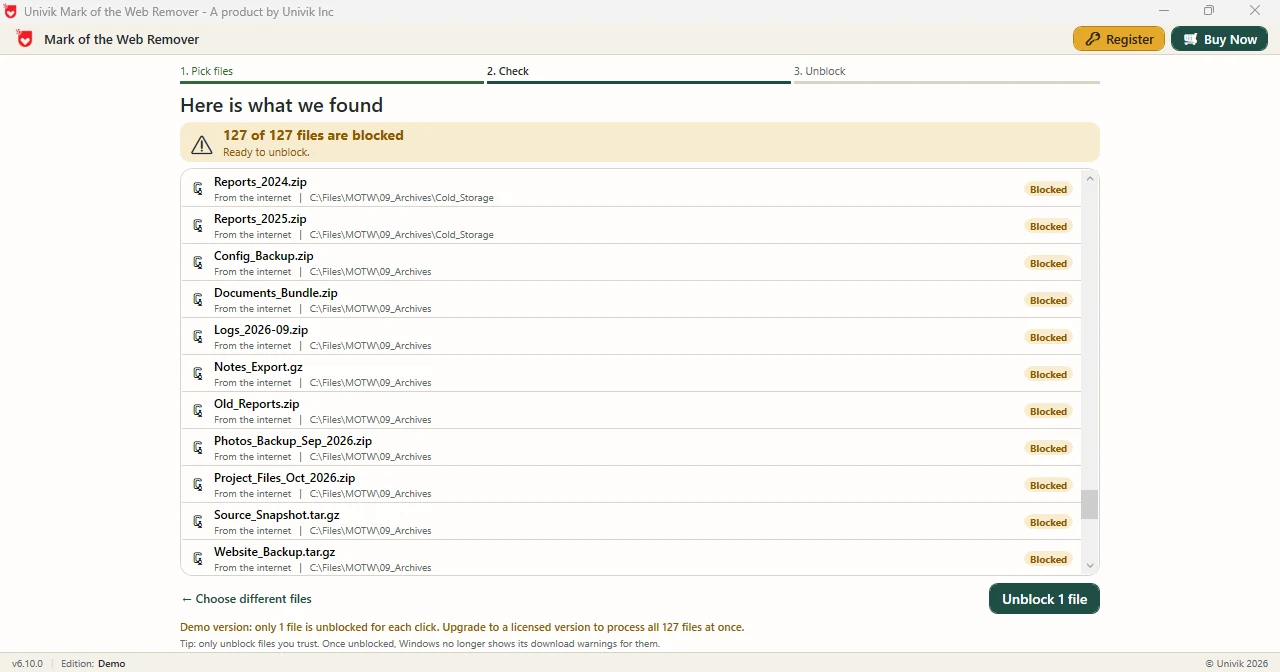
Limitations: the free Demo Edition handles a single file each time you press Unblock. The full edition processes the entire list together. Marks are the only thing the app edits. Scripts are never opened or scanned so read each one before it runs.
Pick a folder of downloaded scripts and the Univik app clears marks on every listed file.
Download Free Demo Select a Licence - From $39Demo Edition: scan a folder and clear a single file to read the log.
What If the Script Stays Blocked After You Unblock It?
Do this: Look for a value in MachinePolicy or UserPolicy in the list output. An administrator set it and a change in CurrentUser will not override it.
Do this: Set-ExecutionPolicy writes to LocalMachine by default. Open PowerShell with Run as administrator or add the CurrentUser scope.
Do this: A file fetched with curl.exe or Invoke-WebRequest may not carry a mark. Microsoft notes that such downloads can arrive unmarked, so a signature error on one points to the policy value instead.
Do this: Stop and verify the publisher. A signature is how a publisher proves who wrote a script. An unsigned script from a stranger deserves a close read.
Script still refusing to run? Send the exact message to Univik support.
- RemoteSigned requires a digital signature on scripts downloaded from the internet and none on local scripts.
- Get-ExecutionPolicy -List shows every scope and the value that each one holds.
- Unblock-File clears the mark on one script without changing the execution policy.
- Set-ExecutionPolicy defaults to LocalMachine and needs Run as administrator unless you pass the CurrentUser scope.
- The Univik folder scan app lists marked files in a scripts directory before it clears them.
FAQ: Blocked PowerShell Scripts
Why does PowerShell say a script is not digitally signed?
The RemoteSigned policy requires a digital signature on scripts downloaded from the internet. A browser download carries Mark of the Web so PowerShell treats the script as downloaded.
How do I run a downloaded script that is not signed?
Read the script then run Unblock-File on it. Microsoft documents this route as a way to run downloaded scripts without changing the execution policy.
Does Unblock-File change the execution policy?
No. Unblock-File clears the mark on the file and leaves every policy scope as it was.
How do I check my PowerShell execution policy?
Run Get-ExecutionPolicy -List in a PowerShell window. The output lists MachinePolicy, UserPolicy, Process, CurrentUser and LocalMachine with a value for each.
Do I need administrator rights to change the policy?
Only for the LocalMachine scope, which Set-ExecutionPolicy uses by default. The CurrentUser scope needs no administrator rights.
Is the execution policy a security boundary?
No. Microsoft states that an execution policy is not a security boundary. It helps stop accidental runs and does not stop a determined user.
Why does a script from curl.exe run without a signature?
Microsoft notes that files fetched with curl.exe or Invoke-WebRequest may not carry a mark. An unmarked script is treated as local under RemoteSigned.
Can an app list blocked scripts in a folder?
Yes. The Univik app opens a folder you choose including subfolders then lists each blocked script with its location.

Microsoft Learn pages on execution policies, Set-ExecutionPolicy and Unblock-File supply the PowerShell facts. Univik app notes are taken from version 6.10 screens.