Quick Answer
Visual Studio blocked files show up as the Security Warning for Project dialog or as an assembly load warning after a download. Windows marked the files as coming from outside your PC. Clear the mark on the project folder to stop both.
Clicking OK opens the project without judging the code. Read the source first and unblock only a project you trust.
A project that opens with a Security Warning dialog is not broken. Visual Studio asks whether you trust where the project came from. A second symptom can follow when assemblies refuse to load after a download. Both come from one mark that Windows adds to internet downloads.
Each message gets an explanation here along with the cases where OK is a reasonable answer and the ways to clear the mark on a project folder.
Visual Studio Blocked Files: What Does the Security Warning Mean?
Microsoft's page on the Security Warning for Project dialog says Visual Studio shows it for a project downloaded from the internet or opened from a UNC path. The page documents Visual Studio 2015. Menu names and wording in newer versions may differ.
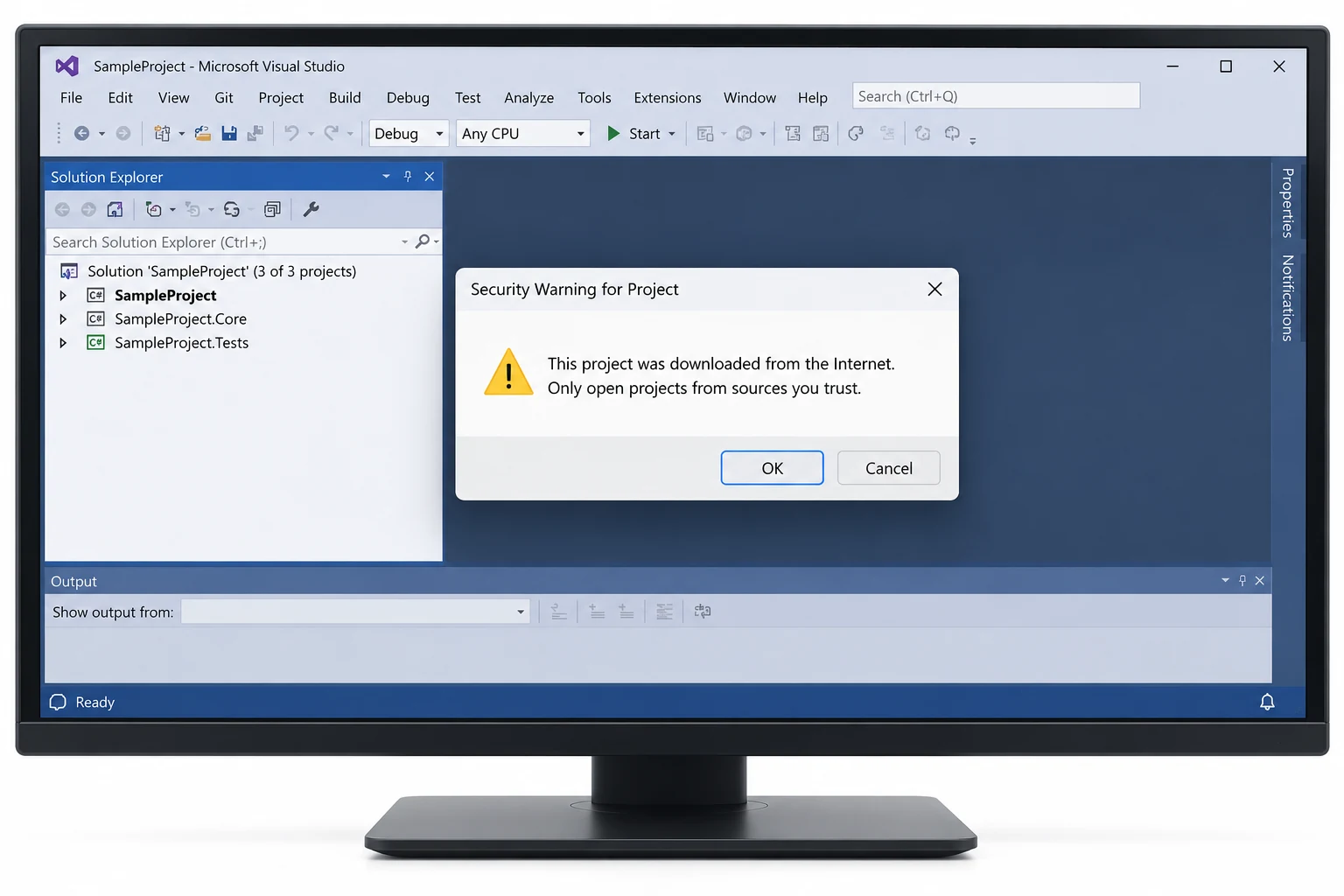
- Trigger
- A project from the internet or from a UNC path
- OK
- Visual Studio proceeds and opens the project
- Default trust
- A UNC path is not a trusted location until you make it one
The dialog prompts about where the files sit. It does not scan code so a click on OK carries the same risk as running the project.
Visual Studio Blocked Files: Should You Click OK on the Warning?
Click OK when you know the publisher and download address. A sample from a vendor site or a repository you use already fits that test. A project from an email attachment or an unknown forum post does not. The safer step there is to read the source files before you open them.
Visual Studio also has a switch for this prompt. The option Warn user when the project location is not trusted sits under Tools, Options, Projects and Solutions, General. Clearing it hides the dialog for every project from then on, so leave it on and clear the mark on the folder instead.

Why Do Assemblies Fail to Load After a Download?
A second warning can appear when you open a downloaded sample. Brad Abrams describes it in a Microsoft blog post on sample project loading errors. The text reads Assembly could not be loaded and will be ignored. Could not load file or assembly. Operation is not supported. Exception from HRESULT: 0x80131515.
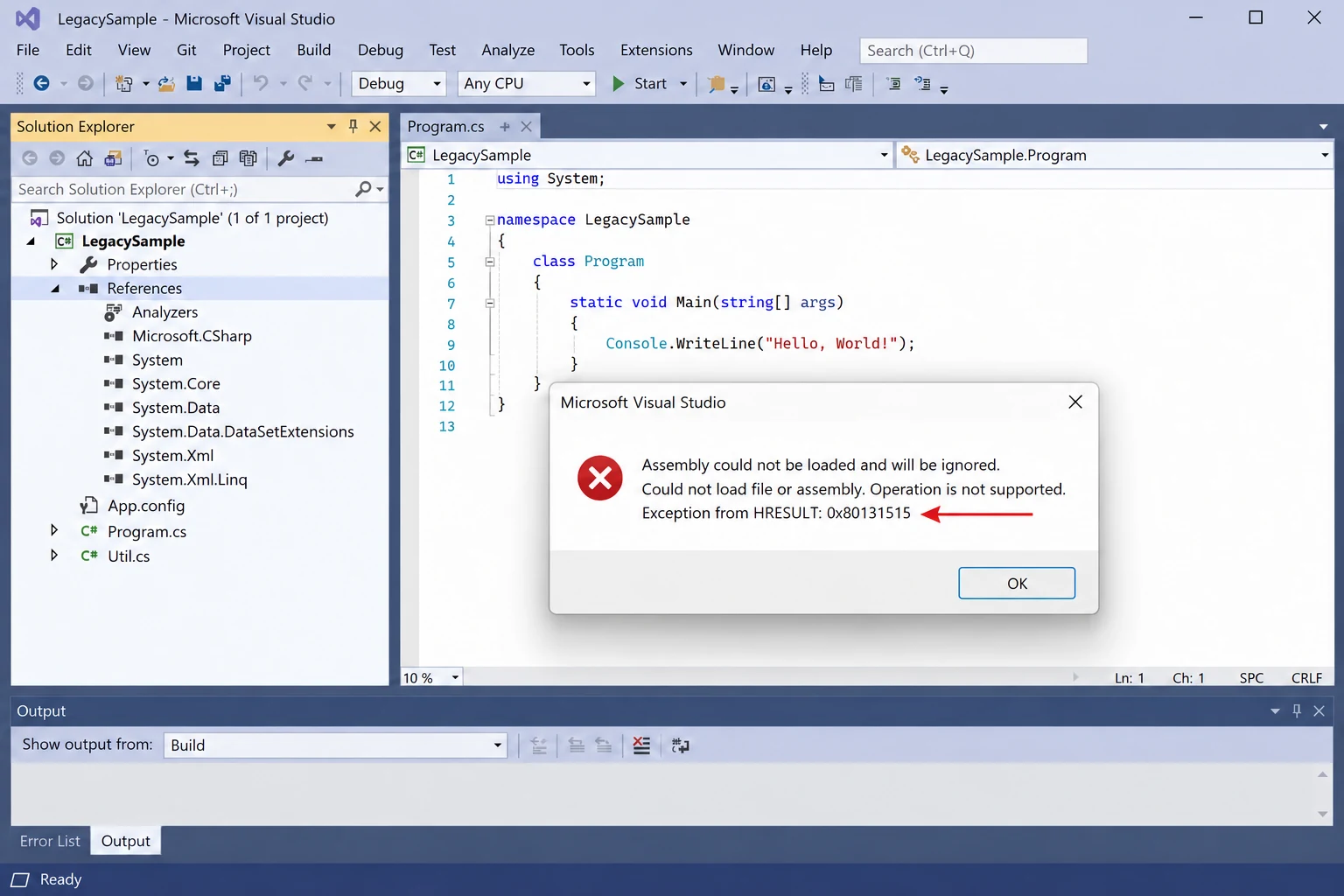
The post traces the error to files that Windows marked as untrusted. Its fix has four parts: close Visual Studio, unblock the downloaded ZIP in Properties, extract the ZIP again and reopen the solution. The steps for that order are in the guide to files blocked after extracting a ZIP.
Visual Studio Blocked Files: How Do You Clear an Extracted Project?
A Visual Studio project already on disk keeps its marks so pick the route that matches how the files arrived.
| Route | Use it when | Limit |
|---|---|---|
| Extract the ZIP again | The ZIP is still on disk | Needs a ZIP unblocked first |
| Unblock-File on the folder | You are comfortable with PowerShell | Prints nothing when done |
| Properties on one file | A single assembly stays blocked | One file for each visit |
| Folder scan app | You want a list before any change | Demo Edition clears one file |
The PowerShell commands for a whole folder are in the guide to unblock all files in a folder. A project opened from a UNC path needs a different fix. Copy it to a local drive first because Microsoft lists a UNC path as not trusted until you add it.
How Do You Check a Whole Project Folder for Marks?
A solution folder can hold hundreds of source files and libraries. Univik Mark of the Web Remover lists every marked file under a folder you choose. I pointed the Univik app at a test folder and read the list it returned before pressing anything. Runs on Windows 11 or 10 once .NET Framework 4.8 is present.
- Select the project. Use Choose a Folder and open the solution directory.
- Review rows. Here is what we found gives one row for each marked file with its folder path.
- Clear marks. Press Unblock and check View Log after All done! appears.
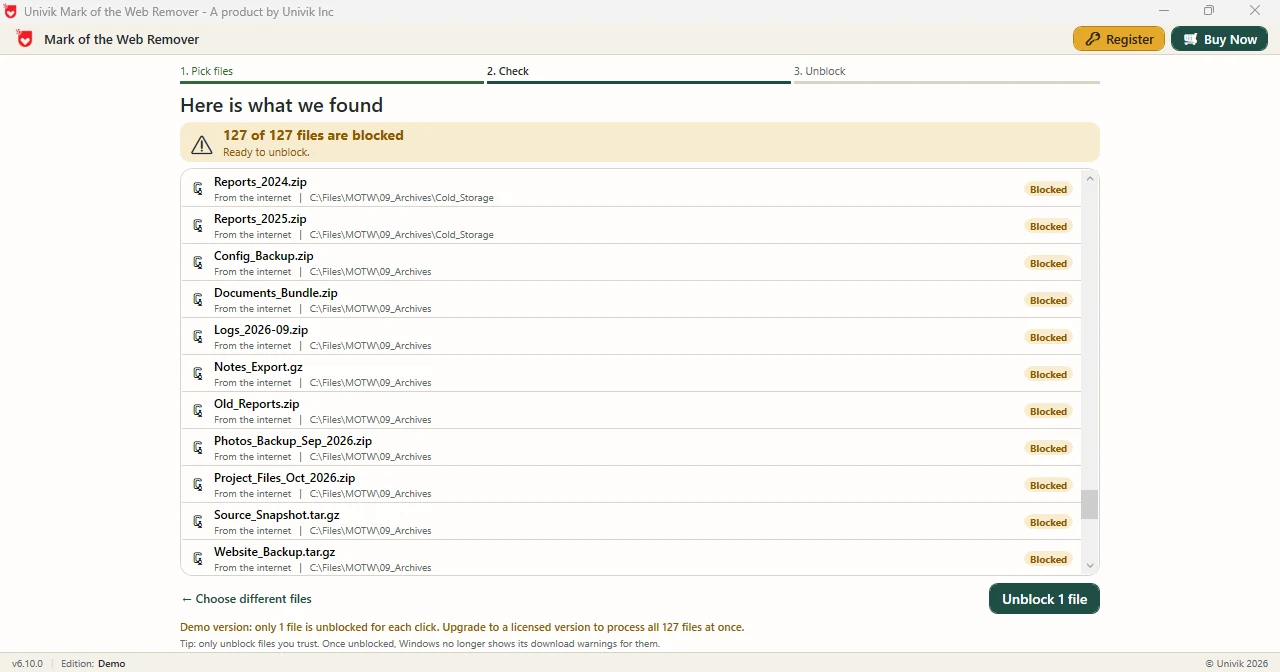
Limitations: Demo Edition handles one file for each press of Unblock. Full edition clears the whole list together. The app edits marks and nothing else, so it does not tell you whether project code is safe.
Choose a solution directory and the Univik app clears marks on each listed file.
Download Free Demo Select a Licence - From $39Demo Edition: read the list and clear a single file to see the log.
What If the Warning Returns After You Clear Marks?
Do this: Copy your solution to a local drive. A UNC path is not trusted until you add it. The dialog can appear again even when no file carries a mark.
Do this: Check your ZIP in Properties. An Unblock box means the archive is still marked so a fresh extraction copies that mark to every file.
Do this: Open Properties on that DLL and look for Unblock. One marked library can trigger the 0x80131515 message while every other file is clean.
Do this: Stop before you build. Read project files first because unblocking removes the warning but never judges code.
A project that will not load? Send the exact message text to Univik support.
- Security Warning for Project appears for downloaded projects and for projects opened from a UNC path.
- OK opens the project and says nothing about whether the code is safe.
- The 0x80131515 assembly warning traces back to files that Windows marked as untrusted.
- A UNC path stays untrusted until you add it so copy the project to a local drive.
- The Univik folder scan app lists every marked file in a solution directory first.
FAQ: Project Warnings in Visual Studio
What do Visual Studio blocked files mean for a downloaded project?
Visual Studio shows the Security Warning for Project dialog for a project downloaded from the internet or opened from a UNC path. Microsoft documents this behavior for Visual Studio 2015.
What happens when I click OK on the project warning?
Visual Studio proceeds and opens the project. The dialog is a prompt about the location and it does not scan the code.
What does error 0x80131515 mean when a project opens?
The error accompanies an assembly that could not be loaded with the message Operation is not supported. A Microsoft blog post ties it to downloaded files that Windows marked as untrusted.
How do I stop the Security Warning for Project?
Clear the mark on the project files or copy the project from a UNC path to a local drive. A Visual Studio option can hide the prompt, but it hides it for every project.
Where is the project location warning option?
Microsoft's Visual Studio 2015 page places it under Tools, Options, Projects and Solutions, General as Warn user when the project location is not trusted.
Is a UNC path trusted in Visual Studio?
No. Microsoft's page says a UNC path is not a trusted location by default.
Do I need to unblock the ZIP before I extract a project?
Microsoft recommends it. Unblocking the ZIP first means the extracted project carries no mark and the dialog does not appear.
Can an app list marked files in a solution folder?
Yes. A solution directory goes into the Univik app and every marked file comes back in a list with its path.

The Visual Studio facts come from two Microsoft Learn pages: the Security Warning for Project dialog and a post on sample project loading errors. Version 6.10 screens back every Univik app detail.