Quick Answer
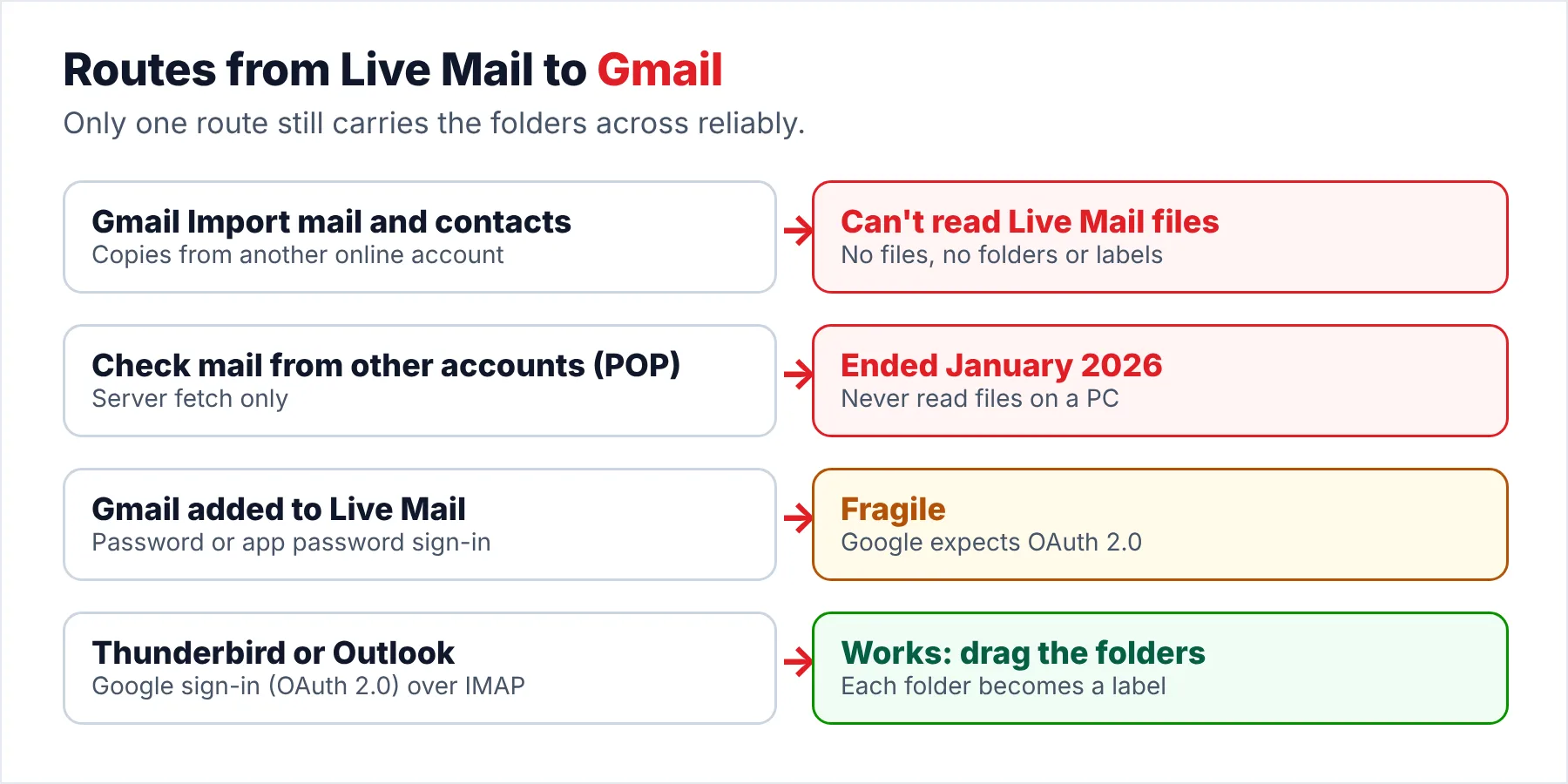
Gmail can't read Windows Live Mail files, because its Import mail and contacts tool only copies from another email account. To move Windows Live Mail to Gmail, load the mail into a desktop client that signs in to Gmail with OAuth, such as Thunderbird, then drag the folders into the Gmail account over IMAP.
Each folder you drag across shows up in Gmail as a label. Check your free space first, because Gmail shares 15 GB with Drive and Photos.
Moving Windows Live Mail to Gmail used to be simple, because you added Gmail as an account in the old program and dragged your folders across in a few minutes. A 2016 Computerworld report on Microsoft's Outlook.com changes even noted that Gmail kept working with Live Mail 2012 because Gmail still worked the old way.
That route has mostly closed for you, since Gmail now expects Google sign-in (the Sign in with Google window) from every email program you use with Gmail. Also, Gmail stopped fetching messages over POP in January 2026, while the old program has had no updates since 2017. The route that still works goes through a modern desktop program, which this guide walks you through. You copy the store, you load it into the program and you drag the folders into Gmail.
Why Gmail Can't Import Windows Live Mail Files
Gmail does have an import tool: open Gmail's full settings, go to the Accounts and import tab and you'll see Import mail and contacts. Google's help page describes it as a way to move mail from another email account. The same page adds that you can import messages "but not any folders or labels" so the tool never asks you for files on your PC.
Live Mail keeps your messages as .eml files in a store folder, with a separate index that knows which folder each message belongs to. Our article on Mail.MSMessageStore explains that layout if you want the details. Gmail has no way to read those files, so your messages have to reach Gmail the same way a phone or a desktop program does: over IMAP. Gmail needs IMAP for this.
| Gmail feature | Can it move Live Mail files? |
|---|---|
| Import mail and contacts | No. It copies from another online account and skips folders and labels |
| Check mail from other accounts (POP) | No. Google ended POP fetching starting January 2026, as The Register reported. It only ever read servers, not files |
| IMAP from a desktop client | Yes. Any folder in the client can be dragged into the Gmail account |
| Google Workspace Migration for Microsoft Outlook | Workspace accounts only. It imports PST files, according to Google |
Why Adding Gmail to Live Mail Rarely Works Now
Google's IMAP developer page lists imap.gmail.com on port 993 with SSL and says the servers support sign-in with OAuth 2.0. When I read that developer page on October 20, 2026, I found no mention of plain password sign-in at all. Live Mail 2012 is older than Google sign-in, so Live Mail can usually offer Google only a password.
Google's client setup page says Gmail no longer supports apps that ask for your Google username and password. Its app password page leaves one gap open: with 2-Step Verification on, you can try an app password. However, Google calls app passwords "not recommended", while a 2024 Microsoft Q&A thread shows the old program often failing with providers that require modern sign-in. I would not build your move to Gmail on that gap, because one Google policy change may close it overnight. Use a client with Google sign-in.
Who Is Moving Live Mail Into Gmail?
Which of these situations sounds like yours?
You read new messages in Gmail on your phone and laptop, so the old Live Mail folders are the last thing tying you to the old PC.
Upload through Thunderbird →Years of old messages need to be searchable from any device you use. Gmail's search is the reason you picked Gmail, so you want the folder names to survive the upload.
Plan the labels first →Your office now uses Google Workspace, but one office PC still has Live Mail on it, with years of office mail in Live Mail.
Use the PST route →What Should You Check Before You Upload Anything?
- Store size against free spaceRight-click the Windows Live Mail folder, choose Properties and compare the size with the free space in your Google account. Google gives each account up to 15 GB shared across Gmail, Drive and Photos, according to its storage page.
- A clean-up passDelete Junk E-mail and Deleted Items folders from the copy you upload. You don't need them in Gmail. Spam you upload counts against your storage like any other message, so you may as well leave it behind.
- A target labelCreate one label in Gmail, such as Live Mail archive, to hold everything you upload. You then drag every folder you upload into that one label. Old messages then stay out of your Gmail Inbox (where new mail arrives).
- A copy of the storeCopy the whole store folder before you start, so a failed upload never costs you the originals.
How Do You Move Windows Live Mail to Gmail Through Thunderbird?
Thunderbird is the free route for most people. Mozilla's support article says Thunderbird has converted Gmail accounts to Google's OAuth 2.0 sign-in since version 91.8.0. The ImportExportTools NG add-on imports MBOX files into Thunderbird with their folder structure, according to its project page. Univik Windows Live Mail Converter produces those MBOX files from a copy of the store, so Live Mail doesn't need to open.
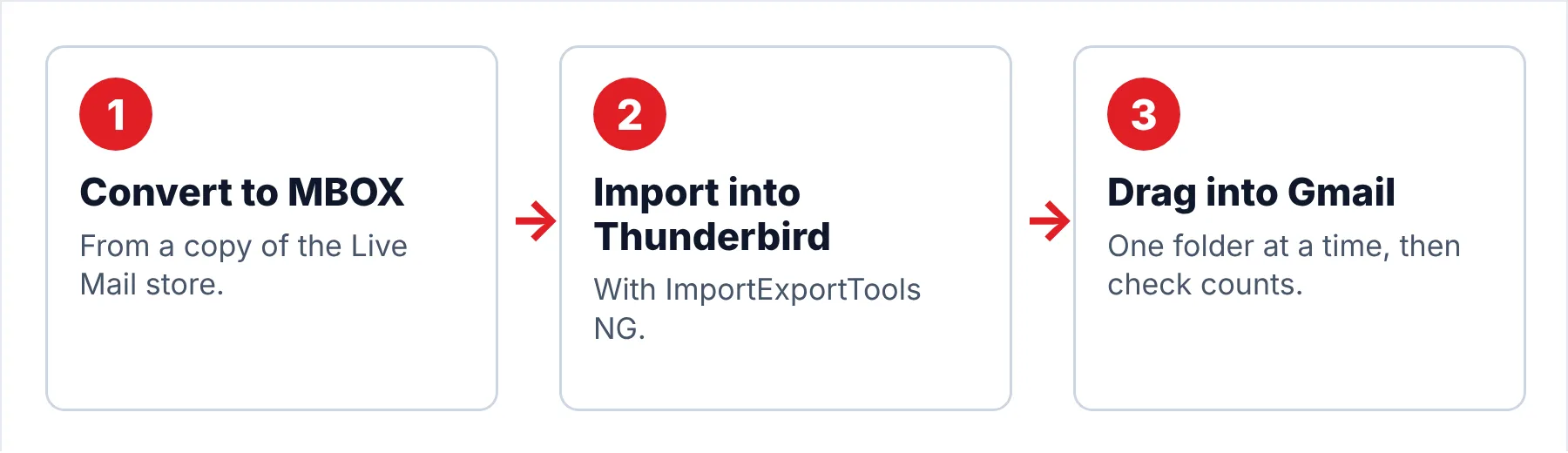
- Copy the store and convert it to MBOXClose Live Mail and place a copy of %LOCALAPPDATA%\Microsoft\Windows Live Mail somewhere safe, then open that copy in the converter. Choose MBOX (one file per folder), the format Thunderbird reads.
- Import the MBOX files into ThunderbirdInstall Thunderbird and the ImportExportTools NG add-on. Right-click Local Folders and import the MBOX files with their folder structure.
- Add your Gmail account to ThunderbirdAdd the Gmail address in Thunderbird and sign in on Google's own sign-in page when it appears. Thunderbird connects to Gmail over IMAP with OAuth 2.0, so no app password is needed.
- Drag the old folders into GmailCreate a label in Gmail such as Live Mail archive, then drag the imported folders from Local Folders into it in Thunderbird. Upload one folder at a time and compare the message counts you see in the Gmail web view with the counts you saw in Thunderbird. The counts should match.
Note: trial exports hold 10 items per folder, so upload that sample to a test label first, so you can see how the folder names and dates look in Gmail before you buy.
The converter turns a copied store into MBOX files for Thunderbird or PST files for Outlook, the two clients that upload to Gmail.
Download Free Trial Select a Licence - From $29Before you install: .NET Framework 4.8 plus Windows 11 or 10 in its 64-bit edition. Trial: 10 items from each folder.
How Do Live Mail Folders Look in Gmail?
Gmail has labels, not folders, but it shows each label to IMAP clients (Thunderbird, Outlook) as a folder. Then, when you drag one of your old folders into the Gmail account, Gmail creates a label with the same name and puts the messages under it. The folder name stays the same.
| In Live Mail | In Gmail after the upload |
|---|---|
| A storage folder such as Clients | A label named Clients. Dropped inside your target label, it becomes Live Mail archive/Clients |
| Sub-folders | Nested labels under the parent label |
| Old Inbox | Wherever you drop it. Dropping it on Gmail's Inbox puts years of old mail in your Inbox |
| Old Sent Items | A label of its own unless you drop it on Gmail's Sent Mail folder |
Duplicates usually come from uploading the same folder twice, because an upload that stops halfway and gets restarted can leave two copies of the part that already went across. Finally, upload one folder at a time and check the count in the Gmail web view before you start the next one. Then check the counts again at the end.
Does Google Workspace Take a PST File?
If you are moving to a Google Workspace account rather than a personal Gmail address, Google offers you its own tool. Google Workspace Migration for Microsoft Outlook imports PST files into a Workspace account. Google's GWMMO help page says it imports contacts first, then calendar data, then email. Convert the Live Mail store to PST. Then run the tool on a Windows PC and sign in with the Workspace account. Your Workspace administrator may need to allow the tool first (it is an admin setting).
What Goes Wrong When Moving Live Mail to Gmail?
Do this: Stop retrying in the old program, because the sign-in usually fails on Google's side. Use Thunderbird with Google's own sign-in window instead, as in the steps above.
Do this: The converter route works from a copy of the store folder. Our start-up error guide covers the fixes if you still want Live Mail running.
Do this: If you use Microsoft 365, the new Outlook may suit you better. Our Live Mail to new Outlook guide covers that route.
Stuck on a large archive with thousands of messages? Ask Univik support and include the size of your store folder and the number of folders.
- The Gmail Import mail and contacts tool copies from another email account, not from Live Mail files.
- Load the mail into a desktop client such as Thunderbird that signs in to Gmail with OAuth, then drag the folders over IMAP.
- Each folder you drag across becomes a Gmail label.
- Check your free space first, because Gmail shares 15 GB with Drive and Photos.
- A Google Workspace account can take a PST file through Google's own migration tool.
FAQ: Move Windows Live Mail to Gmail

Gmail facts come from Google's help and developer pages, the Thunderbird facts from Mozilla and the add-on project, which I read on October 20, 2026. Steps for the converter were written against version 6.9 (the current build).
Sources we read:
- Gmail Help: import from another account
- Gmail Help: add Gmail to another email program
- Gmail Help: app passwords
- Google for Developers: Gmail IMAP and SMTP
- Google One Help: Google storage
- Google Workspace Help: GWMMO
- The Register: Gmail drops POP fetching
- Computerworld: Live Mail 2012 and Outlook.com in 2016
- Mozilla Support: Thunderbird and Gmail OAuth 2.0
- GitHub: ImportExportTools NG for Thunderbird