Quick Answer
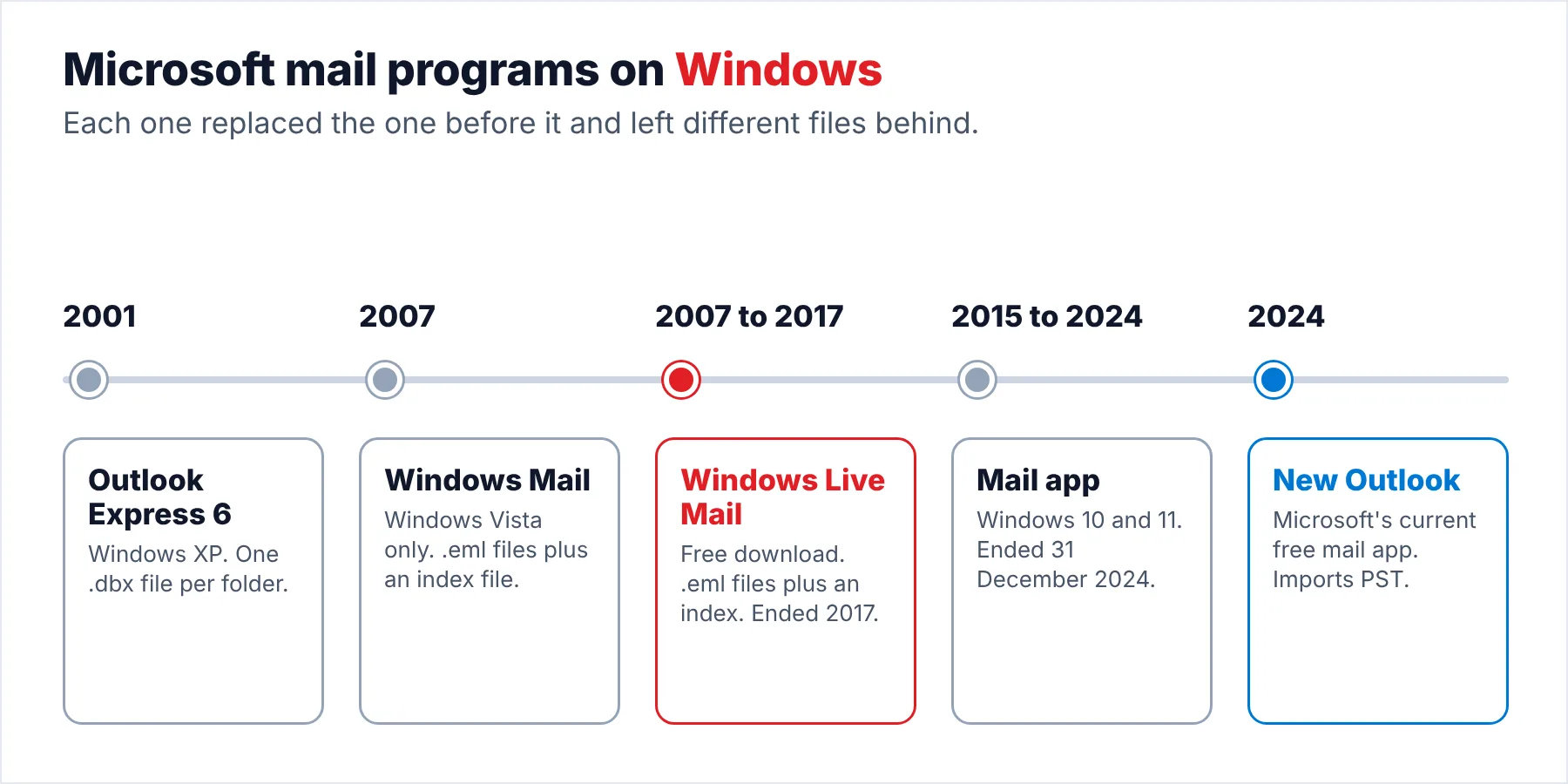
Outlook Express came with Windows XP and stored each folder as a .dbx file. Windows Mail replaced it in Vista and saved one .eml file per message. Windows Live Mail, the free download that followed, kept the .eml layout until 2017. The Windows 10 and 11 Mail app lost support at the end of 2024.
File types tell them apart: .dbx means Outlook Express, while .eml files beside an MSMessageStore file mean Windows Mail or Windows Live Mail.
Microsoft shipped four different free mail programs for Windows in about twenty years. Three of them have "Mail" in the name, so you may well mix them up yourself, especially when an old PC or an old backup turns up and nobody remembers which program it used. The difference matters to you, because each program left a different kind of file behind that only the right tool opens.
This guide lines the four programs up side by side for you, shows you how to tell from the files alone which one wrote them and points to the way to open each kind of file today. I checked the release and support dates against Microsoft's pages and the version histories on October 20, 2026.
Windows Mail vs Windows Live Mail vs Outlook Express: What Changed?
The table compares the four programs on the points that matter to you now, so you can place your files quickly: where each one came from, where it kept the mail and what happened to it.
| Program | Came with | Mail store | Files | Status today |
|---|---|---|---|---|
| Outlook Express 6 | Windows XP (earlier versions back to Windows 98) | Identities\{ID}\Microsoft\Outlook Express under the user's Application Data | One .dbx file per folder | Superseded by Windows Mail in Vista |
| Windows Mail | Windows Vista only | AppData\Local\Microsoft\Windows Mail | .eml files plus WindowsMail.MSMessageStore | Removed from Windows 7 |
| Windows Live Mail | Free download (Windows Live Essentials, then Windows Essentials 2012) | AppData\Local\Microsoft\Windows Live Mail | .eml files plus Mail.MSMessageStore | Support ended 10 January 2017, no download |
| Mail app (Mail and Calendar) | Windows 10 and 11 | Inside the app's own package folder | Not meant to be opened directly | Support ended 31 December 2024, replaced by the new Outlook |
Also, the store paths for Outlook Express, Windows Mail and Windows Live Mail come from Ask Leo, which lists all three side by side. The Outlook Express storage details come from its version history. The Windows Live Mail dates come from its version history and Microsoft's Windows Essentials page.
Which Program Wrote the Mail Files You Have?
When an old drive or a backup turns up, the files usually tell you more than any label on the folder because file names are a reliable clue. Open the folder you found and look for these clues.
| What you find | Program that wrote it |
|---|---|
| Inbox.dbx, Sent Items.dbx and similar .dbx files | Outlook Express, one .dbx file per mail folder |
| .eml files beside a WindowsMail.MSMessageStore file | Windows Mail from Windows Vista |
| .eml files beside a Mail.MSMessageStore file and a Backup folder | Windows Live Mail 2009, 2011 or 2012 |
| A folder path with "Identities" and a long ID in it | Outlook Express on Windows XP |
| No mail files, only the Mail app on Windows 10 or 11 | The Mail app. Its mail moved to the new Outlook or stayed on the mail server |
Note that the MSMessageStore file you see is an index in both Windows Mail and Windows Live Mail, not a mailbox. A 2011 Microsoft Q&A answer says a Windows Mail store file holds only message headers, so the emails themselves are always the .eml files. Our guide to the Windows Live Mail store files covers each file in detail if you want to go deeper.
Who Needs to Tell These Programs Apart?
Which of these sounds like your situation?
A USB stick or an old drive you found holds a folder of mail from years ago. You need to know which program made it before you can open it.
Identify the files →Someone tells you they use Windows Mail. You need to know whether they mean Vista's program, Windows Live Mail or the Windows 10 Mail app.
See the differences →You have Outlook Express mail from an XP machine and Windows Live Mail from a later PC. You want both sets of mail in one place.
Open each kind of file →Windows Mail vs Windows Live Mail: What Is Different?
Windows Mail and Windows Live Mail look alike to you because Windows Live Mail grew out of Windows Mail. Both keep one .eml file per message and a separate index, which is why their store folders look so similar when you open them.
However, the differences you will care about are where they came from and what they could do. A 2014 Microsoft Q&A answer sums it up: Windows Mail was the program "included with and part of Windows Vista", while Windows Live Mail was a free download that combined mail, a calendar, contacts, a feed reader and a news reader.
The same answer notes that Windows Live Mail synced Hotmail over the DeltaSync protocol, which Windows Mail never supported. It adds that Windows Live Mail 2011 was the last version to run on Vista.
Finally, Windows 7 dropped the built-in mail program altogether, so if you used Windows 7 you used something else. Ask Leo's Windows 7 article from 2009 confirms that Windows Mail was removed and points readers to the free Windows Live Mail download as the replacement.
How Is Outlook Express Different From Live Mail?
Outlook Express is the older program and the one whose files will look most different to you. Version 6 came with Windows XP. From version 5 onwards Outlook Express kept each mail folder in a single .dbx file. Windows Live Mail uses one .eml file per message instead, so a store from each program looks nothing alike, which makes them easy to tell apart.
Windows Live Mail can read your Outlook Express mail, which made the switch easy for XP users. Its File, Import messages wizard lists Microsoft Outlook Express 6 as a source format alongside Windows Mail and Windows Live Mail, according to Appuals. However, that import only helps you while Live Mail still opens on your PC.
Is Live Mail the Same as the Windows 10 Mail App?
The Mail app you may know from Windows 10 and 11 shares a name with Windows Mail, but it is a separate program. Microsoft ended support for Mail, Calendar and People on 31 December 2024, as PCWorld reported in November 2024. After that date the app could no longer send or receive mail. Microsoft moved you to the new Outlook for Windows along with every other user.
The Mail app never kept a store of files you can copy and open elsewhere, so you have nothing to rescue from the PC itself. Its mail either moved to the new Outlook when you switched or stayed on the mail server, so you have nothing to convert. Windows Live Mail is different: your mail sits in your AppData folder as files you can still read, which is the safe position to be in.
How Do You Open Each Kind of Old Mail File Today?
| Files from | Way to open them now |
|---|---|
| Outlook Express (.dbx) | A DBX converter such as the Univik DBX Converter, because current programs don't read .dbx files |
| Windows Mail (.eml files) | A program that reads .eml files for single messages. Use an EML converter for whole folders |
| Windows Live Mail (.eml plus Mail.MSMessageStore) | A Windows Live Mail converter that keeps the folder names from the index, as in the steps below |
| Mail app | The new Outlook for Windows. Webmail for the same account also works |
Our guide to the .eml format explains what is inside each .eml file. If your files come from another PC, our article on old hard drives covers the permission errors you may hit when the files come from another PC.
Can You Open a Live Mail Store Without the Program?
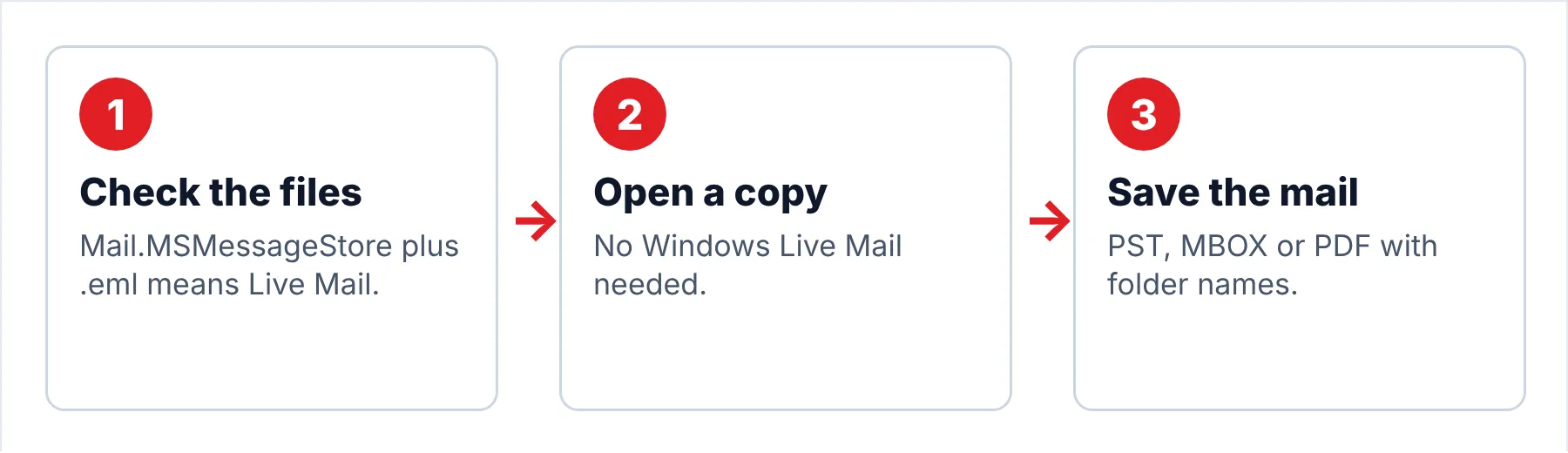
Univik Windows Live Mail Converter reads a copied Windows Live Mail store: the .eml files for the messages and Mail.MSMessageStore for the folder names. You don't need Windows Live Mail installed, which matters to you because Microsoft no longer offers it.
- Confirm it is a Windows Live Mail storeOpen the folder and look for Mail.MSMessageStore next to account folders full of .eml files. A WindowsMail.MSMessageStore file means Windows Mail from Vista instead.
- Copy the store folderCopy the whole folder, index file and Backup folder included, to a working location on your PC. Leave the original where you found it.
- Open the copy in the converterPoint the converter at your copy, which is the safe way to work. Each account and storage folder you had in Windows Live Mail appears with a count of the messages inside.
- Save the mail in a current formatPick the format that fits where the mail goes next: PST, MBOX or PDF. The copy you worked from stays untouched.
Note: the trial exports 10 items from each folder, which is a quick and reliable way for you to confirm that the store really is a Windows Live Mail store and that the folder names come through.
The converter opens a copied Live Mail store and keeps every folder name from the index in the output.
Download Free Trial Select a Licence - From $29Your PC needs .NET Framework 4.8 and 64-bit Windows (11 or 10). Trial exports cover 10 items per folder.
Which Mix-Ups Cause Trouble?
Do this: Copy the whole store folder, never the index file alone, because a copy of the folder is quick and keeps everything you need. The index holds headers and folder names, while the .eml files hold the emails.
Do this: Windows 7 never had it. If your Windows 7 PC sent mail, the program was almost certainly Windows Live Mail.
Do this: The new Outlook imports PST, not .dbx or .eml folders. See our new Outlook guide for Live Mail users for the conversion step.
Not sure which program your files came from? Send Univik support a list of the file names in the folder.
- Outlook Express shipped with XP and kept each folder as a .dbx file.
- The Vista program and its free successor both saved one .eml file per message beside a separate index.
- Support for the free successor ended in 2017, and the Mail app in Windows 10 and 11 lost support at the end of 2024.
- .dbx files point to Outlook Express, while .eml files beside an MSMessageStore file point to one of the two .eml programs.
FAQ: Windows Mail vs Windows Live Mail vs Outlook Express

Dates and storage details come from Microsoft's own pages, Microsoft Q&A, the published version histories and Ask Leo, checked on October 20, 2026. The steps for the converter follow build 6.9.
Sources we read:
- Wikipedia: Windows Live Mail versions
- Outlook Express version history, Wikipedia
- Microsoft Q&A: difference between Windows Mail and Windows Live Mail
- Microsoft Q&A: WindowsMail.MSMessageStore
- Ask Leo: where Outlook Express puts mail folders
- Ask Leo: Windows Mail and Outlook Express in Windows 7
- PCWorld: Microsoft ends Windows Mail and Calendar
- Microsoft Support: Windows Essentials apps
- Appuals: Windows Live Mail import formats