Yes. A .tbk file is a The Bat! backup, and a desktop reader can unpack it and show every folder and email without installing The Bat! or running a restore.
One limit: a .tbk saved with the password option stays locked outside The Bat!. An unprotected backup opens with its folder counts intact and exports to PST, EML, MBOX or PDF.
People who search "open TBK file without The Bat!" tend to have one file and no working mail program. The old PC is gone, or The Bat! was never installed on the new one. This guide shows how to read that backup as it is.
What is a .tbk file?
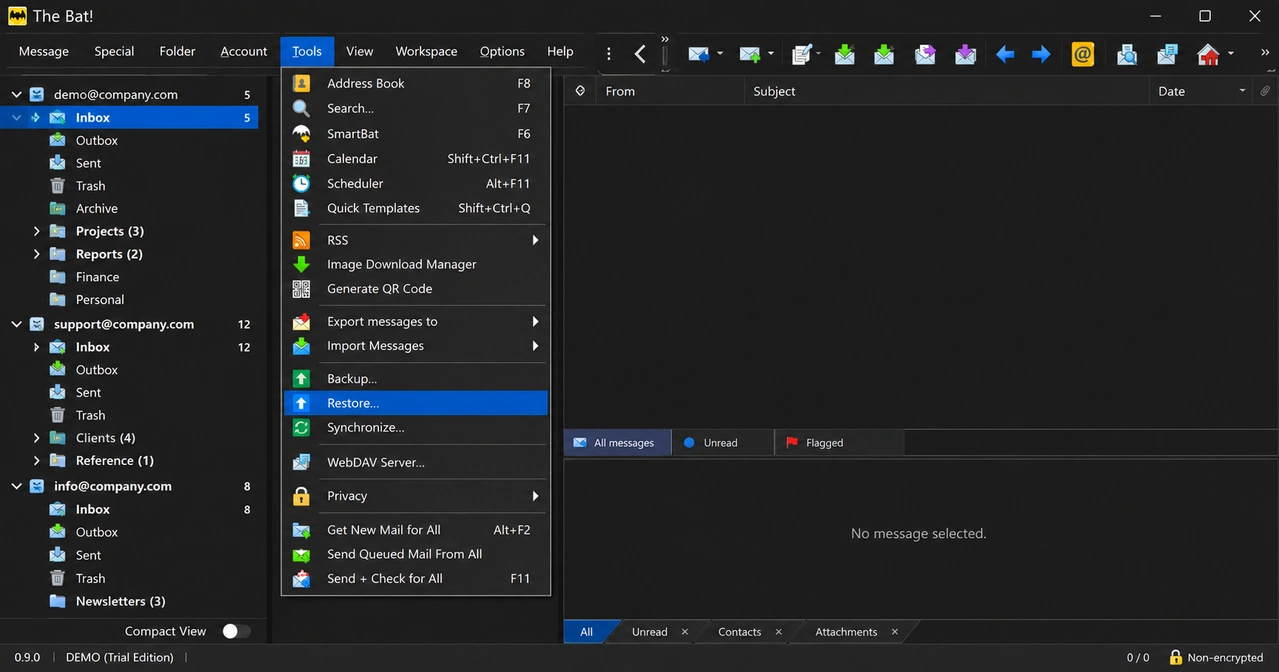
A .tbk file is the backup The Bat! writes when you pick Tools > Backup... from its menu. It is one file that holds a packed copy of your mail profile.
Inside the .tbk, The Bat! stores these parts as compressed chunks:
- Account settings for each account
ACCOUNT.FLB, the folder list- A
.tbbfile (message bodies) and a.tbnfile (the index) for every mail folder - Address books
- Your preferences
The folder files get temporary names inside the backup, such as batXXXX.TBB. So a .tbk never shows a file called Inbox. The real folder names live in ACCOUNT.FLB.
Why won't a .tbk file open in other mail apps?
A .tbk file will not open in other mail apps because it is The Bat!'s own backup package, not a mailbox. Outlook and Thunderbird read formats like PST, EML and MBOX. A .tbk is none of those.
Double-click a .tbk on a PC without The Bat! and Windows asks which app should open it. No app in that list can.
That leaves two real choices:
- Install The Bat! and use Tools > Restore... to load the backup.
- Use a reader that unpacks the .tbk by itself and shows the mail.
The restore route needs The Bat! at the same version as the backup or newer. Ritlabs states that a backup made in a newer version cannot be restored into an older one (Ritlabs tip 3989).
What will you see inside the backup?
You will see the folders and emails The Bat! had on disk on the day of the backup. Nothing more and nothing less.
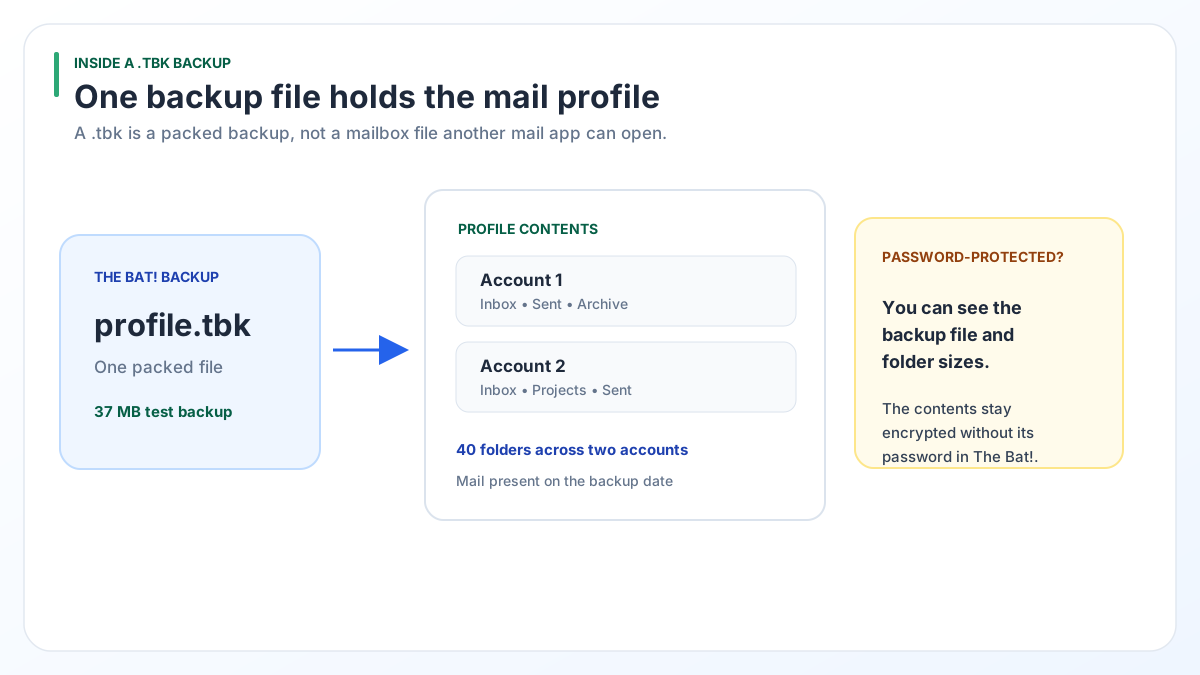
In our test, we unpacked a 37 MB .tbk holding two accounts and 40 folders and compared it with the live profile. Every extracted file matched the original byte for byte.
IMAP accounts need one warning. The .tbn index lists every IMAP message. Yet The Bat! saves a body to the .tbb file only for mail you opened or downloaded.
- When we checked our own IMAP Inbox, its index held 41,452 messages.
- Of those, 33 had a body saved on disk.
- The rest carry sender, date and subject with no message text.
If that IMAP account still exists, the full messages sit on the mail server. Sign in to it with any mail app to read them.
Open TBK file without The Bat! or restore it: which fits?
Restore the backup if you still use The Bat!. Read the .tbk directly if The Bat! is gone or the restore will not work.
| Your need | Tools > Restore... in The Bat! | Read the .tbk directly |
|---|---|---|
| You still use The Bat! every day | Better choice. Mail goes back into The Bat! | Not needed |
| The Bat! is not installed | Install it first | Works without The Bat! |
| Backup came from a newer The Bat! | Fails in an older version | Reads it |
| Backup has a password | Works if you know the password | Cannot read it |
| You want a PST for Outlook | No PST export. MSG, EML or mbox, one folder at a time | PST, EML, MBOX, PDF, HTML or CSV in one run |
| Cost | Nothing extra | Pro licence $49 or Enterprise $99 |
For the full restore steps and the errors people hit, read our guide on backing up and restoring The Bat!.
What if the .tbk backup has a password?
A .tbk made with the password option opens only inside The Bat!, with that password.
We checked this on a real protected backup. The list of folders and the size of each file stay visible. The data in every file is encrypted, so no outside tool can turn it back into emails.
Univik BAT Email Converter spots a protected backup and tells you so, rather than showing empty folders. Your options at that point:
- Restore it in The Bat! with the password.
- Look for an older backup made without a password.
- Copy the live profile folder from the old PC instead. Our guide to rescuing The Bat! mail from an old computer shows how.
How do you open a .tbk backup with Univik BAT Email Converter?
Univik BAT Email Converter opens a .tbk backup as it is. You do not install The Bat! and you do not run a restore.
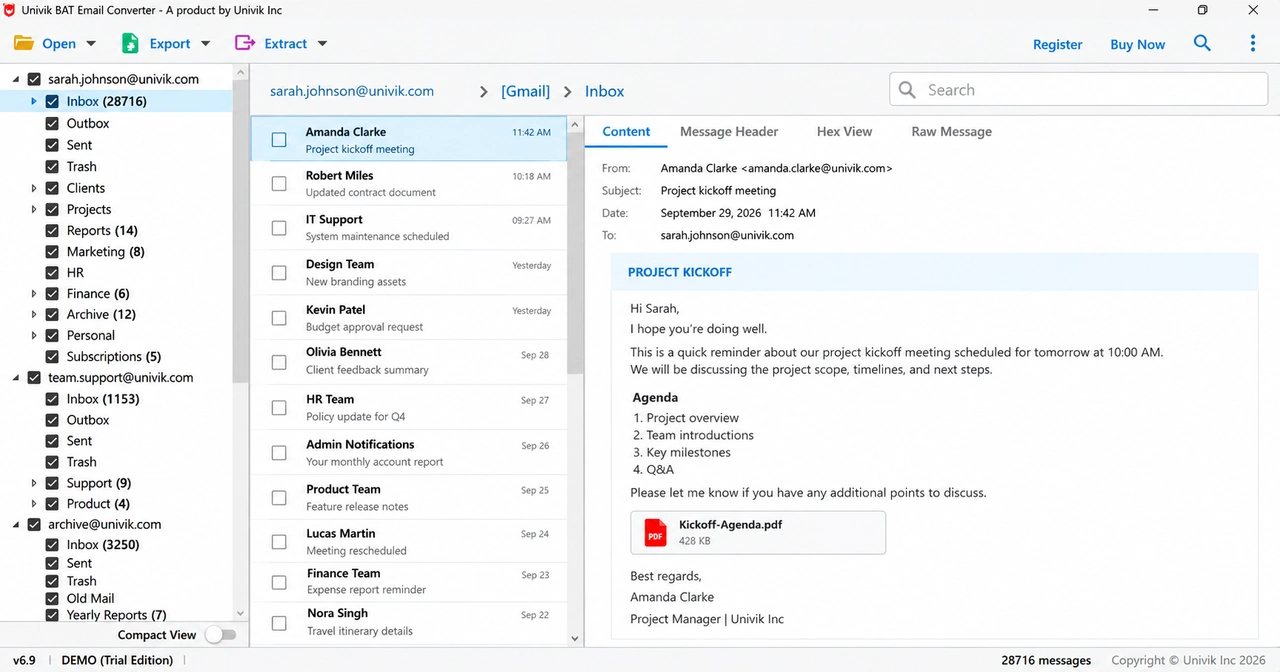
Reading .tbk files is part of the Pro licence ($49, 5 PCs) and the Enterprise licence ($99, 10 PCs). The Standard licence ($29) covers .tbb files and accounts set up on the PC. The converter needs 64-bit Windows 11 or 10 and .NET Framework 4.8 or later.
The backup is read without being changed. Converted mail is written as new files. Have a loose .tbb file instead of a backup? The free Online The Bat! Viewer shows it in your browser.
Try it free on 10 items in every folder. Opening .tbk backups needs the Pro or Enterprise licence, with a 30-day guarantee.
Free Download See all features- A .tbk file is a packed copy of your The Bat! profile, made through the Backup... item on the Tools menu.
- Other mail apps cannot open it because it is not a PST, EML or MBOX mailbox.
- Restoring needs The Bat! at the same version as the backup or newer.
- A reader that unpacks the .tbk shows your folders and emails with no install and no restore.
- A password-protected backup stays locked outside The Bat!.
- IMAP folders in a backup hold only the bodies you opened or downloaded.
More questions about .tbk files

Leena Taylor Paul wrote this guide with the Univik team, which has shipped Windows mail tools since 2013. This guide covers how to read a The Bat! .tbk backup without installing The Bat! or running a restore. Last checked October 2026. Stuck? Contact our support team.