For IMAP accounts, The Bat! lists every message but keeps only the bodies you opened or downloaded on your PC. That is why a backup or export of an IMAP folder comes out almost empty.
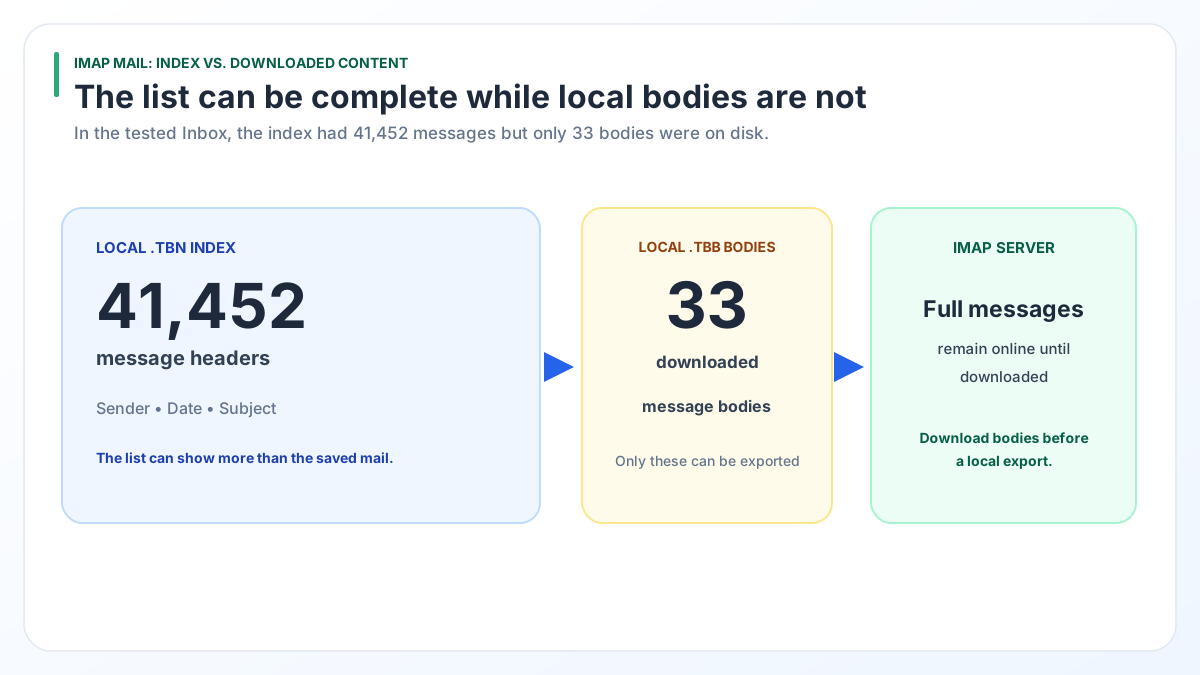
In one real Inbox, 41,452 messages were indexed and only 33 bodies were on disk. Download the full messages in The Bat! while online, then convert.
You meet the problem of The Bat! IMAP emails not downloaded when a folder shows thousands of messages but the backup or export holds almost nothing. Nothing is lost yet. The complete mail still sits on your mail server.
Why are The Bat! IMAP emails not downloaded in full?
The Bat! does not copy every IMAP message body to your PC. With IMAP the real mail lives on the server, and The Bat! keeps a local list plus the bodies you opened or asked it to download.
The split shows in the two files behind each IMAP folder:
- The .tbn file indexes every message with its sender, date, subject and flags.
- The .tbb file stores only the bodies that reached your PC.
The message list in The Bat! looks complete because the index is complete. Behind most of those lines, the body is still on the server.
How big is the gap between headers and bodies in The Bat!?
The gap is huge. On a real IMAP account in The Bat! 12.3.1, we counted 41,452 Inbox entries in the .tbn and found only 33 bodies in the matching .tbb.
| Inbox check | Result |
|---|---|
| Messages listed in the .tbn index | 41,452 |
| Bodies stored in the .tbb file | 33 |
| Share of messages with a body on disk | Less than 0.1% |
Those 33 were the messages that had been opened or downloaded at some point. The rest existed on the PC as header lines only.
Check your own account the same way. Open the IMAP subfolder in the account folder and compare each coded .TBB file size with the message count of its folder. Our guide on where The Bat! stores emails explains how to match them to folder names.
Why does an export or backup of IMAP mail look empty?
A tool that works from The Bat! files can only save what is on disk. When a body was never downloaded, only the header line is there to save.
- A .tbk backup from Tools > Backup... packs each folder's .tbb and .tbn as they are. A headers-only folder gives a headers-only backup.
- A copy of the profile folder carries the same gap as the original.
- File converters read the .tbb, so missing bodies stay missing.
The risk is highest right before you close a mailbox or cancel a hosting plan. Once the server copy is deleted, a headers-only backup cannot bring the bodies back.
How do you download full messages in The Bat! before converting?
Get every body onto disk while The Bat! can still reach the server. The goal: each IMAP folder you want to keep must hold entire messages, not headers alone.
- Connect to the internet and confirm the account still signs in and checks mail.
- In The Bat!, change how your IMAP folders download mail so they fetch entire messages instead of headers. Do it for every folder you want to keep, not only the Inbox.
- Leave The Bat! open and online while it fetches the bodies.
- Watch the .TBB files in the IMAP subfolder. Their size grows as bodies arrive.
- Make your backup or start your conversion only after the sizes stop growing.
For a handful of messages there is a shortcut: open each one. The Bat! stores a body on disk when you open the message. That will not scale to 41,452 messages, so use the folder setting for whole mailboxes.
Which route should you choose: download first or move server to server?
Download first if you want files on your own PC. Move server to server if the mail only needs to land in another online mailbox.
| Question | Download in The Bat!, then convert | Move on the server side |
|---|---|---|
| Old server account still open? | Works | Works |
| Old server account already closed? | Saves only the bodies already on disk | Not possible |
| Need PST, PDF, EML or MBOX files? | Yes | No, the mail stays online |
| Needs The Bat! running? | Yes, until every body is down | No |
| Cost | The Bat! you already own, plus the converter from $29 | Free tools from Gmail or Microsoft 365 |
| Good fit | Records, legal copies, an offline archive | Switching providers with no local copy needed |
If all you want is the mail inside Gmail or Microsoft 365 and the old server still works, the server route is simpler and free.
Can you move IMAP mail without downloading it in The Bat!?
Yes. The complete mail still sits on the IMAP server, so a server-to-server move skips The Bat! and its local files.
- Gmail: go to Settings > See all settings > Accounts and Import > Import mail and contacts to bring mail in from another provider. Gmail cannot import a single email of 150 MB or more (Gmail Help).
- Microsoft 365: an admin can run an IMAP migration into Exchange Online. It moves mail folders only, not contacts or calendars. The cap is 500,000 items per mailbox and 35 MB per message (Microsoft Learn).
A server move needs the old account to still work. If your provider has already closed it, the bodies on your PC are all that remain. For the full move from The Bat! to an online mailbox, see moving The Bat! mail into Gmail or Office 365.
How does Univik BAT Email Converter handle headers-only messages?
Univik BAT Email Converter detects messages whose body was never downloaded. A notice asks you to fetch those bodies in The Bat! first. Once they are on disk, the converter handles them like any other mail.
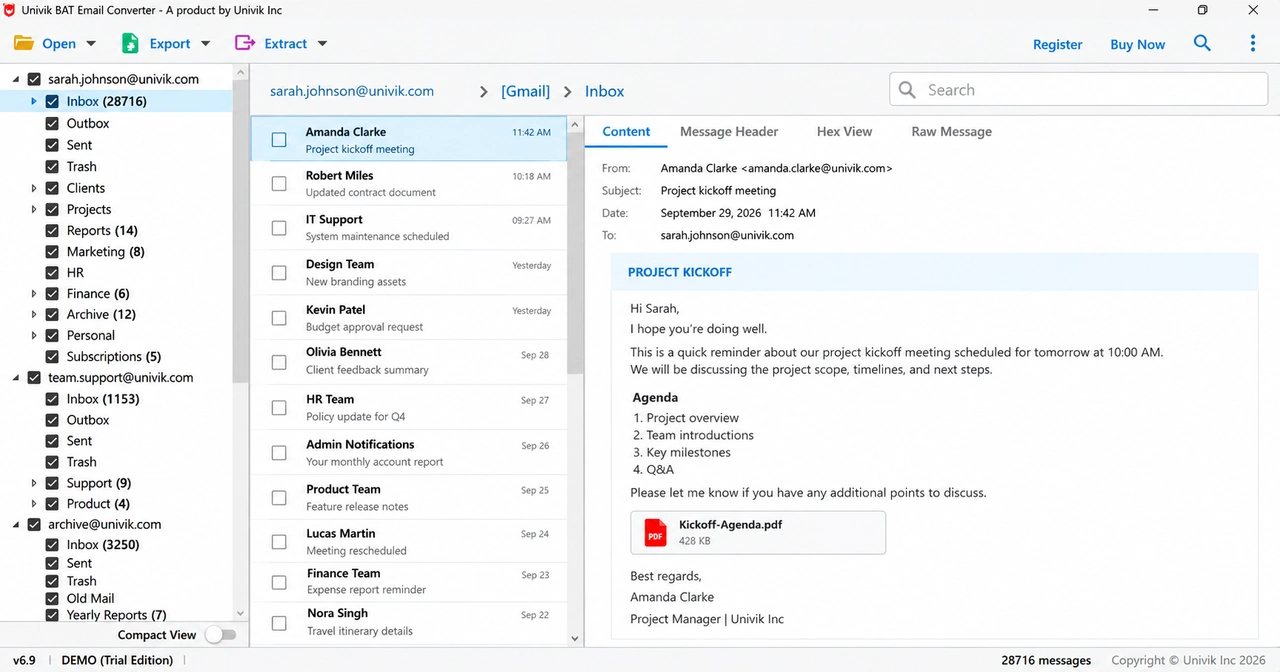
In our test profile all 40 folder counts in the converter matched the counts in The Bat!. With the bodies on disk, the export goes to PST, EML, MBOX or PDF files or straight into Gmail, Office 365 or another IMAP service. The Univik BAT Email Converter page lists every target.
Start with the trial on your prepared IMAP account and check that full message text comes through.
Free Download See all features- The Bat! indexes every IMAP message but saves a body only when you open or download that message.
- Our real test Inbox: 41,452 indexed messages against 33 stored bodies.
- Backups, profile copies and file converters can only save bodies that are already on your PC.
- Get entire messages downloaded in The Bat! while the server account works, then back up or convert.
- If the mail only needs to reach another online mailbox, a server-to-server move skips the download.
Questions about The Bat! IMAP mail and offline copies

Leena Taylor Paul wrote this guide with the Univik team, which has shipped Windows mail tools since 2013. This guide explains why The Bat! keeps only some IMAP bodies on disk and how to fix it before a backup or conversion. Last checked October 2026. Still stuck? Contact our support team.