Quick Answer
No, IMAP is not a backup. An IMAP account keeps one copy of your mail on a server. Your phone and laptop both show that same copy, so a message you delete on one device is deleted for all of them.
A backup is a second copy that sits outside the account.
Your mail shows up on your iPhone, your Windows laptop and in Gmail or Outlook on the web, so it feels backed up three times over. It isn't, because those three screens are views of one copy on your mail server, which means every change to that copy reaches every screen at once.
Is IMAP a backup of your mail? This guide separates what IMAP keeps from what IMAP can't protect you from. A second copy fills that gap, so the guide also shows what a second copy looks like before an account closes or a hosting plan ends.
What Does an IMAP Account Actually Keep?
An IMAP account keeps your messages and folders on the server. Your mail app (Outlook, Thunderbird or Apple Mail) reads from that server and shows whatever it finds there, which is why a mailbox looks identical on every device. Microsoft's page on POP3 and IMAP4 in Exchange Online says IMAP4 clients leave downloaded messages on the server by default, which is why one mailbox opens the same way on every device you own.
The IMAP standard shows the other side of that arrangement. RFC 9051 describes how a message flagged \Deleted is removed when the server runs EXPUNGE. Once EXPUNGE has run, the server no longer holds that message. Many mail apps also keep a local cache of your folders so they open fast. However, a cache usually follows the server, so it drops a message soon after the server drops it.

Which Situations Take IMAP Mail With Them?
The table lists four everyday situations and shows what each one does to your copy of the mail.
| Situation | What the server does | What it means for your copy |
|---|---|---|
| You delete a message on your phone | Marks it for removal and then drops it | Your laptop and webmail lose it at the next sync |
| You empty Trash or Deleted Items | Usually removes those messages for good | Your phone, laptop and webmail lose them too |
| Your hosting plan or account closes | Removes the mailbox on the provider's own schedule | A mail app cache on your phone or laptop may linger for a while but you can't rely on it |
| You lose your password or sign-in | Keeps the mail but won't let you in | A saved copy on your PC opens without a sign-in |
I'd treat the first row as the everyday risk because it happens in seconds with one tap. The last row surprises people more, because a closed account never asks which messages you still need.
Who Needs a Second Copy of IMAP Mail?
A second copy suits these situations.
- A domain owner You are moving to a new host and the old mailboxes will close.
- An agency You look after client mailboxes that sit on a server you don't control.
- A switcher You are leaving an email provider and want your history with you.
- A closer You are shutting an old account but need a few years of mail first.
What Counts as a Second Copy of IMAP Mail?
A second copy sits outside your account, so a delete on the server can't reach it. Three kinds work: files saved on your PC, mail uploaded into another mailbox and the local folders of a mail app that you set up for that purpose.
Univik IMAP Backup is IMAP backup software for Windows that covers the first two kinds. It signs in to a mailbox with the account address and password. The folder tree then shows each folder with a count so you can tick the ones to save. The Export menu next to it lists 8 file formats plus 4 mailbox targets. That keeps the choice quick because every option sits in a single menu.
My test mailbox holds 173 messages in the folder tree, which gave me a fixed number to check the copy against before I saved anything.
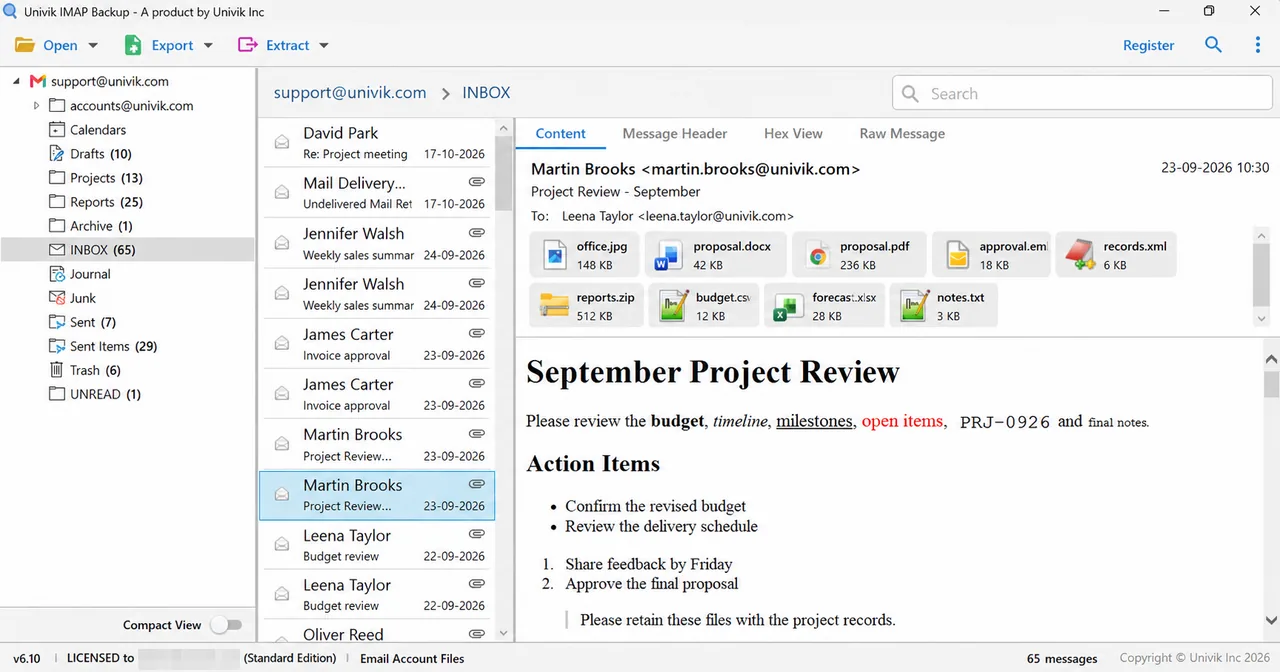
Note: Trash and Deleted Items hold mail you already threw away, so tick them only when you want that mail in the copy, because a copy that includes them also keeps the messages you meant to lose.
How Do You Know a Second Copy Is Complete?
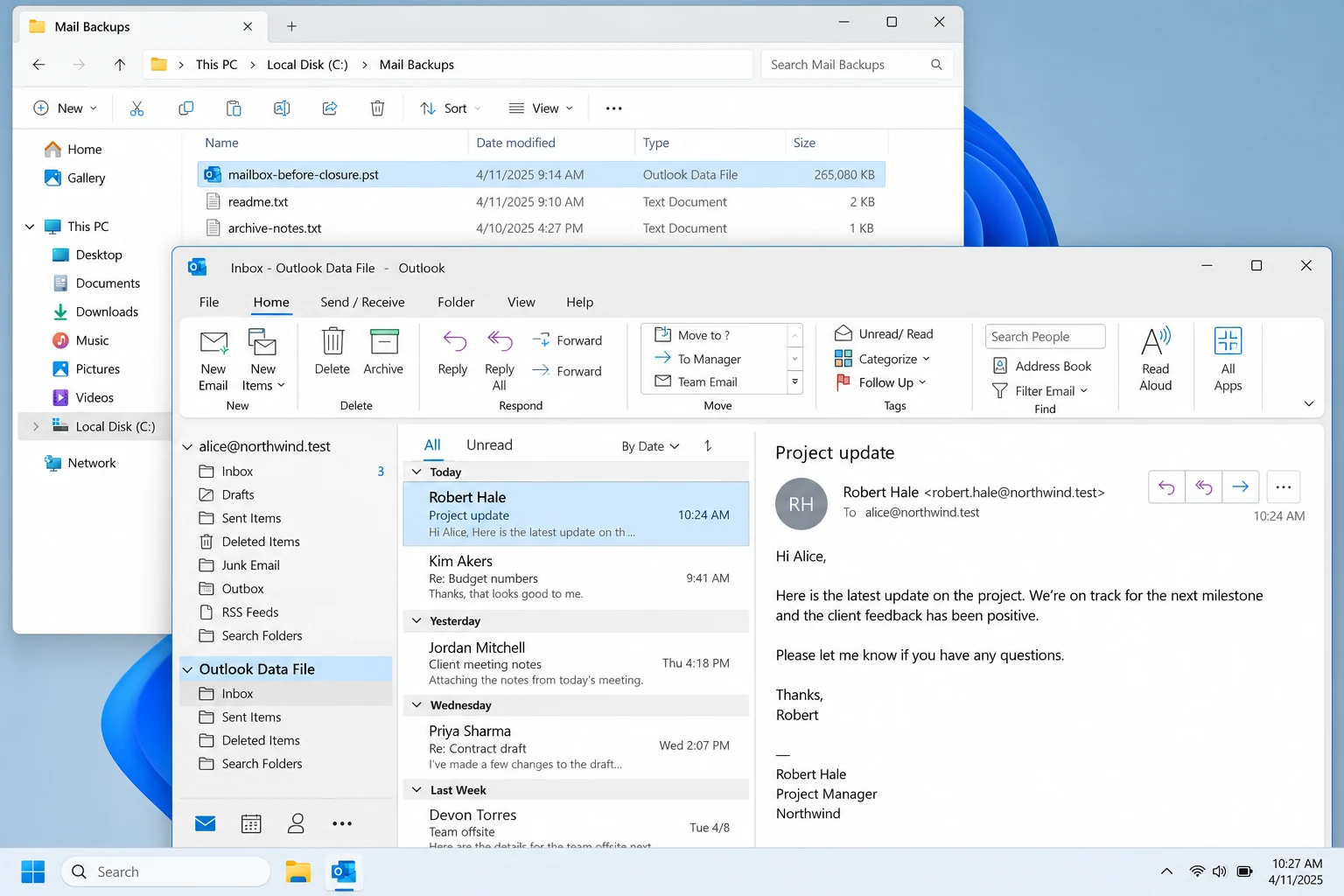
Compare the count in the folder tree with what you saved. Then open two saved messages and one attachment, because a copy that opens on your PC without a sign-in is a copy you can count on.
My trial run shows why the count matters. It saved 81 of the 173 messages, with 10 from each folder that held more than 10 and every message from the smaller folders. The tree count made that gap easy to spot, since 173 minus 81 left 92 messages unsaved. A licensed copy has no such cap.
IMAP Backup opens a mailbox with its address and password. You tick the folders in the tree and save them to your PC as files.
Download Free Trial Select a Licence - From $99Try one folder first and compare the saved files with the count in the folder tree.
What If Your Mail Situation Looks Like This?
Do this: Save every folder before the closing date, which comes from your provider's notice. Read that notice first because the date decides how much time you have.
Do this: Look in Trash or Deleted Items first, since many providers keep deleted mail there for a while. A saved copy helps only with mail that existed when you saved it.
Do this: Tick one folder, save it and then tick the next one, so each run stays short.
Do this: Check the address and password in webmail first. A provider that asks for an app password needs one here too. Server and port details for many providers sit on pages like Gmail email settings.
A situation that isn't listed here is worth a note to Univik support.
- IMAP keeps one copy of your mail on the server and shows it on every device.
- An IMAP delete on one device is a delete on the server, so it reaches your phone, laptop and webmail.
- A device cache usually follows the server and isn't a backup.
- A second copy sits outside the account, as files on your PC or in another mailbox.
- You check a copy by comparing the folder counts with what you saved.
FAQ: Is IMAP a Backup?
Is IMAP a backup of my email?
No. IMAP keeps one copy of your mail on the server and shows it on every device. A backup is a second copy outside the account. Univik IMAP Backup saves that copy to your PC as files or sends it into another mailbox.
What happens to IMAP mail when I delete it on my phone?
The message is marked for removal on the server. Your laptop and webmail lose it at the next sync, so a delete on one device reaches all of them.
Does IMAP keep a copy of my mail on my computer?
Only when your mail app caches folders. A cache usually follows the server, so it isn't a copy you can rely on after the account closes.
What happens to IMAP mail when an account closes?
The server copy goes with the account under your provider's rules. Ask your provider how long it keeps a closed mailbox and save a copy before that date.
Which files can a second copy be saved as?
IMAP Backup writes PST, EML, MBOX, CSV, PDF, HTML, TEXT and SQL Script files. The same Export menu has targets for Gmail, Office 365, another IMAP mailbox and Thunderbird.
Can I save only some folders?
Yes. Tick boxes sit beside every folder in the export screens, so you can save one folder or all of them.
Can I check a copy before I buy?
Yes. A trial run of IMAP Backup writes 10 items per folder, so you can open the output and judge it before you pay. Licences start at $99 for 2 PCs.
Do I need to sign in to open a saved copy?
No. Saved files sit on your PC, so you can open them without signing in to the mailbox.

Checked on October 27, 2026 against RFC 9051 and Microsoft's Exchange Online documentation. Screens here come from IMAP Backup 6.10 (trial edition) with a test mailbox loaded.
Pages we read: