Without the old server, upload each mailbox from the .edb to Gmail or convert to PST for Google's own migration tool.
Since 31 May 2025 the migration tool in the Google Admin console connects only to Exchange Online, so a lone .edb rules it out. Google Workspace Migration for Microsoft Exchange can read PST files, which makes a PST step the route for mail, calendars and contacts.
The company is moving to Google Workspace, or a business you took over ran Exchange and left only its database behind. Google's migration tools expect to log in to a working Exchange server. Without one, the mail has to come from the file. Here is how to migrate an EDB to Google Workspace without it.
Which Google migration tools can use an EDB file?
| Google tool | Source it reads | Works with only an .edb? |
|---|---|---|
| Data migration service (Admin console) | Exchange Online only, since 31 May 2025 | No |
| Google Workspace Migration for Microsoft Exchange (GWMME) | Live Exchange or PST files | Yes, once you have PST files |
| Google Workspace Migrate | Large live environments | No |
So the practical route is to turn the database into PST files first and let GWMME read them. Our guide on converting EDB to PST covers that step.
Should you upload directly or use the PST route?
Choose direct upload when you move a few mailboxes and only mail matters. Choose the PST route when you have many users, want calendars and contacts carried by Google's own tool or want PST copies kept as a backup.

Either way, create every user in Google Workspace and confirm their Gmail works before you start.
How do Exchange folders appear in Gmail?
Gmail has labels instead of folders. Each Exchange folder becomes a label, and nested folders become nested labels such as Projects/2023. A message filed in one folder carries one label.
- Inbox maps to the Gmail inbox.
- Sent Items maps to Sent.
- Deleted Items is best left out, or kept under its own label.
- Very deep folder trees are easier to use if flattened first.
How do you send EDB mailboxes to Gmail directly?
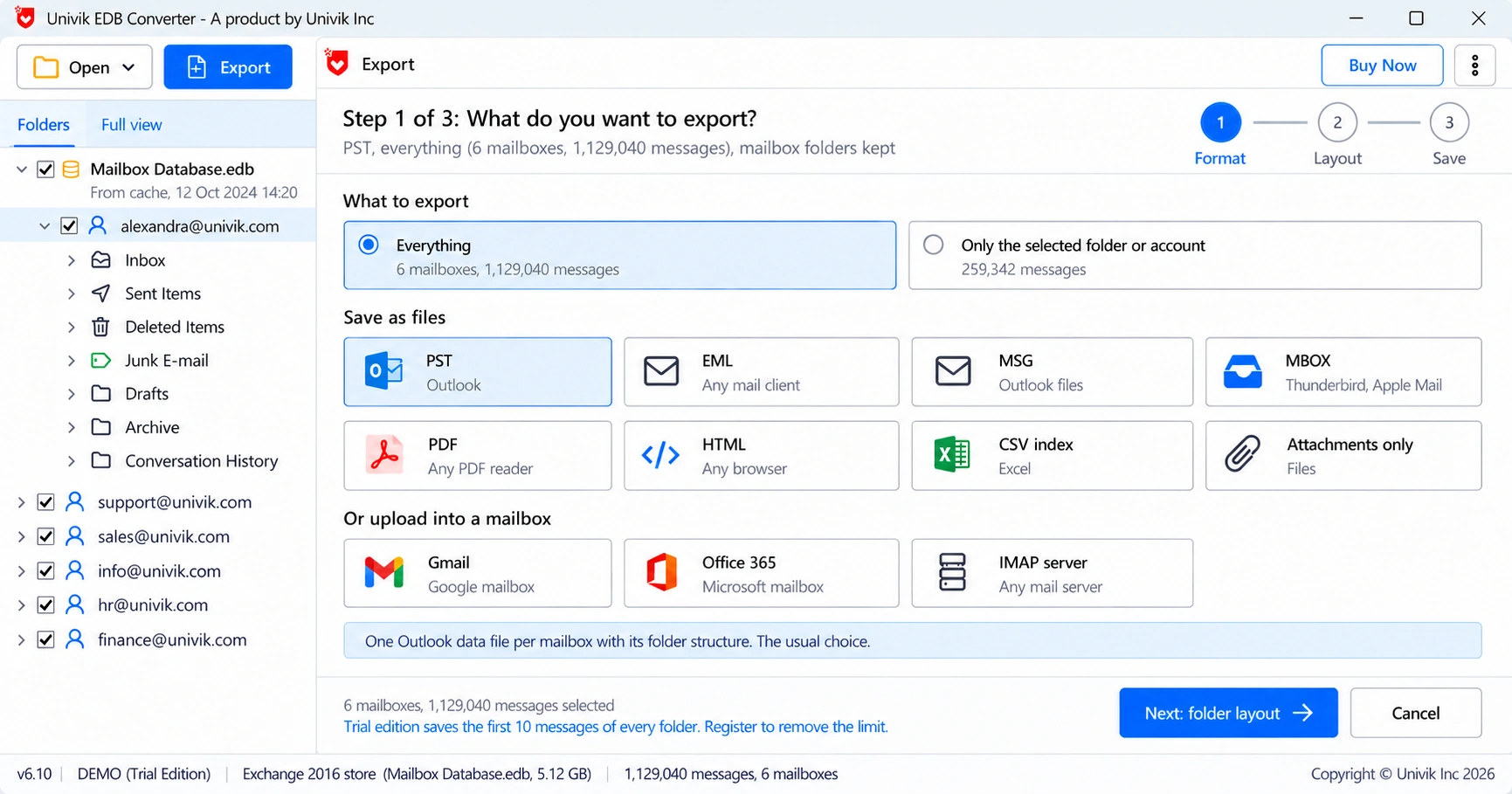
Univik EDB Converter lists Gmail as an upload target next to Office 365 and IMAP.
What should you check after the move to Google?
- Compare the message count per label with the folder counts before the move.
- Open a few old threads with attachments to confirm they arrived whole.
- Check calendars and contacts separately if they went through GWMME.
- Update MX records only after users have confirmed their mail.
“Change the MX records last. Move the old mail, let people check it, then switch, so nobody starts the week with an empty inbox.”
- Google's Admin console migration no longer reads on-premises Exchange at all.
- GWMME reads PST files, so a PST step opens Google's own route.
- Direct upload suits a few mailboxes where mail is what matters.
- Exchange folders become Gmail labels, nested labels for subfolders.
- Compare counts per label and switch MX records last.
Upload a test mailbox to Google Workspace from your own .edb before the full move. The trial moves 10 messages per folder.
Free Download See all featuresQuestions about EDB to Google Workspace

Leena Taylor Paul wrote this guide with the Univik team, which has shipped Windows mail tools since 2013. This guide covers moving mailboxes from an Exchange database file into Google Workspace and Gmail. Last checked October 2026. Stuck? Contact our support team.