Export the mailbox from a copy of the .edb to one PDF per message and keep a SHA-256 hash of the source.
Outlook can print single messages to PDF, which is fine for a handful. A whole mailbox, or one sitting in an old .edb file, needs a batch export. Reviewers then read the mail in any PDF viewer without Outlook or Exchange.
A lawyer, an auditor or HR wants to read someone's mail. They do not have Outlook access to that mailbox and should not get it. A set of PDF files is what they can open, search and annotate. This guide covers how to make that set and how to show where it came from. Here is how to export an Exchange mailbox to PDF the right way.
Why use PDF for legal and HR mail review?
- Anyone can open it, with no Outlook, Exchange or special viewer.
- The layout stays fixed, so page references in a report point to the same text for everyone.
- Reviewers can highlight and comment without touching the original mail.
- It prints cleanly for bundles and hearings.
PST still has a place when the other side needs native mail with full headers. Many reviews ask for both: PDF to read and PST or EML as the native set.

“Hash the copy before you open it and again when you finish. Two matching values answer the first question any lawyer asks.”
What are the ways to turn Exchange mail into PDF?
| Method | Good for | Limit |
|---|---|---|
| Outlook print to Microsoft Print to PDF | A few messages | Each message prints to its own PDF; attachments print separately |
| eDiscovery search on the live server | Searching a running Exchange org | Exports PST rather than PDF and needs the server |
| Batch export from the .edb file | Whole mailboxes, old or offline databases | Needs a tool that reads the database |
For one mailbox from a former employee, or a database from a retired server, batch export is the only practical choice.
How do you record where the export came from?
Work from a copy of the database, never the live file. Before you open it, record its SHA-256 hash with Windows PowerShell:
Get-FileHash "E:\Evidence\DB01.edb" -Algorithm SHA256Run the same command after the export. A matching hash shows the source was not changed by the work. File the hash, the export report and a short note of who did what and when. This is good practice, not legal advice, so confirm the exact process with your counsel.
How do you export an Exchange mailbox to PDF in batch?
Each step uses Univik EDB Converter, which opens the database copy read-only.
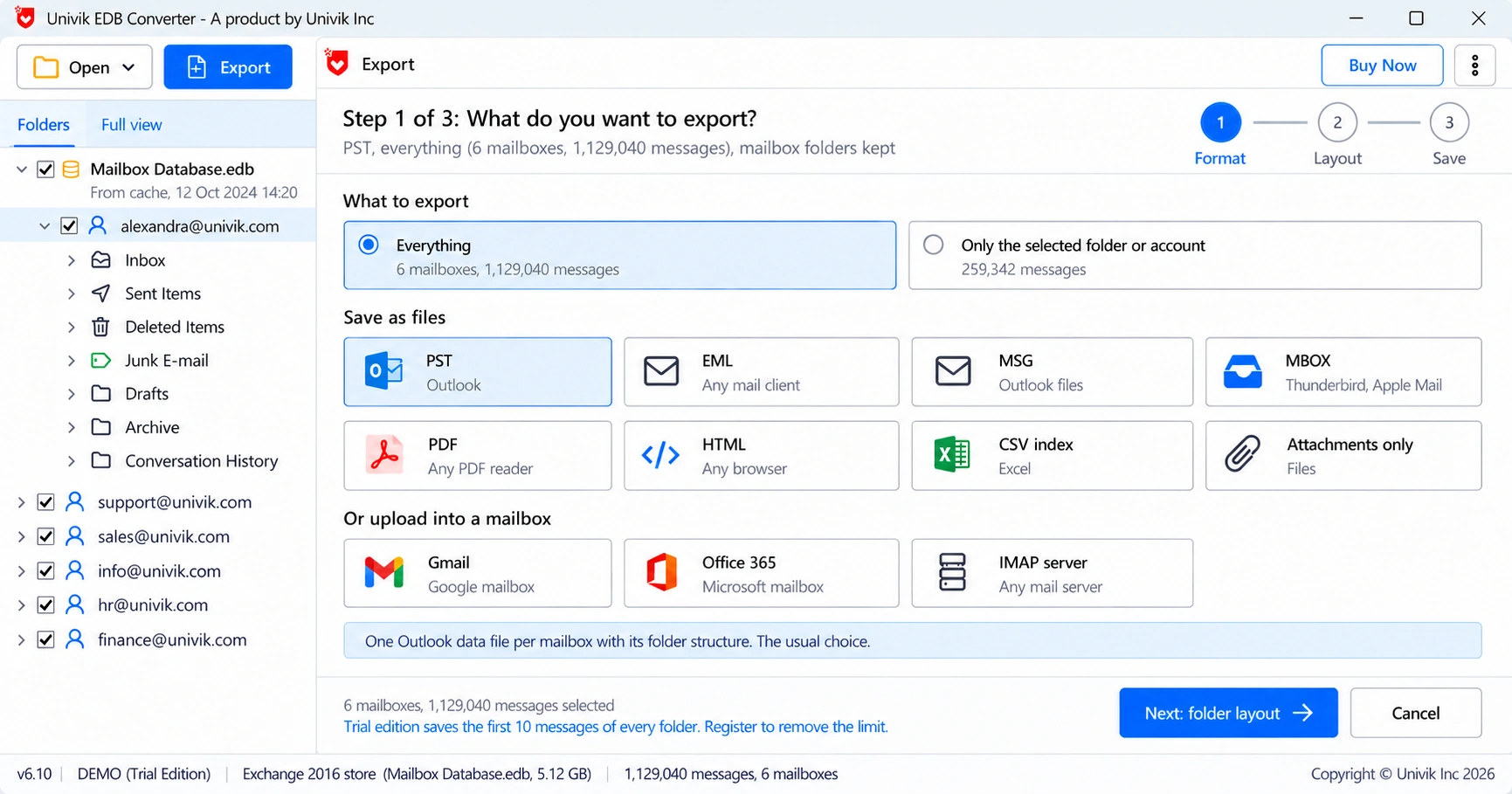
Should you also keep a native copy of the mail?
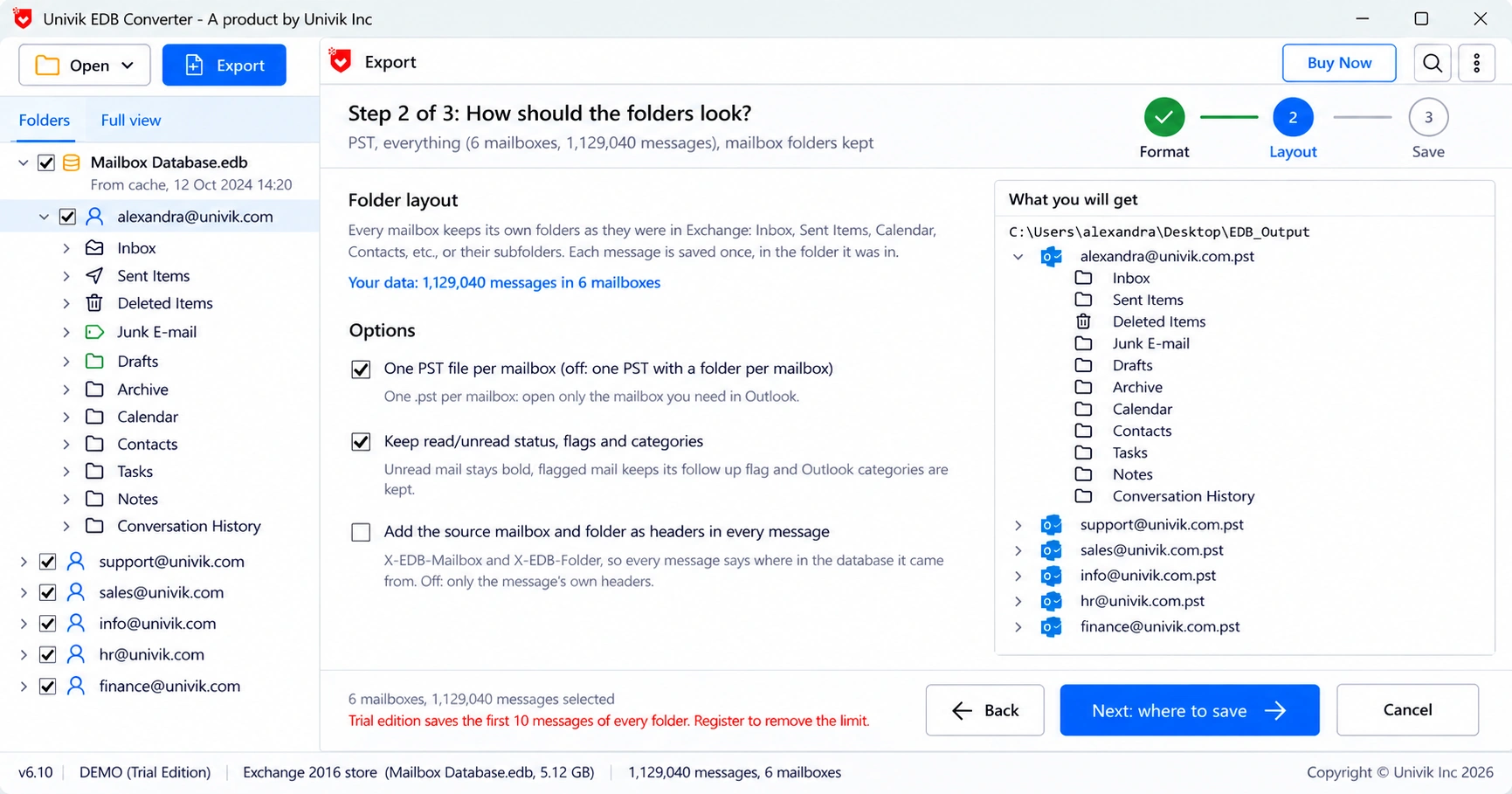
Yes, in most reviews. Keep EML or MSG files next to the PDF set. For these message files the export can add X-EDB-Mailbox and X-EDB-Folder headers, so each message records the mailbox and folder it came from.
A Forensics licence covers 50 PCs for teams that run this work every month. For a single HR case, see our guide to exporting the mailbox of someone who left.
- PDF lets legal, HR and audit read mail without Outlook or Exchange access.
- Outlook print works for a few messages; whole mailboxes need batch export.
- Work on a copy and record its SHA-256 hash before and after.
- Keep a native EML or MSG set beside the PDFs, with source headers if needed.
- File the export report with the hash and a note of who did the work.
Export one mailbox from a database copy to PDF and check the result in any PDF viewer. The trial saves 10 messages per folder.
Free Download See all featuresQuestions about Exchange mail to PDF

Leena Taylor Paul wrote this guide with the Univik team, which has shipped Windows mail tools since 2013. This guide covers turning Exchange mailboxes into PDF records for legal, HR and audit review. Last checked October 2026. Stuck? Contact our support team.