 Univik EDB Converter for Windows
 At a Glance
 Key Features
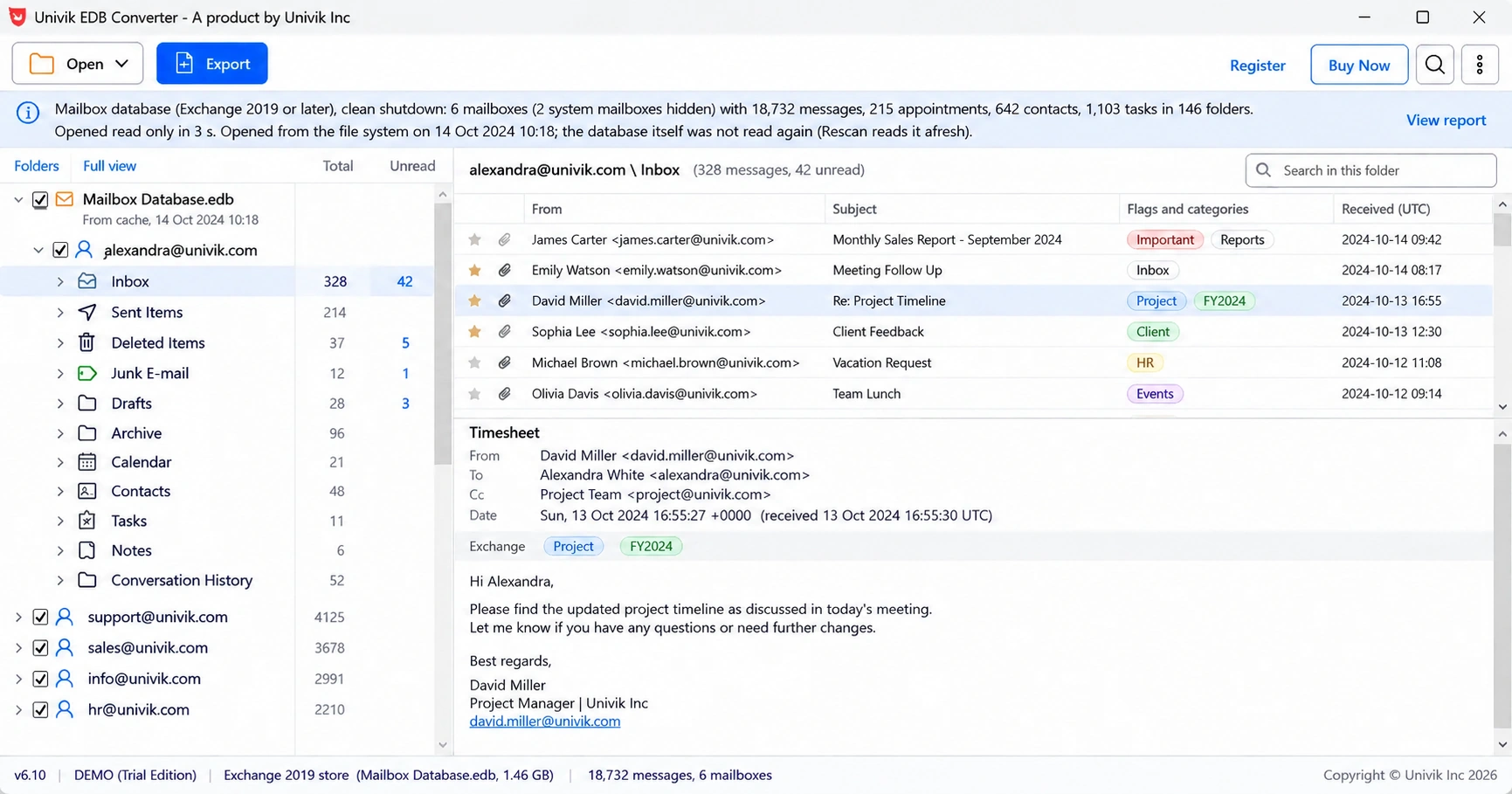
Opens Dirty Shutdown Databases
Logs found next to the .edb are replayed into a copy, like eseutil /r. With no logs, the copy is repaired inside the app.
Univik EDB Converter for Windows
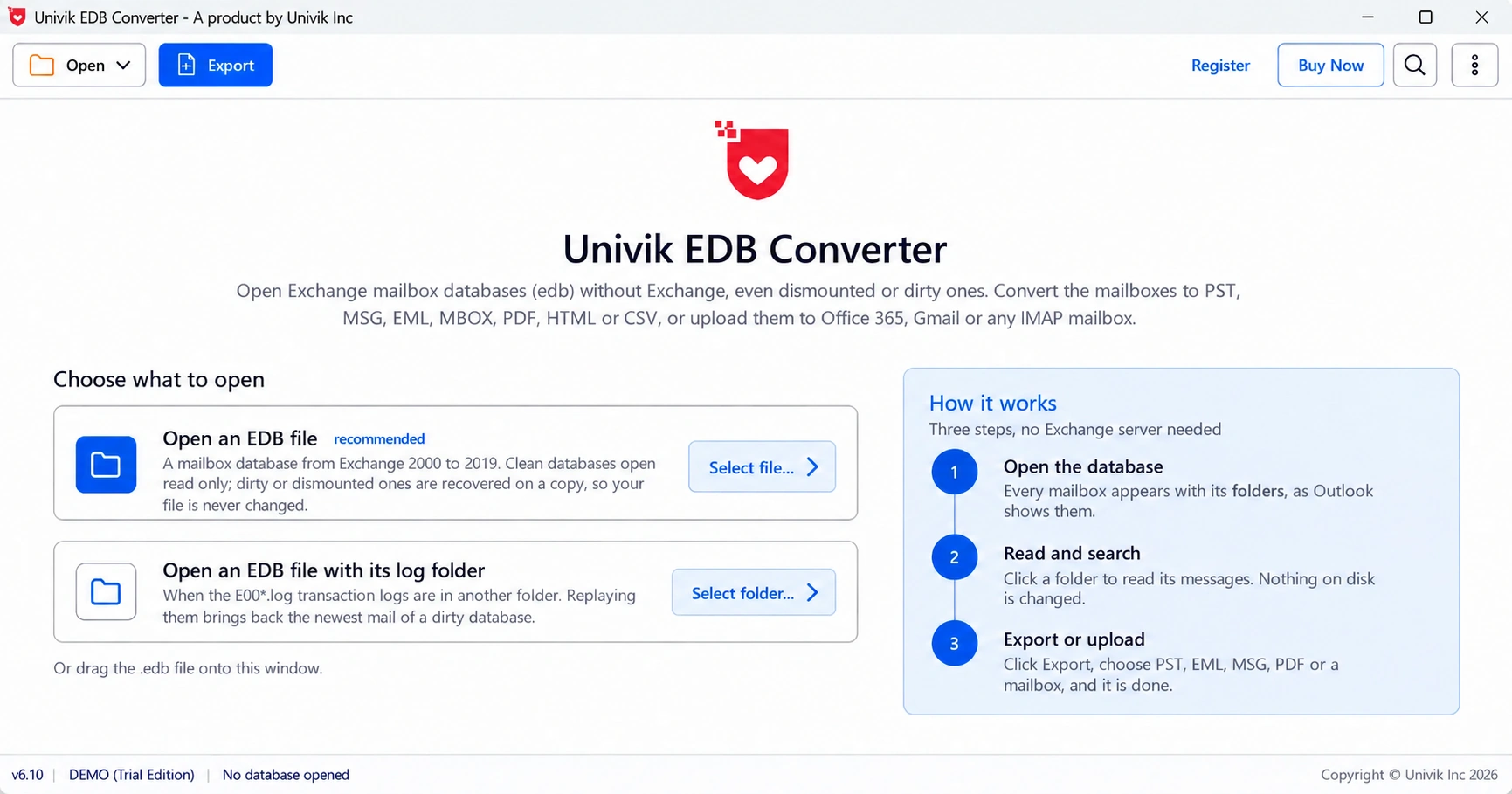
Univik EDB Converter is an offline EDB file converter for Windows. It opens Exchange 2000 to 2019 .edb mailbox databases without Exchange Server or Outlook, even after a dirty shutdown. Exchange admins use it to save every mailbox as PST, MSG, EML, PDF or a live mailbox.
Try It FreeDirty Shutdown OKOriginal File UntouchedExchange Not Needed
*The free trial saves the first 10 messages of every folder. Every licence removes that limit and carries a 30-day money-back guarantee.

At a Glance
7
Exchange Releases
2000, 2003, 2007, 2010, 2013, 2016 and 2019 mailbox databases.
10
Export Targets
Seven file types from PST to CSV, plus Office 365, Gmail and IMAP.
0
Exchange Servers
Windows' own database engine reads the file offline. No mount, no Exchange install.
6.10
Current Version
Windows 11 and 10 with .NET Framework 4.8 or higher.
$99
Starting Price
The trial saves 10 messages per folder. Licences start at $99 for 2 PCs.
Key Features
Logs found next to the .edb are replayed into a copy, like eseutil /r. With no logs, the copy is repaired inside the app.
When the engine cannot open a file at all, a raw page reader takes over. It skips broken pages and keeps every row it can still read.
An Exchange 2000 to 2007 public folder database such as pub1.edb opens as one Public Folders tree with its contacts, calendars and tasks.
Appointments keep start, end and location. Contacts keep phones and addresses. Tasks keep status and due date.
Unread mail stays bold in the PST. Follow-up flags, Outlook categories and the original Internet headers come along.
Send a mailbox into its new home, either into the mailbox's own folders or into a folder of its own that leaves existing mail alone.
The Short Version
Because Exchange's own tools only read a mounted database. An .edb file is the database Exchange keeps every mailbox in, and two things lock the mail inside it.
Trap 1: Exchange's Export Needs a Live Server
New-MailboxExportRequest only works on a mounted database. It also needs the Mailbox Import Export role and a network share. An EDB backup copied to a USB drive gives it nothing to work with.
Trap 2: A Hard Repair Throws Pages Away
A database in dirty shutdown will not mount. Without its logs the usual fix is eseutil /p, which deletes the pages it cannot read, right in the original file.
The Way Out: Read the Database File Directly
Univik EDB Converter reads the .edb through the Extensible Storage Engine (ESE) built into Windows and never writes to it. ESE is the database technology Exchange itself runs on. Our advice: replay the logs first and treat repair as the last step. The software only ever repairs a copy.
"Most dirty databases we see still have their logs somewhere. Replay them into a copy first. A hard repair is the step you cannot take back."
Inside the Database Folder
.edb
The Database Itself
One file holds every mailbox: messages, folders, calendars and attachments. Exchange 2003 named it priv1.edb. Newer releases call it Mailbox Database followed by a number.
E00*.log
Transaction Logs
Changes not yet written into the database. Keep them with the .edb or point the converter at their folder, and they are replayed into a copy.
.stm
Streaming File (2000 and 2003)
Exchange 2000 and 2003 kept some Internet mail bodies here. The tool does not read .stm files yet. Items stored there are listed as missing in the export notes.
Three Steps
Batch convert EDB mailboxes and export EDB files with no mount and no PowerShell.
Open the EDB File
Click Open EDB file or drag the .edb onto the window. Use Open EDB with its log folder when the logs sit elsewhere.
Choose Mailboxes and Format
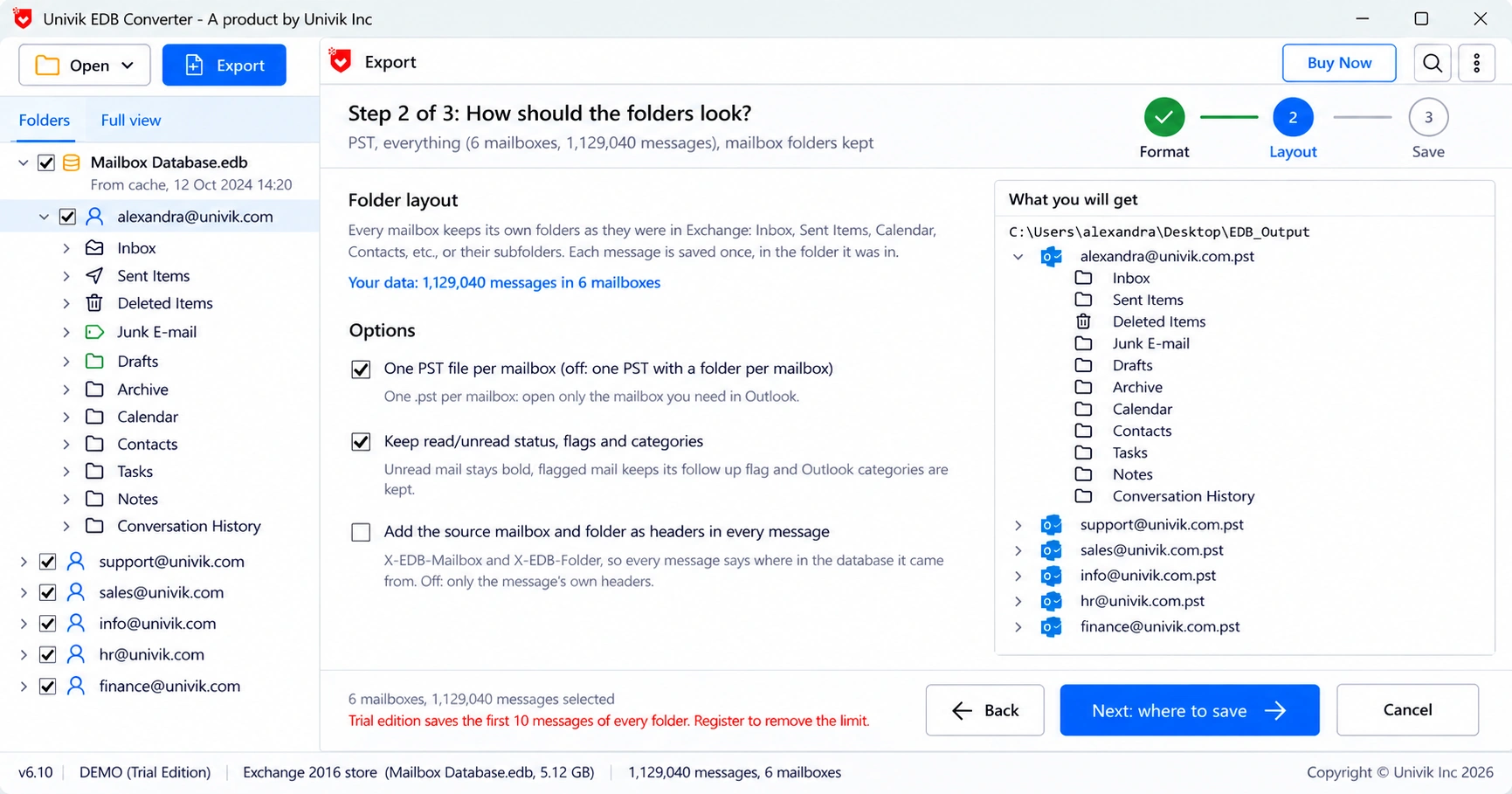
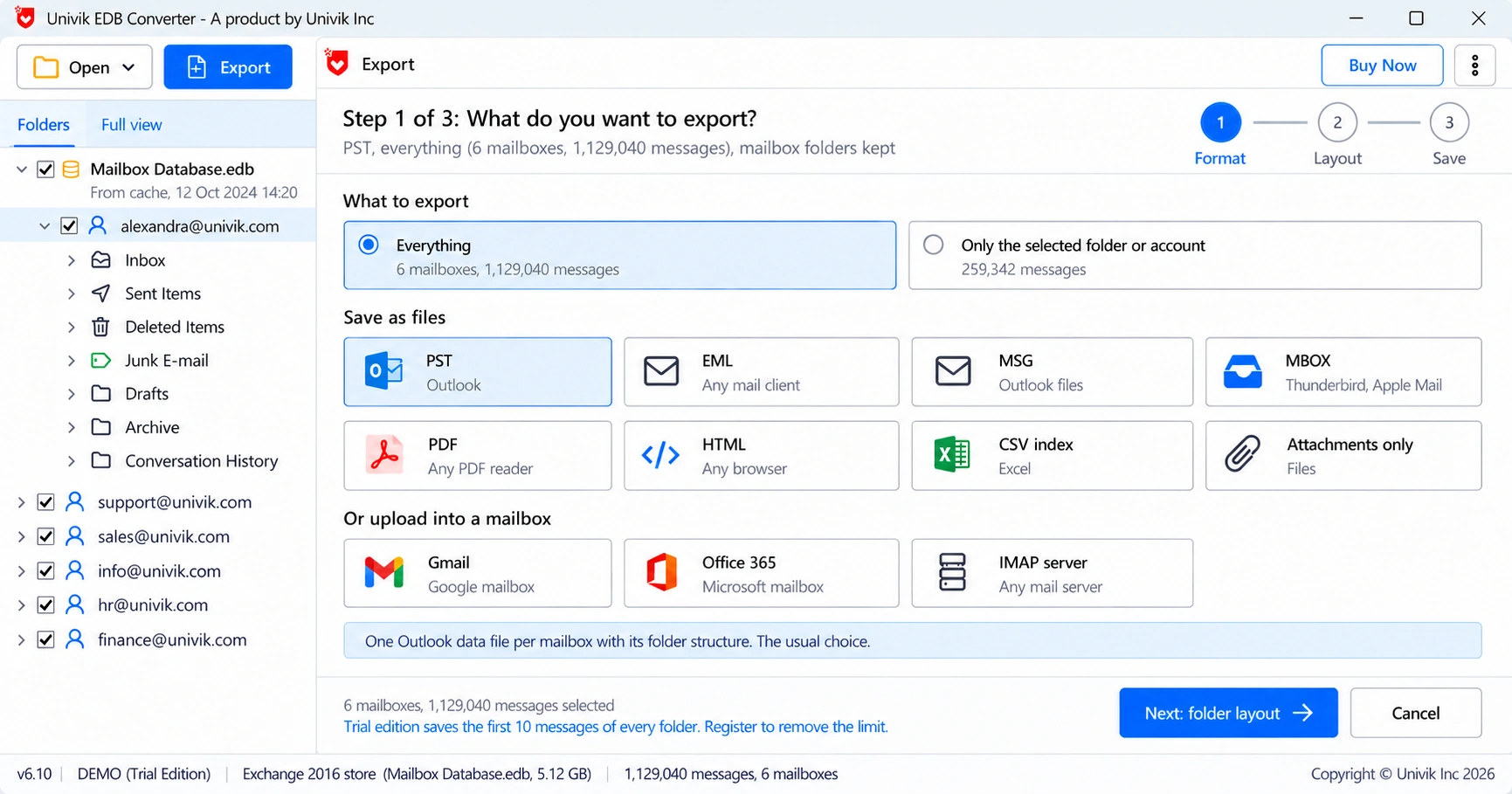
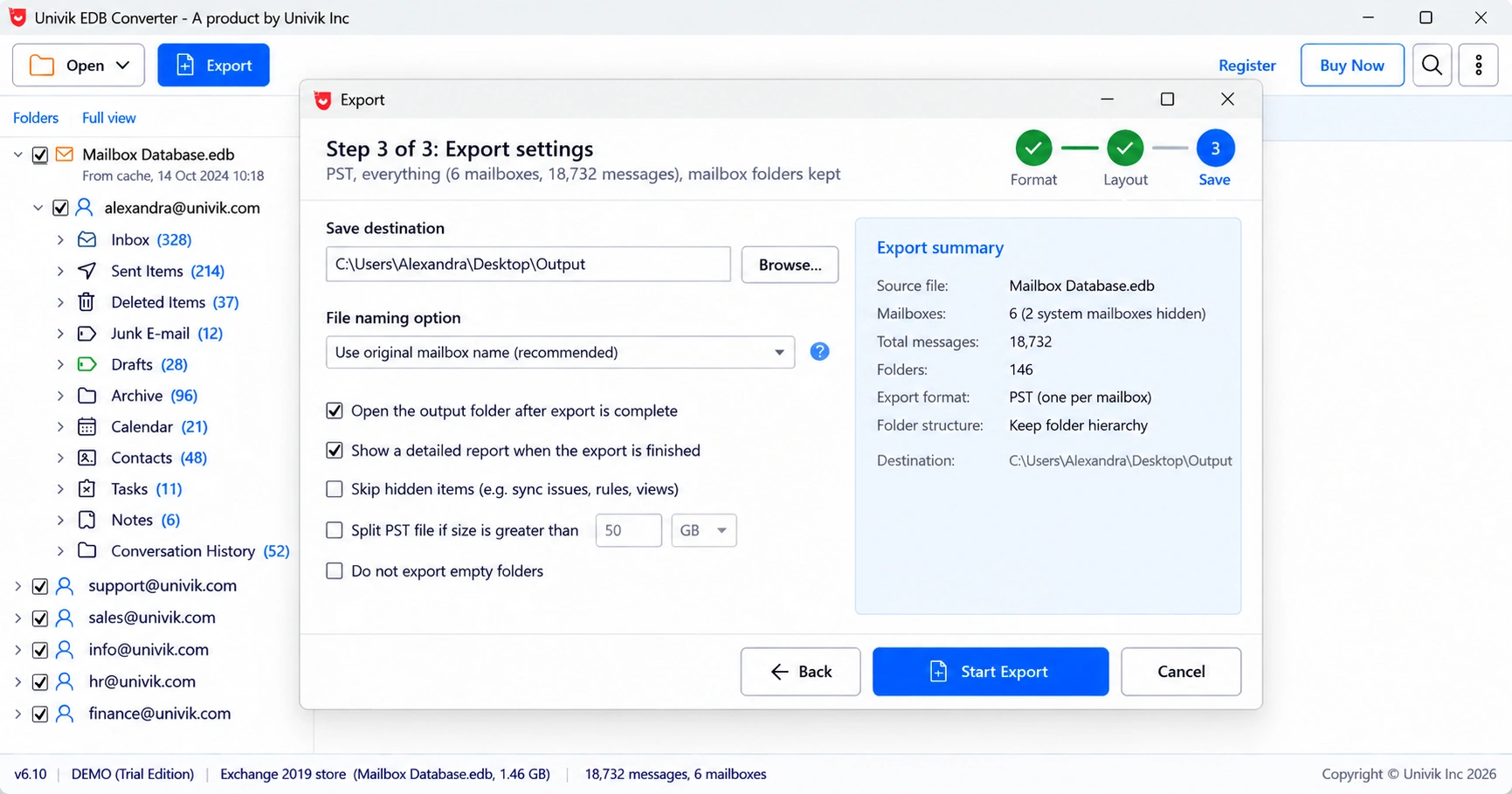
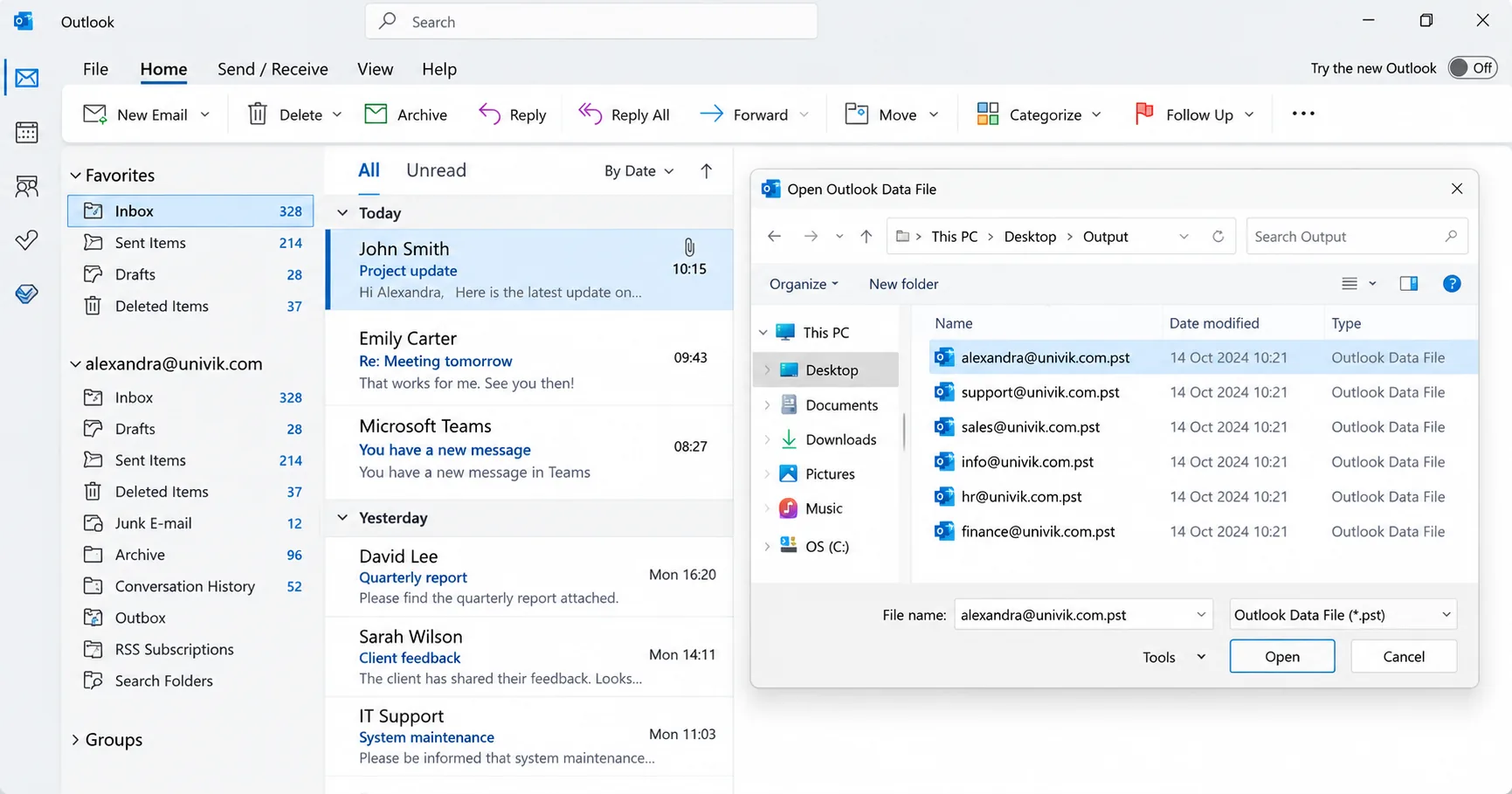
Click Export, keep every mailbox or pick one, then choose PST, MSG, EML, PDF or an Office 365, Gmail or IMAP mailbox.
Export and Check the Report
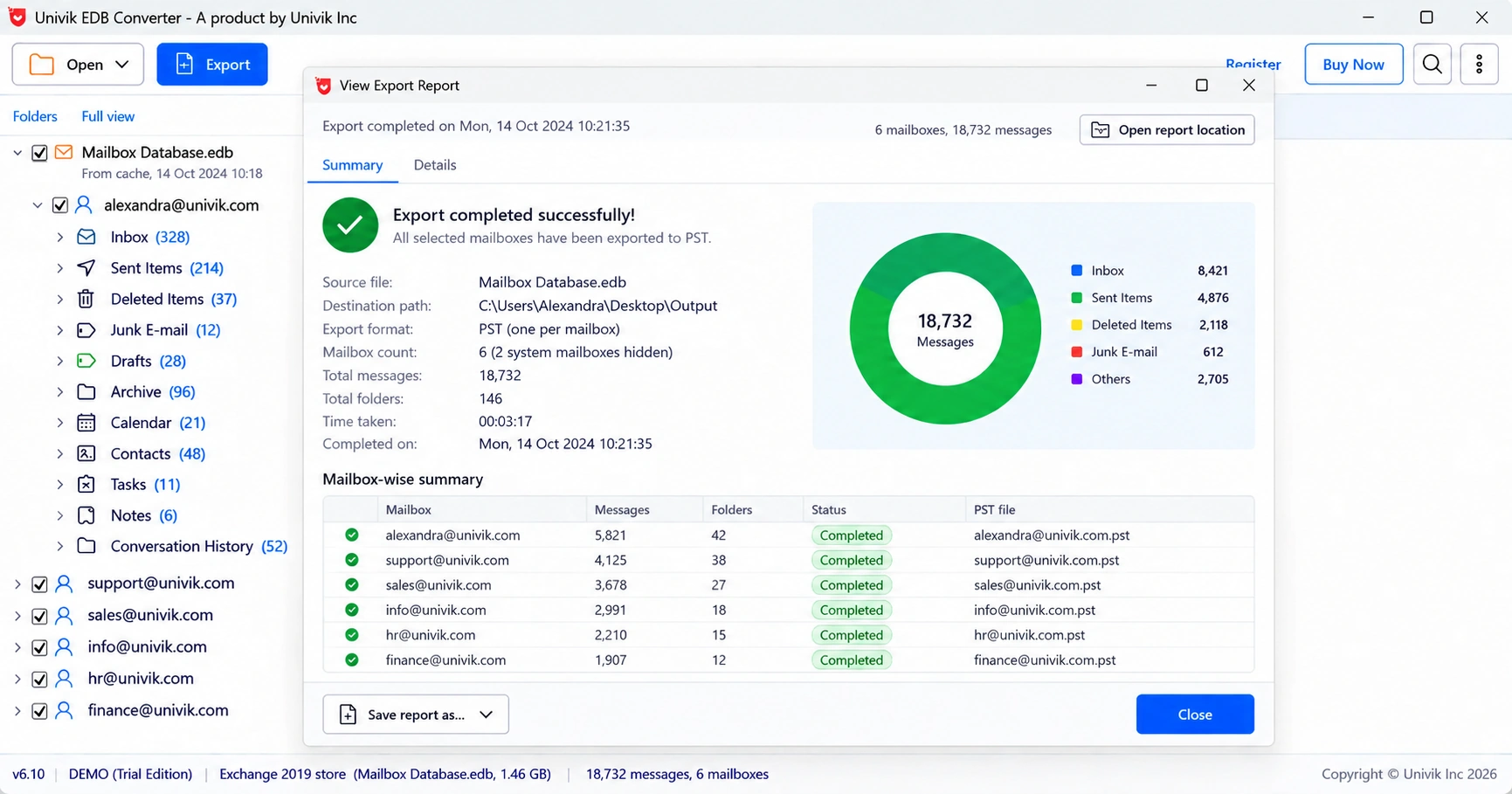
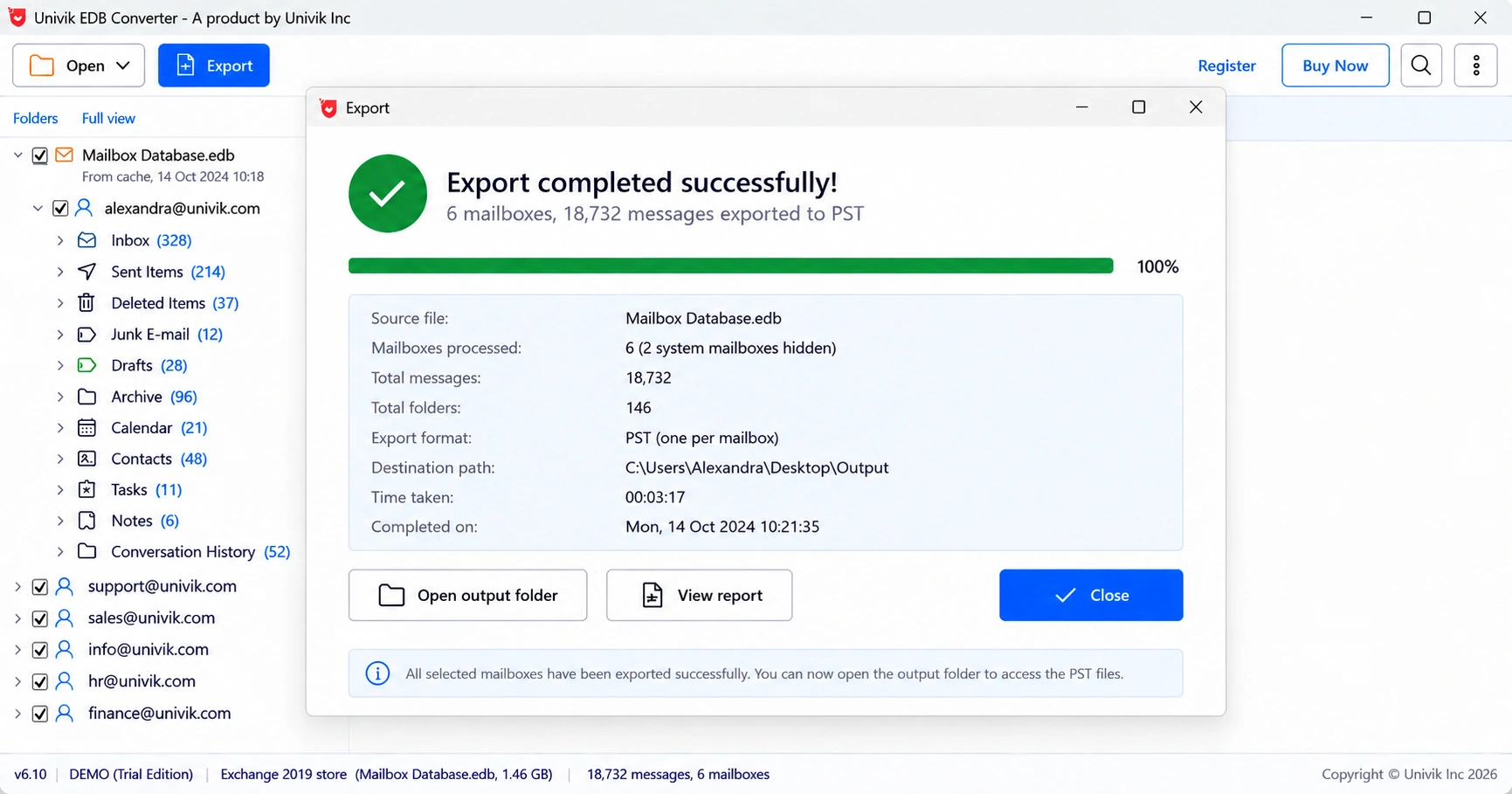
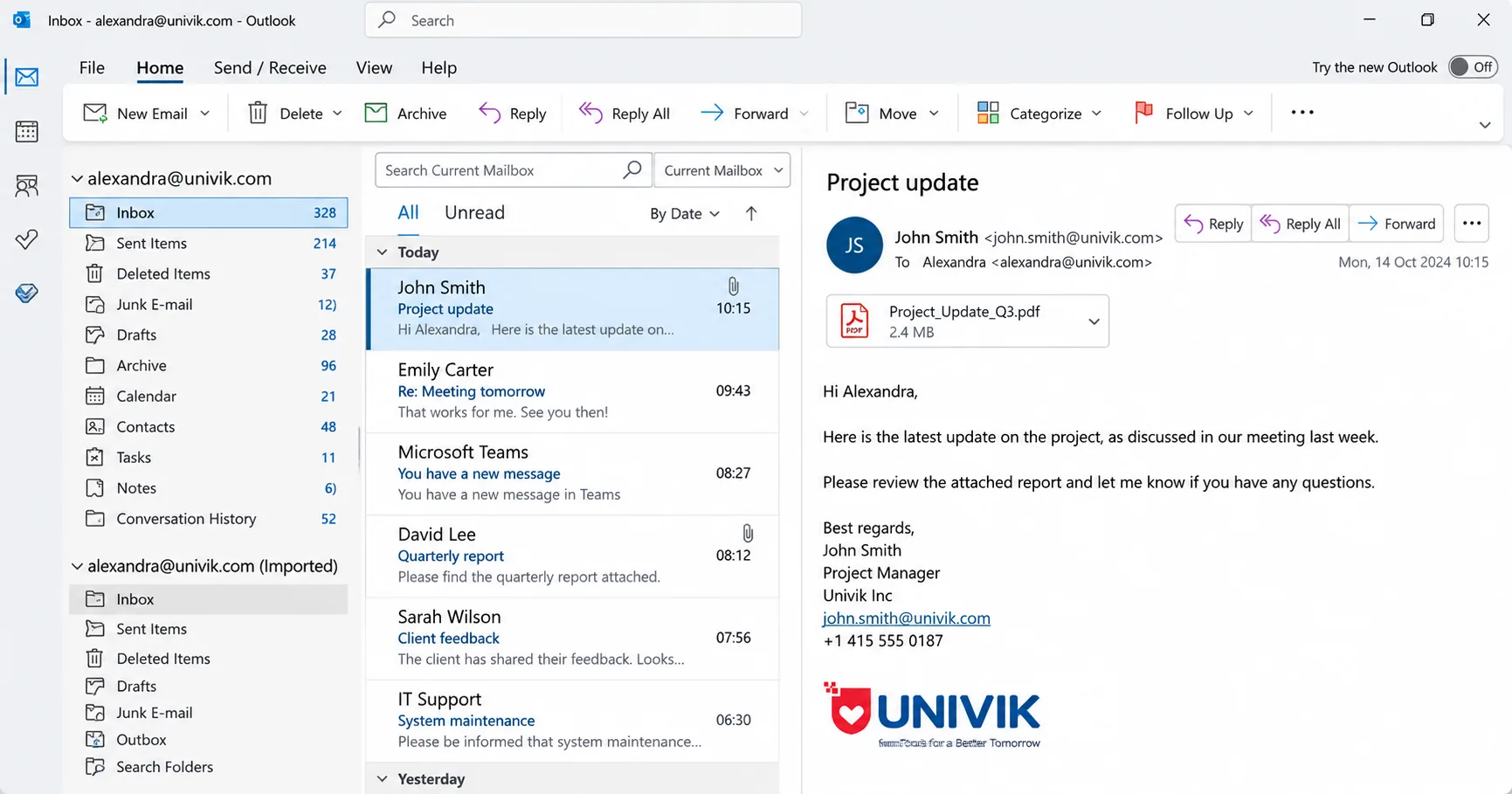
Run the batch. The report counts what was written, skipped or incomplete. Save it as a CSV beside the output.
Windows 11 and 10 · no Exchange or Outlook needed · nothing uploaded to Univik · support from the people who build it
Real Situations
Retiring an Old Server
Exchange 2016 and 2019 left support on 14 October 2025, per Microsoft. Keep the databases and export mailboxes after the server is gone.
A Database That Will Not Mount
A power cut or a full disk left it in dirty shutdown and the logs are gone. Read the mail now and decide about repair later.
One Former Employee's Mail
Legal or HR needs one person's mail from an archived .edb. Export that mailbox to PST or PDF.
Finding Your Files
Exchange 2013 to 2019 put the first database under Exchange Server\V15\Mailbox inside Program Files, one folder per database. Exchange 2010 uses the V14\Mailbox folder. Exchange 2003 keeps priv1.edb and pub1.edb in Exchsrvr\MDBDATA.
Most admins move databases to their own drive, so ask the server: Get-MailboxDatabase | fl Name,EdbFilePath prints the real path. A file Exchange still holds open is copied first, so the server can keep running.
Compare Your Options
Use PowerShell export on a healthy server. Use Univik EDB Converter once the server is gone or the database will not mount.
| What you need | Exchange Export (PowerShell) | Eseutil Repair, Then Remount | Univik EDB ConverterTRIAL |
|---|---|---|---|
| Cost | Free | Free | From $99 |
| Needs a running Exchange server | Yes | Yes | No |
| Opens a dismounted or dirty .edb | No, must be mounted | After recovery or repair | Yes |
| Leaves the original file as it was | Yes | No, repair changes it | Yes, works on a copy |
| Preview mail before export | No | No | Yes, message by message |
| Try before you pay | Free | Free | 10 messages per folder |
| Output you get | PST | A mounted database again | PST, MSG, EML, MBOX, PDF, HTML, CSV or cloud |
| Best for | A healthy server you still run | Putting a server back in service | A database file without its server |
PowerShell export is free and scripts well for hundreds of mailboxes. Eseutil repair is the right call only when the server must go back into service.
What You Need
Operating System
Windows 11 or 10. A 64-bit edition suits large databases. Windows Update installs .NET Framework 4.8 if it is missing.
Exchange Not Required
This Exchange EDB converter uses the database engine that ships with Windows. No Exchange install, no Outlook and no mount.
Free Space for a Copy
A dirty or locked database is copied first, so the working folder needs the database size plus 256 MB. Short on space, it reads the file in place instead.
Light on Memory
A 9.1 GB database listed with a peak of 183 MB of RAM. Internet is only needed for cloud uploads.
| Software Information | Univik EDB Converter |
| Version | 6.10 (Latest) |
| Licence | Free trial, paid licences from $99 |
| Platform | Windows 11 and 10 |
| Framework | Microsoft .NET Framework 4.8 or later |
| Reads | Exchange 2000 to 2019 mailbox databases (.edb), Exchange 2000 to 2007 public folder databases and E00 transaction logs |
| Writes | PST, MSG, EML, MBOX, PDF, HTML and CSV, plus attachments as separate files. PST files split at 50 GB, Outlook's default size limit. |
| Moves To | Office 365, Gmail and any IMAP mailbox |
| Not Read Yet | .stm streaming files from Exchange 2000 and 2003 |
Questions
More Tools
Page Reviewed by Nick Rogers Founder, Univik
Fact Checked
Nick Rogers, who started Univik in 2013, checked this page. Version 6.10 was tested on a 9.1 GB Small Business Server 2011 database left in dirty shutdown with no logs and about 32,000 missing pages. It listed 7 of the 9 user mailboxes and 39,561 items, 17,946 of them under Recovered items. The exported PST files open in Outlook for Microsoft 365. Facts about Exchange are checked against Microsoft documentation. The installer is digitally signed. The software opens databases read-only, runs file exports on your own PC and comes with a 30-day refund policy.
Last reviewed on 2 October 2026
Since 2013Signed InstallerRead-Only OpenFiles Stay on Your PC30-Day Refund


 Inside the Database Folder
 Three Steps
 Real Situations
