SBS 2011 mail sits in an Exchange 2010 database that modern Exchange cannot mount, so read the .edb offline.
The Windows Server 2008 R2 base of SBS 2011 lost support in January 2020 and its Exchange 2010 part in October 2020. Recovery Databases on Exchange 2016 and later reject 2010 databases. Copy the .edb and any logs, then export each mailbox to PST or straight into Microsoft 365.
Small Business Server 2011 ran a whole office from one box: files, domain and Exchange 2010. Many of those boxes are still in cupboards, some dead, some kept around for safety. When someone finally needs an old mailbox, every Microsoft route turns out to need a server that no longer exists. This is how one such recovery went. This SBS 2011 Exchange database recovery case shows what to expect.
Why is SBS 2011 mail hard to recover today?
Three things stack up. The Exchange 2010 inside SBS 2011 is long out of support. SBS was a single server, so there is no second Exchange server in the same organization to mount the database. And a Recovery Database on a current Exchange server takes nothing older than the 2016 format, as our Recovery Database guide explains.
Rebuilding an SBS 2011 server to mount the file is possible in theory. In practice it takes old install media, the original domain and days of work. Reading the file directly is faster.
Where is the Exchange database on an SBS 2011 server?
The default store is called Mailbox Database. It lives under the Exchange Server\V14\Mailbox folder inside Program Files, in a folder that carries the database name. Exchange data sits on another drive if an admin moved it, so check every data volume too.
- Look for a large .edb file named Mailbox Database followed by a long number.
- The E00 log files sit in the same folder or a separate one.
- Public folders lived in their own database on many SBS servers.
If the server will not boot, remove the disk or image it first. A failing disk should be imaged once and then left alone.
What came back from our SBS 2011 test database?
Our file came from a real SBS 2011 server. The database had stopped dirty, the log files were lost and about 32,000 pages could not be read. Exchange would never mount it in that state.
| What we measured | Result |
|---|---|
| Database size | 9.1 GB |
| State | Dirty shutdown, no logs |
| Unreadable pages | About 32,000 |
| User mailboxes found | 7 of 9 |
| Folders listed | 270 |
| Items exported | 39,561, of which 17,946 under Recovered items |
| Calendar, contacts and tasks | 515 appointments, 1,297 contacts, 3,441 tasks |
| Opened with | The raw page reader, after log replay and repair were not possible |
Two mailboxes did not show at all, because the records naming them sat on lost pages. The Recovered items folder held mail whose original folder record was gone. Subject, sender and date were intact, so users could still find what they needed by searching. The PST files opened cleanly in Outlook for Microsoft 365.
“That SBS 2011 file had lost about 32,000 pages and seven of nine mailboxes still came back. Old databases are rarely as dead as they look.”
How do you recover mail from an SBS 2011 database?
We follow the same four steps on every job like this. Univik EDB Converter handles the reading and export.
Where should the recovered SBS mail go?
Many offices that ran SBS 2011 have since moved to Microsoft 365. You can upload each recovered mailbox straight to its owner, as shown in our guide to importing EDB to Office 365. If people only need to look things up now and then, keep one PST per mailbox on a shared drive instead.
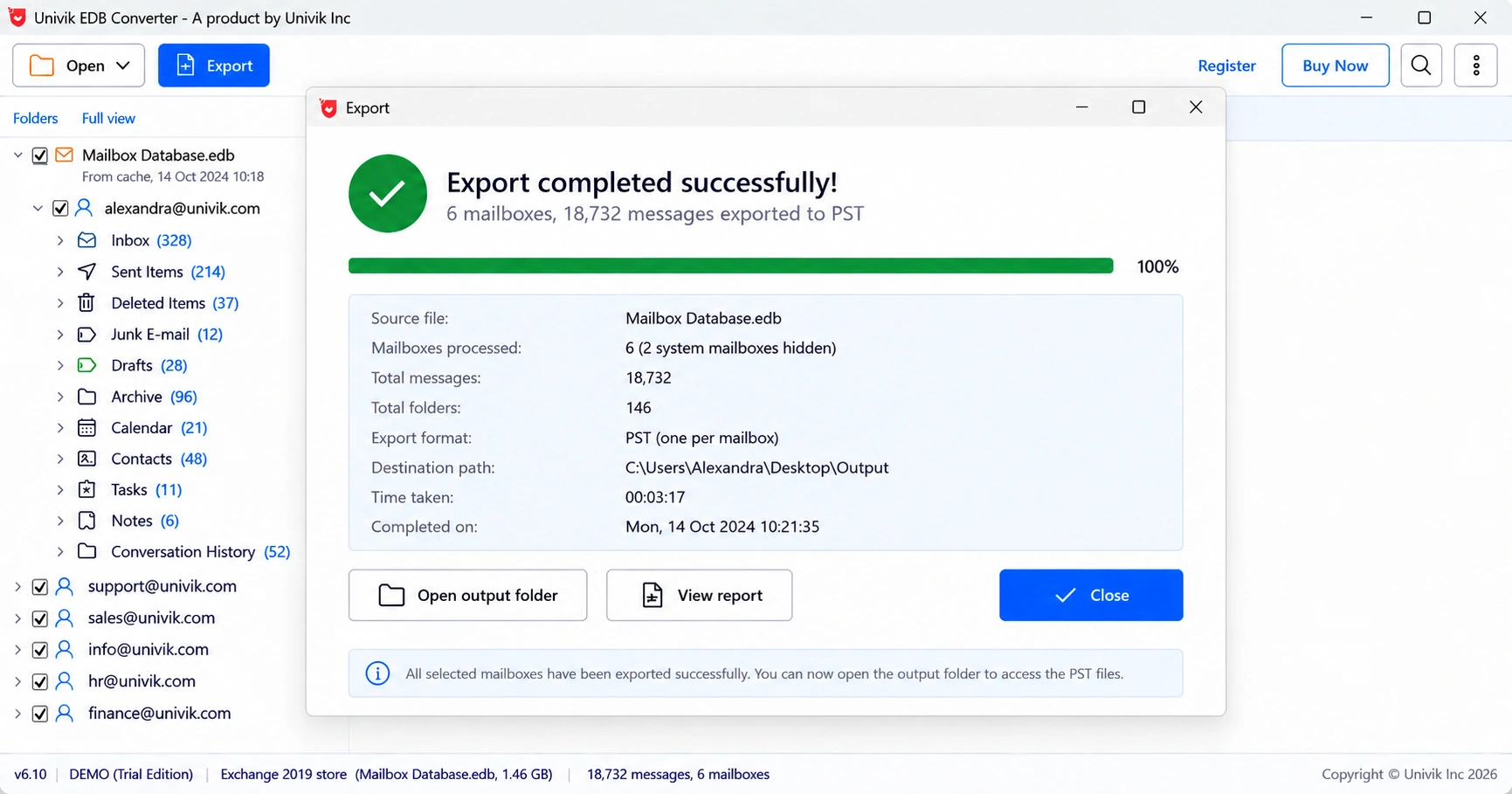
For IT partners who look after several former SBS clients, the Business licence covers 10 PCs.
- SBS 2011 runs Exchange 2010, which modern Exchange cannot mount for recovery.
- The default store is called Mailbox Database, under the V14 Mailbox folder.
- Image a failing disk first, then work only on copies.
- Our dirty 9.1 GB test file with no logs gave back 7 of 9 mailboxes and 39,561 items.
- Send the mail to Microsoft 365 users directly or keep a PST per mailbox.
Open a copy of the SBS mailbox store and see which mailboxes and folders survive. The trial saves 10 messages per folder.
Free Download See all featuresQuestions about SBS 2011 mail recovery

Leena Taylor Paul wrote this guide with the Univik team, which has shipped Windows mail tools since 2013. This guide covers recovering mail from Small Business Server 2011 Exchange databases, including our own test case. Last checked October 2026. Stuck? Contact our support team.