Read the ec= number in the mount error. It names the cause, and the top two causes are missing logs and a dirty shutdown.
Free disk space and file locks are fixed in minutes. Log problems need eseutil /r with the right logs. Damaged pages need a backup or a hard repair, so save the mail from a duplicate .edb before you go that far.
The Exchange database won't mount, users get no mail and the error message is a wall of text. Somewhere inside it sits a short number after ec=. That number is the ESE database engine telling you what went wrong. Read it first and you skip an hour of guessing.
Where is the error code in a mount failure?
Run the mount from the Exchange Management Shell so the full message shows. The code sits at the end:

Mount-Database DB01

Failed to mount database "DB01". Error: An Active Manager operation failed.
... MapiExceptionDatabaseError: Unable to mount database. (hr=0x80004005, ec=-528)
Here ec=-528 is the code. Also check the Application log for ESE and MSExchangeIS events from the same minute. They name the exact log file or page that failed.
“Read the number after ec= before you read any forum thread. It tells you if the fight is about disk space, logs or damage.”
What do the common Exchange mount error codes mean?
| Code | ESE name | What it means | First fix |
|---|---|---|---|
| -528 | JET_errMissingLogFile | A log the database needs is missing | Find the log or restore it, then eseutil /r |
| -543 | JET_errRequiredLogFilesMissing | Logs in the Log Required range are gone | Locate them, or plan for backup or repair |
| -550 | JET_errDatabaseDirtyShutdown | Database was not shut down cleanly | Soft recovery with eseutil /r |
| -1216 | JET_errAttachedDatabaseMismatch | Database and logs do not match | Check you used the logs of this database |
| -1018 | JET_errReadVerifyFailure | A page failed its checksum | Check storage, then backup or repair |
| -1022 | JET_errDiskIO | Windows could not read or write the disk | Fix the disk or storage path first |
| -1032 | JET_errFileAccessDenied | Another process holds the file | Stop backup or antivirus scans on the folder |
| -1808 | JET_errDiskFull | No space left on the database or log drive | Free space, then mount again |
Codes -528, -543 and -550 belong together, because each one is a variation of dirty shutdown. Our dirty shutdown guide covers the log replay. Code -1018 has its own page on Jet error -1018.
In what order should you try the fixes?
Start with what costs nothing and end with what deletes data.
- Free space and locks. Clear the full drive, pause backup jobs and exclude the database and log folders from antivirus scans.
- Check the header. Run eseutil /mh on the dismounted file. Note the State and the Log Required range.
- Soft recovery. Replay the required logs with eseutil /r.
- Restore. Restore the last good backup and replay newer logs.
- Save the mail. Read a duplicate of the .edb offline and write out the mailboxes people rely on.
- Hard repair a copy. Only now run eseutil /p, then move every mailbox to a new database.
Steps 5 and 6 can swap places only if you are sure nobody needs the mail on damaged pages. We have rarely met that case.
Why does Exchange say the logs do not match the database?
Error -1216 means the log stream and the database header disagree. Common reasons:
- The database was restored from an older backup but the logs are from today.
- Logs from another database were copied into the folder by mistake.
- Someone deleted logs in the middle of the sequence to free space.
Line up the dates. The Log Required range in eseutil /mh must match file names you actually have. When it cannot be lined up, treat it like missing logs.
Why will a database in Clean Shutdown still not mount?
A database in Clean Shutdown needs no logs, so the block sits around the file instead of inside it. Check these four causes in order:
| Cause | Sign | Fix |
|---|---|---|
| Old or foreign logs in the log folder | Mount fails right after a restore or a repair | Move every .log and the .chk file to a spare folder, then mount |
| File replaced from a backup or another disk | Mount refuses a file it did not write last | Set AllowFileRestore to true on the database |
| Path or file name differs from Active Directory | Nothing at the EdbFilePath that Exchange expects | Put the file at that exact path and name |
| Logical damage left after eseutil /p | The same mount error returns the next day | Save the mail and move mailboxes to a new database |
Read the expected paths, allow the replaced file and mount:
Get-MailboxDatabase DB01 | Format-List EdbFilePath,LogFolderPath
Set-MailboxDatabase DB01 -AllowFileRestore $true
Mount-Database DB01
Move logs only after eseutil /mh shows Clean Shutdown. On a dirty database those logs hold changes that are not in the .edb yet, and moving them throws that mail away.
How do you keep the mail safe while the database is down?
Work on a copy, never on the only file. Copy the .edb and the whole log folder to another disk before you replay or repair anything. Then open that copy in Univik EDB Converter. It reads the mailboxes without mounting, replays logs when you give it the folder and keeps the source untouched.
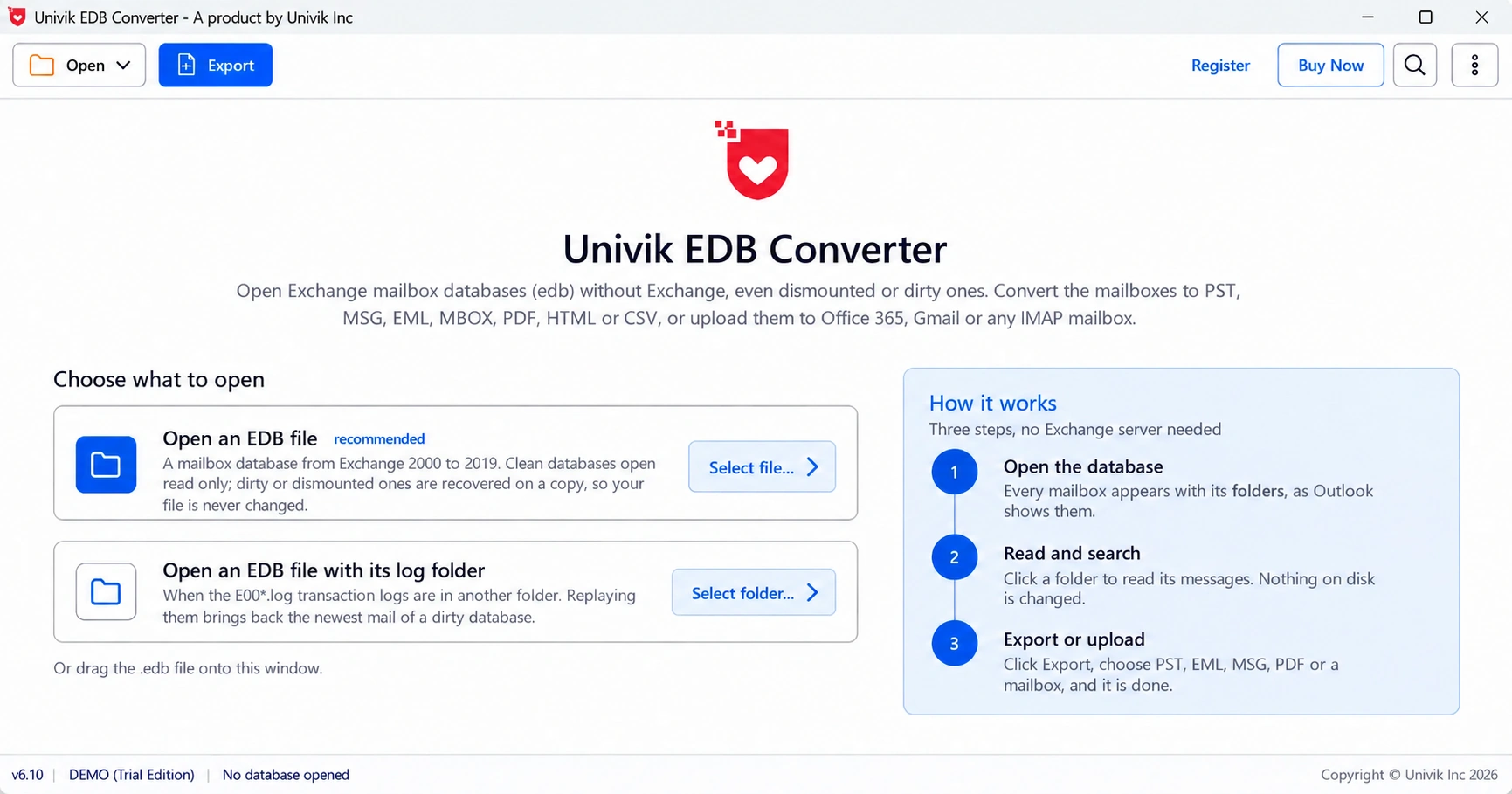
With the mail saved, a failed repair costs you server time rather than people's email.
- The ec= number at the end of a mount error names the cause.
- -528, -543 and -550 point to log and dirty shutdown problems.
- -1022, -1032 and -1808 are disk, lock and space problems you can fix fast.
- -1018 and -1216 need care: damaged pages or mismatched logs.
- Copy the .edb and logs before any recovery, and save the mail before a hard repair.
Open a copy of the failing .edb and check every mailbox is there before you repair. The trial saves 10 messages per folder.
Free Download See all featuresQuestions about databases that will not mount

Leena Taylor Paul wrote this guide with the Univik team, which has shipped Windows mail tools since 2013. This guide covers Exchange mount errors, what each code means and the safe order of fixes. Last checked October 2026. Stuck? Contact our support team.