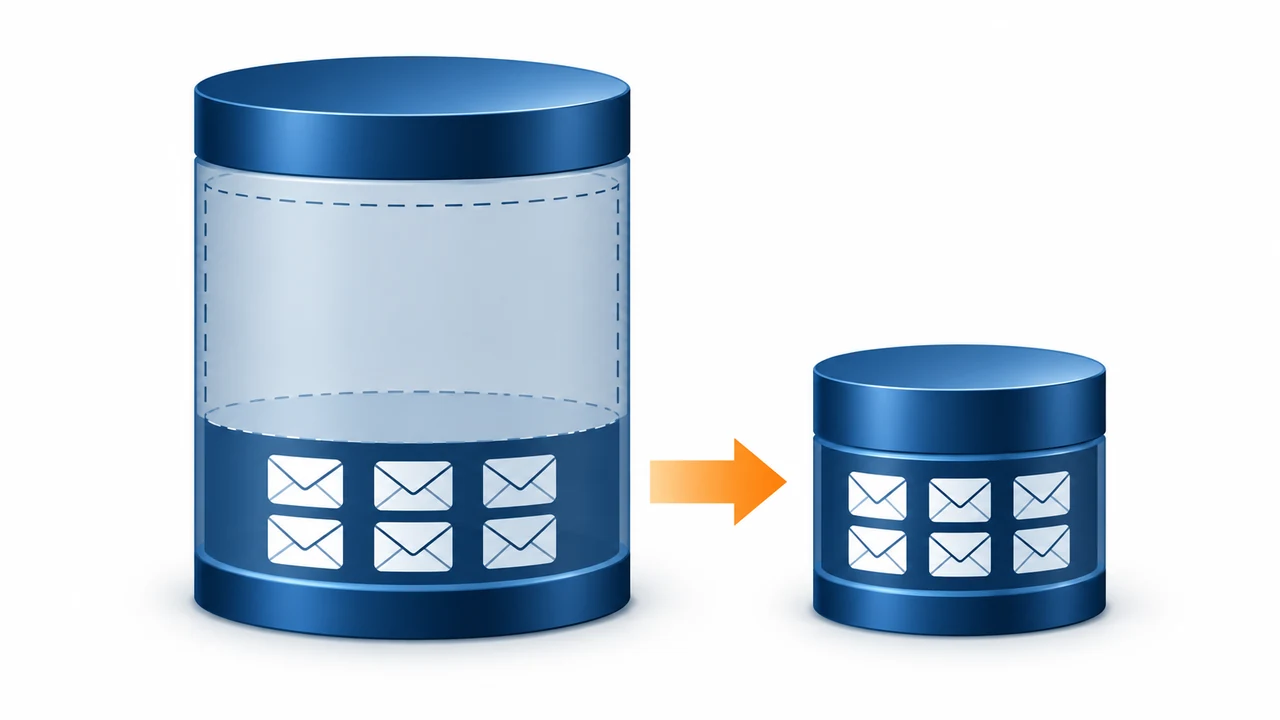
An .edb never shrinks after mail is deleted. It only gets smaller after a mailbox move or an offline defrag.
Check AvailableNewMailboxSpace first. If white space is large, move the mailboxes to a new database and delete the old one. Offline defrag with eseutil /d also works but needs downtime and free space of about 110 percent of the size the database will have after the defrag.
The Exchange EDB file is too big and the database drive is almost full. Users deleted years of mail last month, yet the .edb file is the same size. That is by design. Exchange keeps the space for new mail instead of handing it back to Windows. Here is how to measure what is really used and how to reclaim the rest.
Why does the EDB file not shrink after deleting mail?
Deleted items first sit in Recoverable Items for the retention period, 14 days by default. After that, online maintenance frees their pages. Freed pages stay inside the .edb as white space, ready for new mail. Windows still sees the full file size.
Other things that keep a database large:
- disconnected mailboxes waiting out their 30-day retention
- litigation or in-place holds keeping deleted items
- a few very large mailboxes or archives
- mailboxes of people who left long ago
How do you check white space in an Exchange database?
Ask Exchange for the size and the free space inside it:
Get-MailboxDatabase -Status | ft Name,DatabaseSize,AvailableNewMailboxSpaceIf AvailableNewMailboxSpace is a small share of DatabaseSize, the file is genuinely full and needs more disk or fewer mailboxes. If it is large, the space can be reclaimed.
How do you shrink an Exchange database?
| Method | Downtime | Space needed | Our view |
|---|---|---|---|
| Move mailboxes to a new database | None for users | Room for the new database | Best choice in most cases |
| Offline defrag with eseutil /d | Database dismounted for hours | About 110% of the defragmented size | Use when no second volume exists |
| Export and remove old mailboxes first | None | Room for the PST files | Do this before either of the above |
Moving mailboxes rebuilds them without the white space:
- Create a new database. Create a mailbox database on a volume with enough free space.
- Move the mailboxes. Run New-MoveRequest for each mailbox in the old database. Users keep working while it runs.
- Check the moves. Wait until Get-MoveRequest shows every move as Completed, then clear the requests.
- Remove the old database. Remove the empty database in Exchange, then delete its files.
For offline defrag instead, dismount the database, back it up, then run:
eseutil /d "D:\ExchangeDB\DB01\DB01.edb" /t "F:\Temp\DB01-defrag.edb"Take a full backup again afterwards. The defrag gives the database a new signature, so older backups can no longer replay the new logs.
“Moving mailboxes to a fresh database beats an offline defrag almost every time. Users keep working and you get a clean file at the end.”
Which mailboxes should you archive out before shrinking?
Start with mailboxes nobody opens: people who left, shared mailboxes for closed projects and old test accounts. Export each to PST, store the files safely, then remove the mailbox. Every one you remove is a mailbox you do not have to move or defrag.
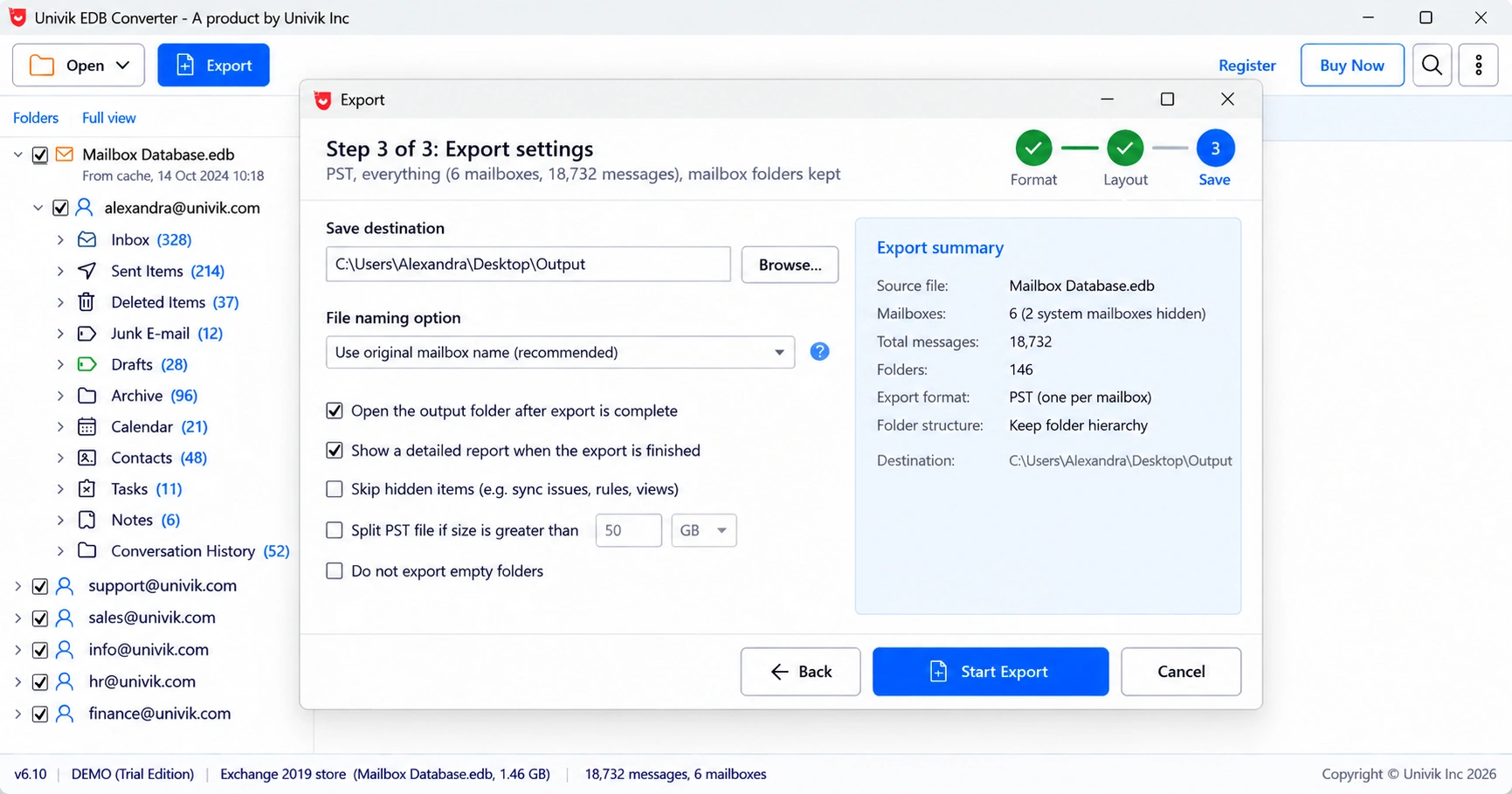
Univik EDB Converter can do this from a copy of the database, so the live server does not carry the export load. For live single mailboxes, the free New-MailboxExportRequest works too.
How large should an Exchange database be?
Microsoft's sizing guidance for Exchange 2016 and 2019 allows databases up to 2 TB when they have two or more highly available copies, and recommends around 200 GB when they do not. Smaller databases restore and reseed faster. If one file has grown far past those numbers, split the mailboxes across new databases while you move them.
- An .edb file keeps freed pages as white space and never shrinks on its own.
- AvailableNewMailboxSpace shows how much space can be reclaimed.
- Moving mailboxes to a new database is the cleanest way to shrink.
- Offline defrag needs downtime and free space of about 110% of the defragmented size.
- Export and remove unused mailboxes before you move or defrag.
Export leavers and closed projects from a database copy to PST before you shrink. The trial saves 10 messages per folder.
Free Download See all featuresQuestions about large Exchange databases

Leena Taylor Paul wrote this guide with the Univik team, which has shipped Windows mail tools since 2013. This guide covers why Exchange databases grow and how to reclaim the space. Last checked October 2026. Stuck? Contact our support team.