Public folders from Exchange 2000 to 2010 live in their own database file, which exports to PST from a copy.
Microsoft routes, such as exporting a public folder from Outlook or running the migration scripts, need the old server online. Without it, read the database file offline and save the tree to PST for a shared mailbox.
Public folders were the shared drive of email: a contacts list for the whole office, a calendar of rooms, years of supplier correspondence. When the server goes, these folders get forgotten until someone asks where the old customer list went. Here is how to get them back from the database file. This guide shows how to export public folders from EDB files of that era.
Where were public folders stored in old Exchange?
| Exchange version | Public folder storage |
|---|---|
| Exchange 2000 and 2003 | Public store pub1.edb with pub1.stm, in Exchsrvr\MDBDATA |
| Exchange 2007 and 2010 | A separate public folder database .edb file |
| Exchange 2013 and later | Public folder mailboxes inside normal mailbox databases |
This guide covers the older dedicated databases. Univik EDB Converter reads them for Exchange 2000 to 2010.

Why do the usual public folder exports fail?
The standard ways to get them out all run against a live server:
- Outlook works with public folders only while it is connected to a running Exchange server.
- Microsoft's public folder migration to Exchange Online uses scripts that read from the running source organization.
- Replication to another server needs both servers online in the same organization.
With only pub1.edb or a 2007 or 2010 store file left, none of these can start.
How do you export public folders from the database file?
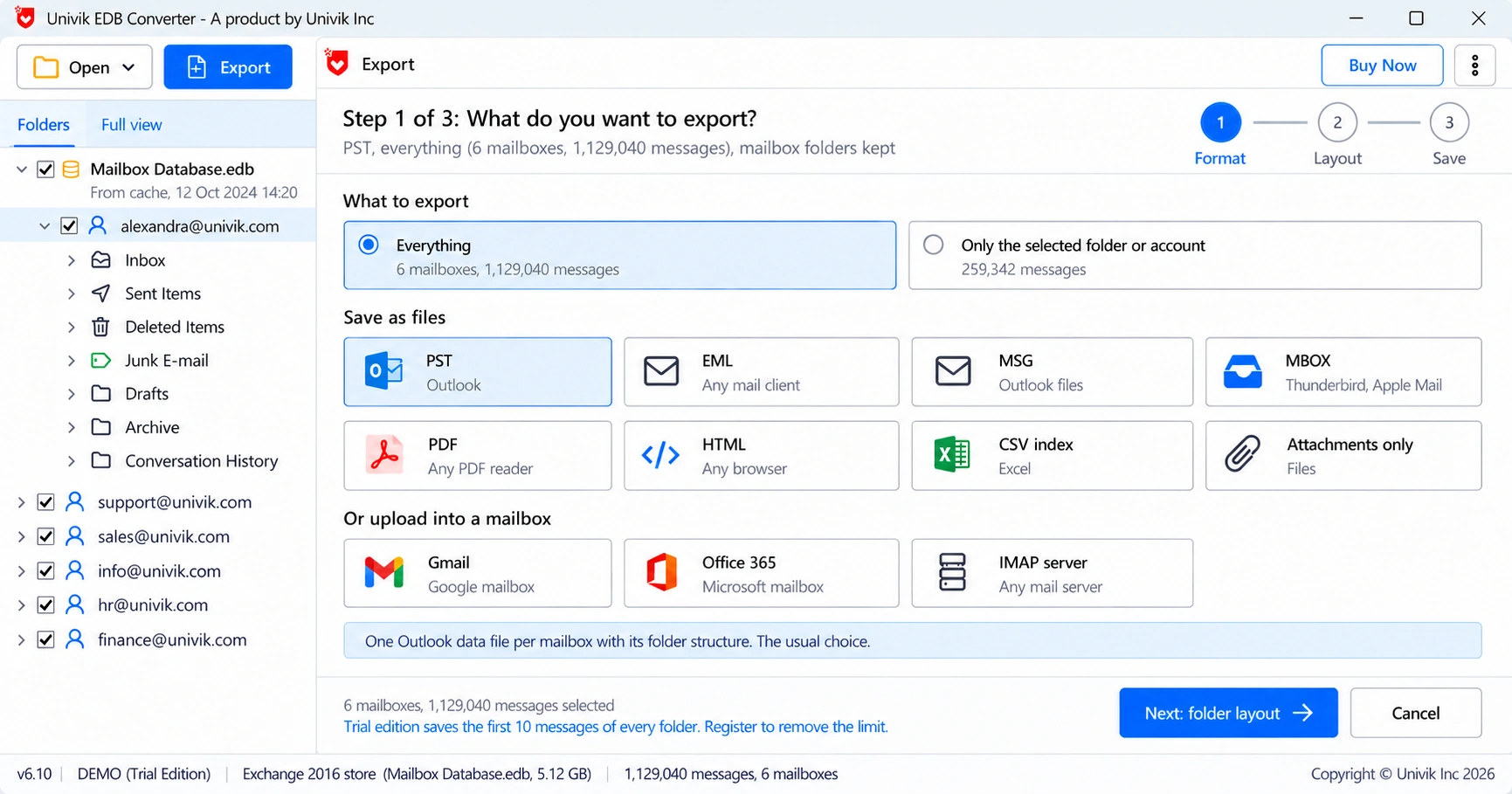
Copy the database file and its logs, then open the copy in Univik EDB Converter. The folder tree appears as it was on the server, with mail, contacts and calendar folders inside.
Where should old public folders go now?
Most companies on Microsoft 365 replace small sets like these with a shared mailbox. Import the exported PST into the shared mailbox and give the team access. The upload steps are in Import PST to Office 365.
- Shared contacts: move them into the shared mailbox Contacts folder.
- Room calendars: recreate rooms as room mailboxes and keep the old calendar as history.
- Archive folders: keep them as a PST on a shared drive if nobody writes to them anymore.
Exchange 2003 users should also read our note on priv1.edb and the .stm file, because pub1.stm content behaves the same way.
“Public folders are the data everyone forgets until the old customer list is needed. Check the public store before the old disk is wiped.”
- Exchange 2000 to 2010 kept public folders in their own database file.
- Outlook export and Microsoft migration scripts need the old server online.
- A copy of pub1.edb or a 2007 or 2010 store file can be read offline.
- Export the tree to PST and import it into a shared mailbox.
- pub1.stm has the same limits as priv1.stm on Exchange 2003.
Open a copy of the pub1.edb or 2007 or 2010 store file and check the folder tree before you export. The trial saves 10 messages per folder.
Free Download See all featuresQuestions about exporting public folders

Leena Taylor Paul wrote this guide with the Univik team, which has shipped Windows mail tools since 2013. This guide covers exporting public folders from Exchange 2000 to 2010 public folder databases. Last checked October 2026. Stuck? Contact our support team.