Hash the .edb first, examine only a verified copy and never mount it, because mounting and repair tools change the file.
Record SHA-256 values for the database, logs and checkpoint, then read the copy offline in a tool that does not write to it. Search across all mailboxes, export the relevant items and keep a report with item counts and hash values so another examiner can repeat the work.
An Exchange database can hold years of mail for a whole company: the message an employee says they never sent, the attachment that left the building, the folder someone emptied last week. An investigation has to examine the file without changing it. Every step also has to be repeatable. This guide sets out a method for Exchange EDB forensic analysis that holds up to review.
How do you preserve an EDB file for forensic analysis?
Hash the original files before anything else touches them, then work only on copies. ISO/IEC 27037 frames digital evidence handling as identification, collection, acquisition and preservation. A recorded hash is what proves the copy matches what was collected.
- Collect the .edb, every transaction log that shares its prefix (for example E00.log, E0000000001.log, E0000000002.log) and the matching E00.chk file. The logs can hold changes the database file does not have yet.
- Hash each file with SHA-256 for EDB forensics that stand up later. Microsoft's Get-FileHash uses SHA-256 by default and warns that MD5 and SHA-1 are no longer secure.
- Write each hash, the date, the time and the examiner's name into the chain of custody record.
Get-FileHash "E:\Evidence\DB01.edb","E:\Evidence\Logs\*" -Algorithm SHA256 |
  Export-Csv "E:\Evidence\hashes-before.csv" -NoTypeInformation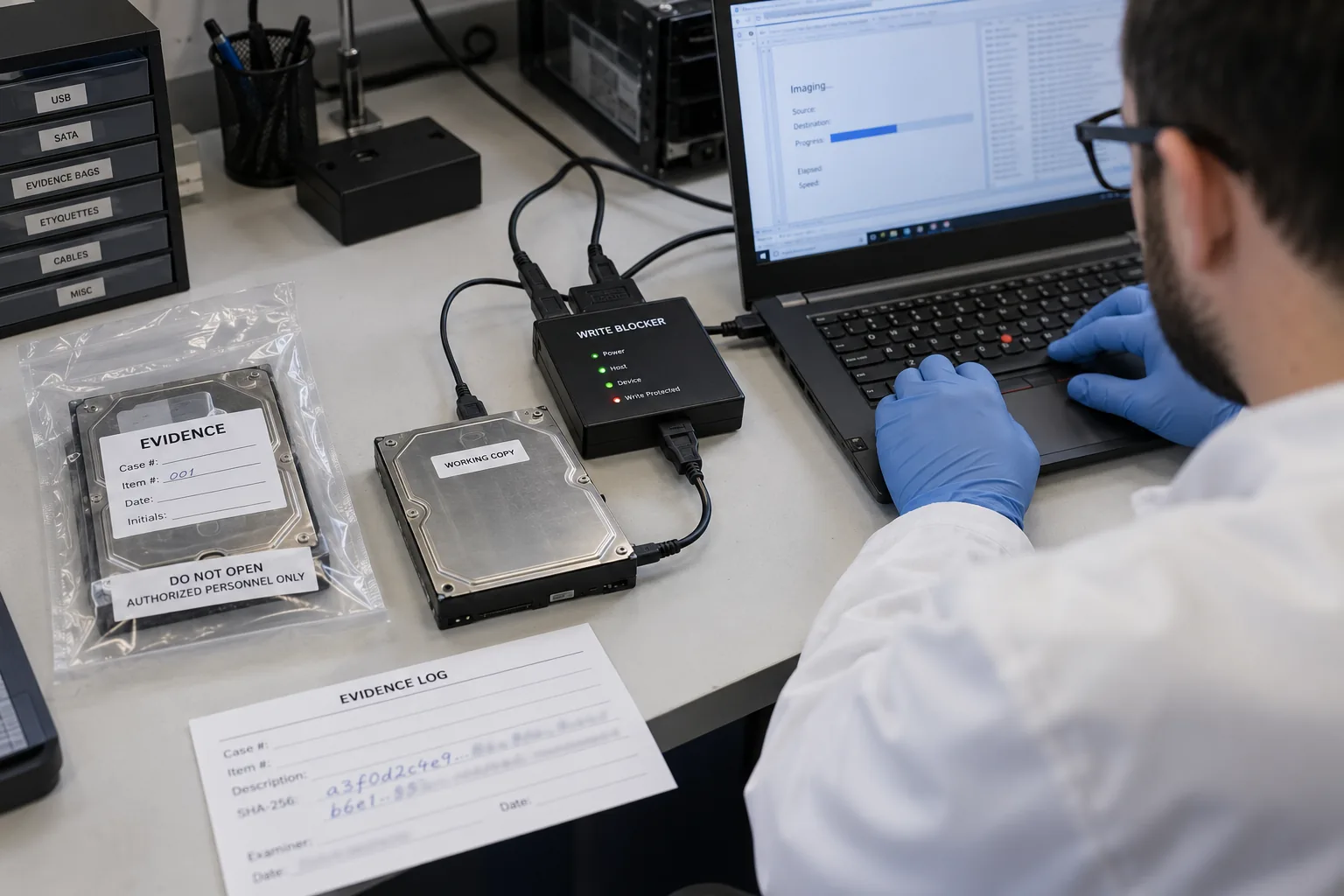
“Hash first, then touch the file. Every step after that is only as defensible as the first number you wrote down.”
Why should you not mount the evidence database?
Mounting the database, replaying its logs or repairing it all write to the file, so the hash no longer matches. Exchange applies the logs when it mounts, eseutil /r replays them into the file and eseutil /p deletes pages it cannot read.
- If the database is in dirty shutdown, replay the logs into a second copy only. Record that copy as derived evidence with its own hash.
- A Recovery Database takes nothing older than Exchange 2016 and nothing from another forest, so it rarely fits seized files anyway. See our Recovery Database guide.
What evidence does an Exchange EDB file hold?
An Exchange EDB file holds more than the visible folders. A database keeps items users believe they deleted, plus metadata that dates and traces each message.
| Evidence | Where it sits | Why it matters |
|---|---|---|
| Mail and attachments | Mailbox folders | The content itself |
| Deleted items | Recoverable Items (Deletions, Purges, Versions) | Kept 14 days by default on Exchange 2016 and 2019, longer under hold |
| Internet headers | Each message | Received lines trace the path and the Message-ID identifies the message |
| Calendar, contacts, tasks | Their own folders | Meetings and relationships around the event |
| Recent changes | Transaction logs | Activity not yet written into the .edb |
Purged items stay in the Purges folder only when a hold or single item recovery was active beforehand, as our deleted email guide explains.
What is the step-by-step method for EDB forensic analysis?
Follow the same five steps every time so another examiner can repeat the work and reach the same result.
- Hash the source. Hash the .edb, the logs and the .chk file with SHA-256 and record the values with the date and your name.
- Make a working copy. Copy the files to separate storage and hash the copy. The values must match the source.
- Open the copy read-only. Open the working copy in an offline reader that never writes to it. Do not mount it.
- Search and select. Search the whole database for the names, terms and dates in the brief and select the matching items.
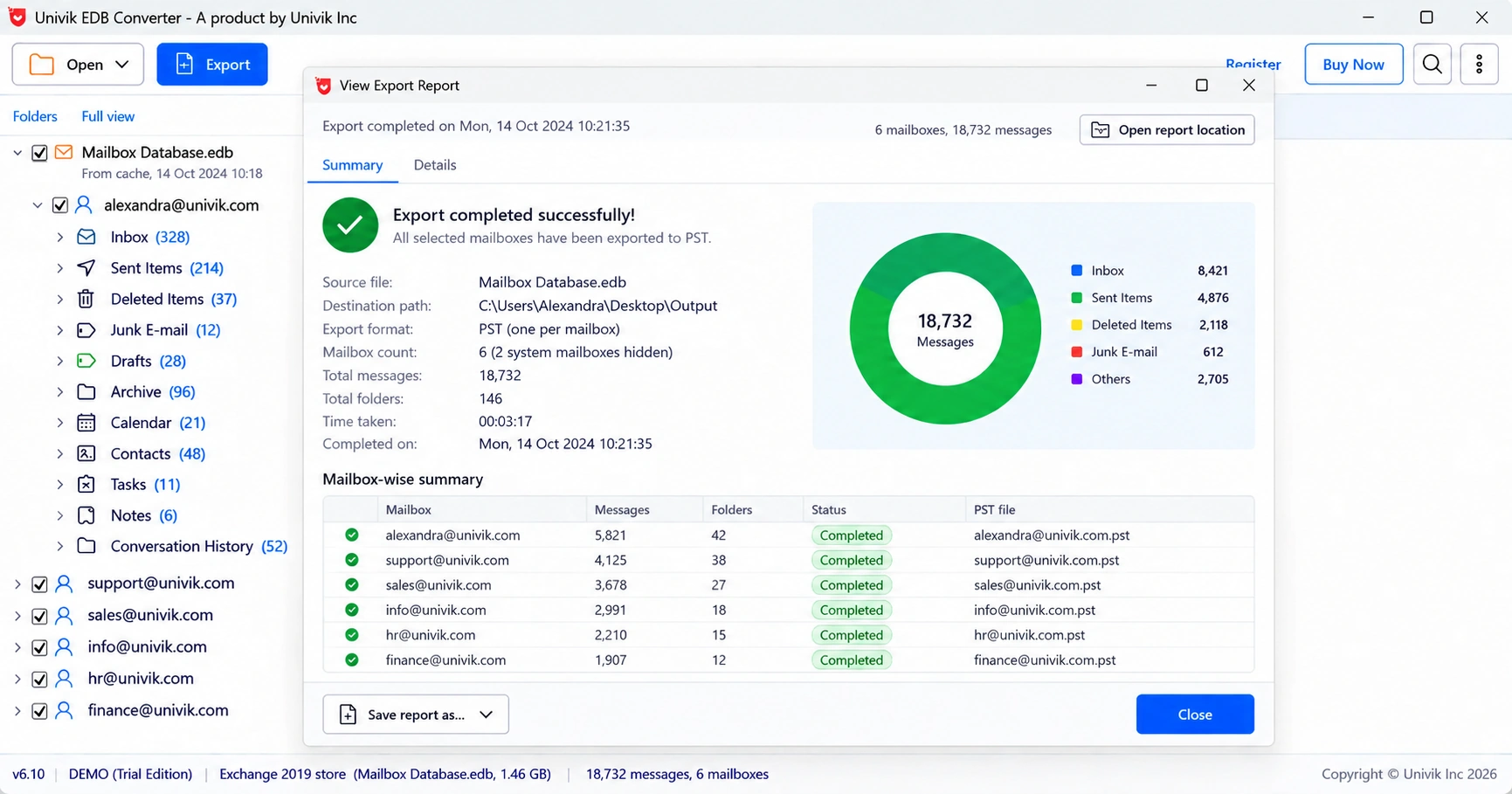
- Export with a report. Export the items with a report that lists counts and hash values, then hash the source again.
Univik EDB Converter opens the working copy read-only without Exchange, searches across every mailbox in the database and writes an export report that includes hash values.
How do you keep the source of each exported message clear?
Record where every item came from inside the database. When thousands of messages leave one .edb, a reviewer needs to see which mailbox and folder each one sat in.
- Univik EDB Converter can add X-EDB-Mailbox and X-EDB-Folder headers to every exported message.
- Keep one output per mailbox, so custodians stay separate.
- For review copies a lawyer can read, see Exchange mailboxes to PDF for legal review.
How do hash values support email evidence in court?
A hash lets a court accept that a copy matches the original without calling a witness to prove it. Two rules show how much weight it carries:
- In US federal courts, Federal Rule of Evidence 902(14), in force since 1 December 2017, lets data copied from a device or file be authenticated by a process of digital identification, such as a hash, with a certificate from a qualified person.
- In India, the certificate under Section 63 of the Bharatiya Sakshya Adhiniyam, 2023 asks for the hash value of the electronic record.
Hash the source at collection, hash every copy and keep the values in the case file. The report is only as strong as the first hash.
- Hash the .edb, logs and .chk with SHA-256 before anything else.
- Mounting, log replay and repair change the file and its hash.
- Recoverable Items and transaction logs hold evidence users think is gone.
- Search the whole database and export with a report that carries hash values.
- FRE 902(14) and the Section 63 BSA certificate both rely on hash values.
Open a hashed copy of the .edb read-only and search every mailbox. The trial saves 10 messages per folder; the Forensics licence covers 50 PCs.
Free Download See all featuresQuestions about Exchange EDB forensic analysis

Leena Taylor Paul wrote this guide with the Univik team, which has shipped Windows mail tools since 2013. This guide sets out a repeatable method for forensic analysis of Exchange EDB files. Last checked October 2026. Stuck? Contact our support team.