Restore the disconnected mailbox into a live mailbox with New-MailboxRestoreRequest, then export that to PST.
Exchange keeps a disabled or deleted user's mailbox for 30 days by default, then purges it. After that the mail exists only in backups or old copies of the database file, which an offline reader can open.
HR asks for the mail of someone who left in spring. The account was disabled, the mailbox no longer shows in the admin center and the export cmdlet cannot find it. In most cases the mail is still there, waiting in the database. How you get it depends on how many days have passed. Here is how to export a disconnected mailbox to PST in both cases.
What is a disconnected mailbox in Exchange?
When you disable or remove a mailbox user, Exchange cuts the link between the account and its data but keeps that data in the database. It shows a DisconnectReason of Disabled. A copy left behind after a move shows SoftDeleted.

The database setting MailboxRetention decides how long it stays. The default is 30 days. After that the next maintenance pass purges it for good.
“Disable a leaver's account instead of deleting it. It takes a minute and saves a restore job later.”
How do you find disconnected mailboxes?
Ask every database for mailboxes with a disconnect reason:
Get-MailboxDatabase | Get-MailboxStatistics | Where {$_.DisconnectReason -ne $null} |
  ft DisplayName,Database,DisconnectReason,DisconnectDate
If the person is not in the list, check that the database statistics are fresh by running Update-StoreMailboxState for the mailbox, or look in backups.
How do you export a disconnected mailbox within retention?
Restore the content into a live mailbox you control, then export that one. The former employee's account stays disabled.
- Find the mailbox. List disconnected mailboxes with Get-MailboxStatistics and note the display name and database.
- Pick a target. Choose a live mailbox you control, such as an HR archive mailbox.
- Restore the content. Run New-MailboxRestoreRequest with the source database, the source name and the target.
- Export to PST. When the restore completes, export the target with New-MailboxExportRequest.
The restore command for step 3:
New-MailboxRestoreRequest -SourceDatabase DB01 -SourceStoreMailbox "Jane Smith" `
  -TargetMailbox hr-archive@contoso.com -TargetRootFolder "Jane Smith" -AllowLegacyDNMismatch
Our New-MailboxExportRequest guide covers step 4. Three routes exist in total:
| Route | Account enabled again | Works after 30 days | Best for |
|---|---|---|---|
| New-MailboxRestoreRequest into an HR archive | No | No | Most HR and legal requests |
| Connect-Mailbox to an AD account | Yes | No | A person who returns to the company |
| Offline read of a backup or old .edb | No | Yes | Content already purged |
Can you get the mailbox back after the 30 days?
Not from the live database. Once purged, the data is gone from it. Look for one of these:
- a backup of the database from before the purge
- an old .edb copy kept after a migration or decommission
- a database file from a retired server
Open the copy in Univik EDB Converter, tick that one person and set the export scope to the selected account alone. Personal licences cover this kind of single case.
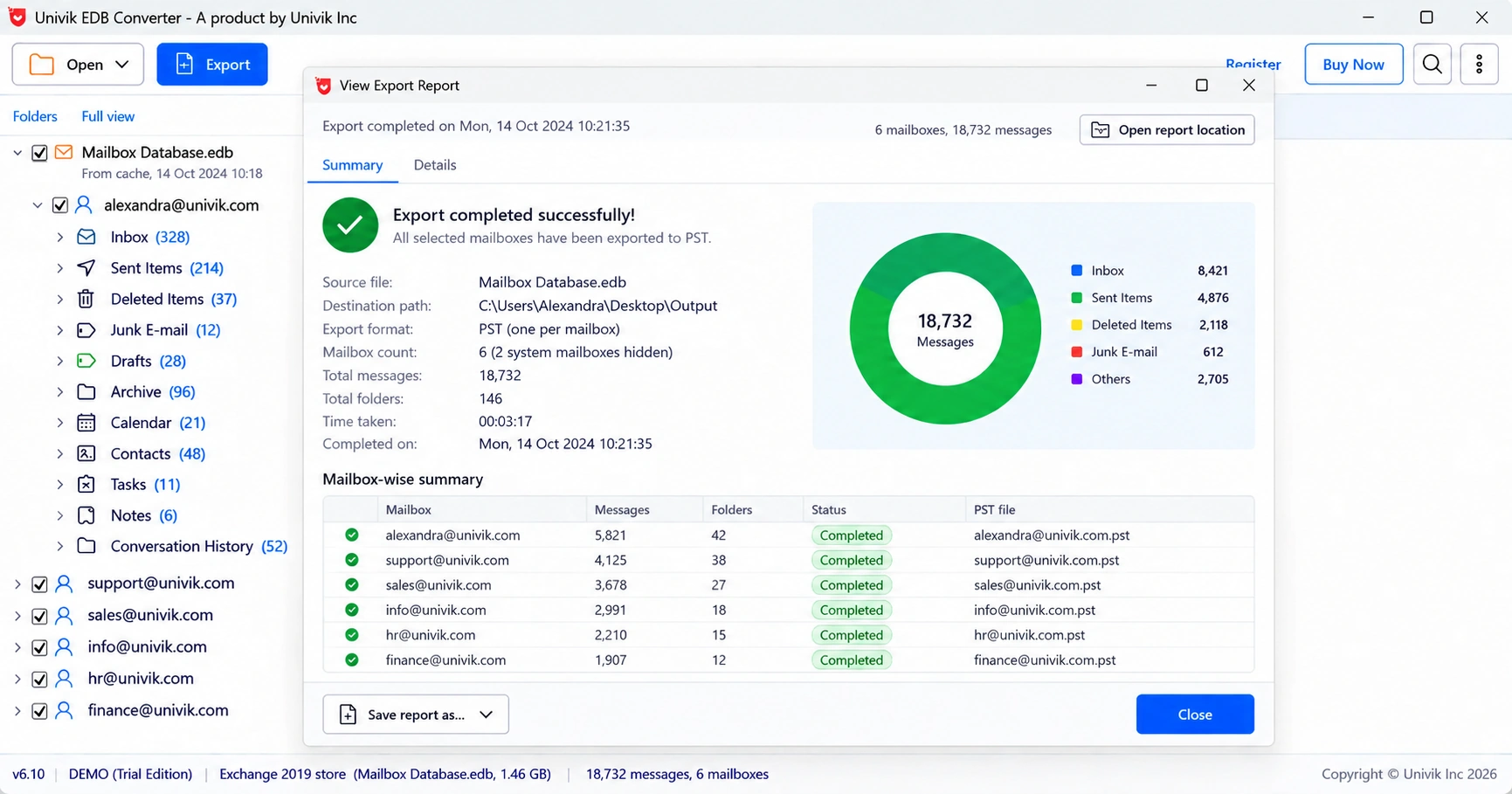
What should HR or legal ask for with the export?
Ask for three things with any former employee export: the PST itself, a list of folders with item counts and a note of the source database and date. If the mail has to be read rather than reopened in Outlook, a PDF copy is easier to share. See our guide to exporting Exchange mail to PDF for legal use.
- Disabling or deleting a user leaves a disconnected mailbox in the database.
- Exchange keeps it for 30 days by default, then purges it.
- Within retention, restore it into a live mailbox and export that to PST.
- After purge, look for a backup or an old .edb copy and read it offline.
- Hand HR the PST, a folder count list and the source details.
Open a backup or old copy of the .edb file and export that one person. The trial saves 10 messages per folder.
Free Download See all featuresQuestions about disconnected mailboxes

Leena Taylor Paul wrote this guide with the Univik team, which has shipped Windows mail tools since 2013. This guide covers exporting disconnected mailboxes of former employees from Exchange. Last checked October 2026. Stuck? Contact our support team.