Quick Answer
To import PST to Foxmail, go to Menu, then Import, then Outlook PST, pick the file and start the import. I tested that entry in Foxmail 7.2. Check the PST first and import a copy into a spare account.
If the entry refuses the file, convert the PST to EML files and try the Messages entry on a few messages first.
Foxmail 7.2 lists an Outlook PST... entry in its Import menu, so you can try to import PST to Foxmail without a converter. Foxmail comes from Tencent as a Windows mail client. A PST (Personal Storage Table) is the data file where Microsoft Outlook keeps its mail.
I show where the Outlook PST entry sits, what to check in the PST first and how you run a safe test import.
Does Foxmail 7.2 Have an Option to Import a PST File?
Yes, the Outlook PST entry exists in my copy of Foxmail 7.2. In my copy I opened the main Menu and pointed to Import, where the list holds seven entries in two groups. The upper of the two groups starts with Messages and adds three Foxmail entries. The lower group has three Outlook entries: Outlook PST, Outlook Account and Outlook Express Account, while the Foxmail Import menu guide lists the Outlook PST entry and the six others.
The Outlook PST entry is settled for me because I tested it in 7.2, although other pages disagree, since two converter-vendor pages I read say Foxmail has no direct PST import. A third such page describes no native route at all. Each of the three pages sells a tool that converts the PST first. That is a sales angle, so I give the claim little weight.
My copy of 7.2 names the entry Outlook PST. Other Foxmail builds may word the label differently, so I take the entry name from my own copy and tested the steps after the file choice in 7.2 with a spare account.
What Should You Check in the File Before You Start?
Five checks on the PST file cost you little, yet each check catches a different problem. The table lists every check with the fact behind it and the page that states the fact. A PST file is Outlook's own data file. Microsoft publishes the file format specification.
| Check | What to know | Source |
|---|---|---|
| Size | A Unicode PST holds 50 GB by default in Outlook 2010 to 2016. Outlook 2007 and 2003 stop at 20 GB | Microsoft Learn |
| Format | ANSI files stop at 2 GB, while a Unicode PST is the larger format | Microsoft Learn |
| Password | Keep the password to hand before the import starts | Practical step from my 7.2 test |
| Folders | A PST exported without the Include subfolders box leaves old folders out. Export again from Outlook if folders are missing | Microsoft Support |
| Damage | Run the Inbox Repair tool scanpst.exe on a copy, because Microsoft advises a backup before a repair | Microsoft Support |
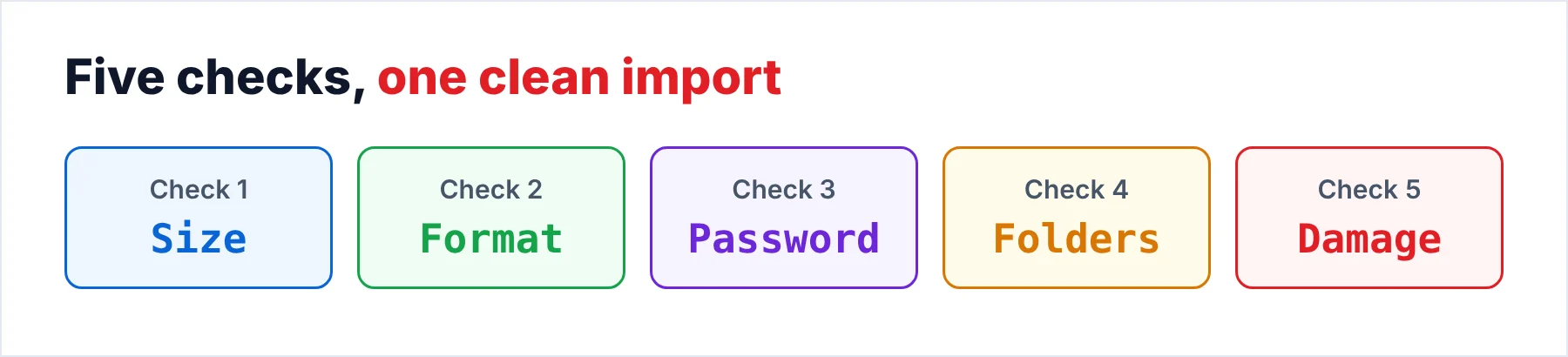
A file over 2 GB can't be an ANSI file, so a PST of that size is a Unicode PST. That fact gives you a quick way to tell the two formats apart when you don't know which Outlook made the PST. Also, I found no stated size limit and no list of supported PST versions for Foxmail itself, so the table covers the Outlook limits only. You shouldn't read the Outlook limits in the table as Foxmail limits, so check the PST file itself.
Open a copy of the PST in the free Online PST Viewer before you import anything, because the viewer gives you an easy check of the file. Univik's page for the viewer says the PST opens in your browser and nothing is uploaded. A desktop viewer is also available if you prefer one. Write down the folder names and message totals, because you compare those totals with the PST in Foxmail afterwards. A PST that won't open in the viewer is a quick warning, so you act on that warning first.
How Do You Import PST to Foxmail, Step by Step?
Seven steps take you from the PST file to a checked result, where step 4 comes from my screenshot of the menu. I tested steps 5 and 6 in 7.2 with a spare account.
- Copy the PST to a local folderCopy the .pst file to a folder on the PC and work from the copy. Keep the original untouched. A Microsoft page on Outlook's own import says a file on a CD must be copied first, so a read-only source is a known snag.
- Check the copy and count the mailOpen the copy in the free Online PST Viewer. Write down the folder names and the message totals. You compare those numbers after the import.
- Add a spare account for the testAdd a spare account in Foxmail and keep your real accounts out of the first run. I tested the import this way in Foxmail 7.2, so a spare account limits the damage.
- Open the Import menuUse the three-line Menu icon in the top right corner and point to Import. Choose Outlook PST... from the lower group of three Outlook entries.
- Pick the fileBrowse to your copy of the PST in the file dialog and confirm the choice.
- Choose what to importStart the import. Pick the spare account if the panel offers a choice.
- Compare the resultOpen the imported folders and compare the folder names and the message totals with the numbers you wrote down in step 2.
The import stays a test until the totals match. Treat every first run as a test, because step 3 keeps your real accounts out of the test and the spare account takes any damage first. I ran this test in 7.2 with a spare account, so look in the spare account first and then check your other accounts as well, since a surprise there tells you the import wrote somewhere you didn't expect.
Do You Need Outlook on the PC for This?
I found no stated requirement for Outlook on the PC. The three converter-vendor pages don't say whether Outlook has to be installed either. Run the import on a PC with Outlook first so that you don't buy anything for this before you have run that test on a copy. Microsoft documents how Outlook itself imports an Outlook data file, which helps when you want to check the file there first. If your data file ends in .ost, read the page on the OST file first.
A practical plan covers both cases of the Outlook question, so if a PC with Outlook is within reach you try the import there first. If you have no Outlook, run the same steps on a spare PC, then move on to the EML route in the next section when the entry refuses the file.
What If the Outlook PST Entry Does Not Work?
Turn the PST into EML files and bring the EML files in instead. An EML file holds one email (the message format inside the EML file comes from RFC 5322). According to its page, Univik PST Converter turns a PST into EML among other formats.
How the EML files get into Foxmail has two documented routes. The converter-vendor pages say you drag the EML files into a Foxmail folder. An Alibaba Mail guide describes the Foxmail Import Messages option for exported mail. The Alibaba Mail guide asks you to answer Yes when Foxmail offers to sync the mail to the server, then to keep Foxmail open until the upload ends. That guide covers mail that came out of Foxmail, so I tested the same route in Foxmail 7.2 with EML files made from a PST.
Next, the guide on how to import MBOX to Foxmail covers that part. Mail that leaves Foxmail for Outlook is a different job. The Foxmail to Outlook guide covers that job.
Should You Keep an Open-Format Copy of Your Foxmail Mail Before You Import?
Yes, because an import adds mail to a store that may hold your only copy. Copy the Storage folder and FMStorage.list first, so your copy exists before the import. For the file list, read Move Foxmail to a New Computer. For the folder path, read where does Foxmail store emails.
An open copy of the Foxmail mail goes one step further than a copy of Storage. Univik Foxmail Converter reads a Foxmail store read-only and exports EML, MBOX or PST. The converter takes mail out of Foxmail but does not put mail in, so the converter can't replace the Import menu. Use the converter for the mail you already hold, so you keep a copy outside the Foxmail store before the import adds anything.
Finally, a .fox file from Mail Archive is another copy you can keep, so the steps to archive Foxmail emails explains that tool, which writes one .fox file for each account.
Univik Foxmail Converter exports Foxmail mail to EML, MBOX or PST and supports .fox files made by Mail Archive. It takes mail out of Foxmail and does not import into it. Test one small folder on the free trial first.
Download Free Trial Select a Licence - From $39Foxmail Converter works on 64-bit Windows 10 and 11 after you install .NET Framework 4.8. A trial run covers 10 items from every folder.
What Goes Wrong When You Import a PST File Into Foxmail?
Do this: Check the file size in File Explorer first, because a Unicode PST can reach 50 GB. Univik's guide to splitting a large PST file shows you one way to cut the file into parts that you import one at a time.
Do this: Run scanpst.exe on a copy of the file, because Microsoft advises a backup before a repair. You never repair the original file, only the copy, because the copy is the safer choice. Open the repaired copy in the viewer before you import the copy.
Do this: Import the PST once into a spare account for a clean test, then compare the totals with the numbers from step 2. The Alibaba Mail guide asks about syncing to the server, so a repeat import into a live IMAP account may copy duplicates there. Import each PST once and keep a note of the totals.
Do this: Keep the password within reach before you start the import. I won't point you to password removal tools. If the import stops, the password may be the reason, so ask the person who made the PST for a copy without a password.
- Foxmail 7.2 shows an Outlook PST entry under Menu and Import. I tested that entry in Foxmail 7.2.
- You check the size, the format, the password, the folders and any damage before the import.
- You import a copy into a spare account and compare the totals with the viewer's numbers.
- Foxmail Converter keeps an open copy of your mail but doesn't import into Foxmail.
FAQ: Import PST to Foxmail

Read on October 21, 2026: a Microsoft page on Outlook data file limits, one on problems with Outlook's own PST import, the Microsoft PST specification, the Microsoft page on repairing PST files, an Alibaba Mail help page and RFC 5322. I also read three converter-vendor pages that sell tools. I don't link them. I took the seven Import entries from my own copy of Foxmail 7.2. I tested the Outlook PST entry in 7.2.
Pages we read: