Quick Answer
Foxmail exports one folder at a time. Right-click the folder and choose Export Mail, which saves it as .eml or .box files. To export every account in one run, convert the Storage folder to EML, MBOX, PST or PDF. PST suits Outlook and MBOX suits Thunderbird.
Export Mail repeats once per folder and needs Foxmail open. A Storage folder run reads the files directly, so Foxmail can stay closed.
Foxmail has no single button that exports a whole mailbox. The built-in Export Mail command exports only the folder you right-click, so a store with ten folders means ten passes. That suits a single folder, but it turns into a chore when you have several accounts and a deep folder tree that you need to get out before the old PC goes.
Our test store had 2 accounts and a deep folder tree of its own, the default folders plus 23 more, with 86,000 emails in all. Run through Export Mail, that store would likely have needed a pass for every one of those folders. We start with the cheap native command and finish with one run that covers the whole store.
How Do You Export Email From Foxmail With Export Mail?
Export Mail is the command Foxmail ships for saving your mail out of the client. However, the command runs inside the program, so Foxmail has to be open and your account has to load before you can use it. Each move takes seconds once the account loads, which makes Export Mail quick for a few folders but slow for a store that you want to move in one go.
- Select the folderStart Foxmail and click the folder you want in the folder list, for example Inbox.
- Right-click and choose Export MailThe menu belongs to that one folder, so the export covers its messages only.
- Pick an output folderChoose a folder on a local drive and confirm. Foxmail writes the messages there as .eml or .box files, which you can keep as a copy.
- Repeat for the next folderSent, Drafts and every custom folder you want need their own pass and their own output folder.
I'd use Export Mail whenever one or two folders are all you need, because it costs nothing and it's already installed on the PC you use for Foxmail. A .eml file (one file per message) opens by double click in most mail apps, which makes a handful of messages easy to move this way.
Limitations: Export Mail often stops being practical once the folder count grows, because every extra folder adds another pass. Also, contacts and calendar entries aren't part of a mail export, so your address book needs its own export. The new Outlook only displays a dropped .eml file in its reading pane, according to Microsoft's page on .eml files, so Outlook users need a different route for mail they want to keep.
Why Does Export Mail Fall Short When You Export Foxmail Emails in Bulk?
Export Mail was built for a folder, not for a mailbox. The table lines up what a mailbox job needs against what Export Mail does for you.
| What the job needs | What Export Mail does |
|---|---|
| Every folder of an account | Handles the one folder you right-click. A folder tree with 23 custom folders on top of the defaults means 23 more passes and 23 output folders. |
| More than one account | Works inside one account at a time. You switch accounts and start the folder passes again. |
| Mail from a Foxmail that won't open | Not available, because the command lives inside the client. |
| A format other than .eml or .box | Offers .eml or Foxmail's own .box files, so PST, MBOX and PDF need another tool. |
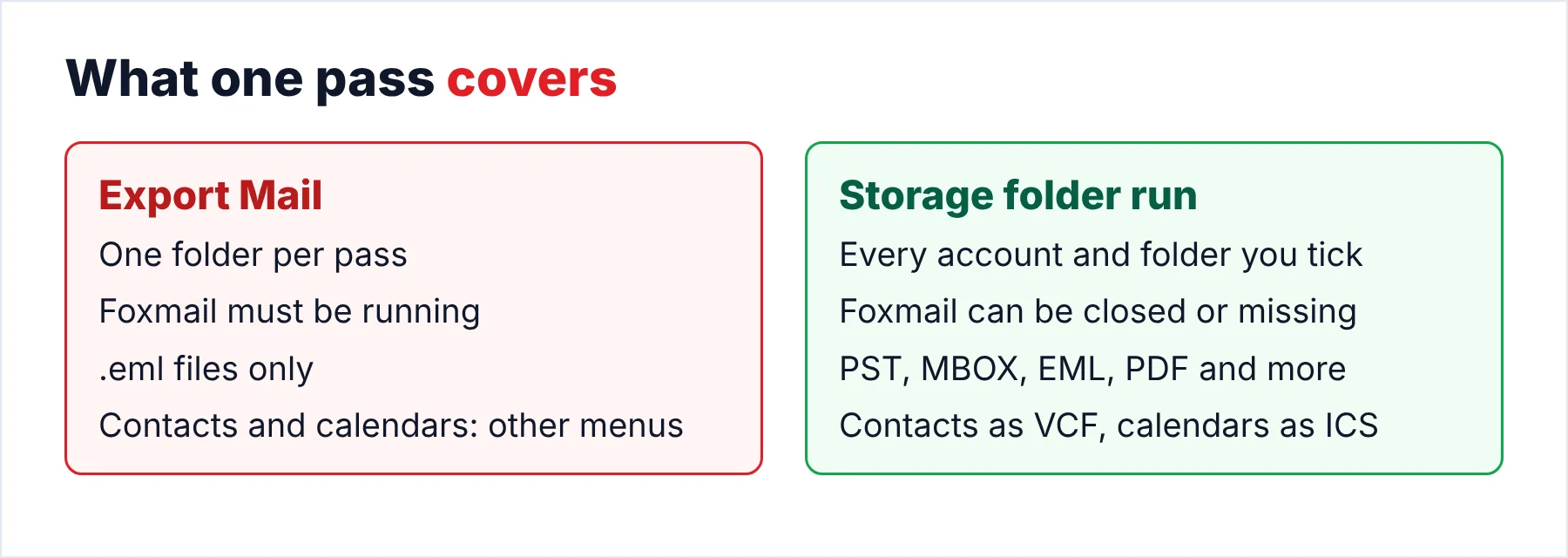
The last row of the table matters most to me. A mailbox you want to keep for years deserves a format that isn't tied to Foxmail, which is why the .eml format is only one of several choices you should weigh. The next section helps you pick the right format among them.
Which Format Should You Export Foxmail Emails To?
The right format is the one the next app can open, so decide where your mail is going first. The figure pairs four formats with the app that opens each one. However, four formats don't cover the whole Export menu, so the table lists the rest.
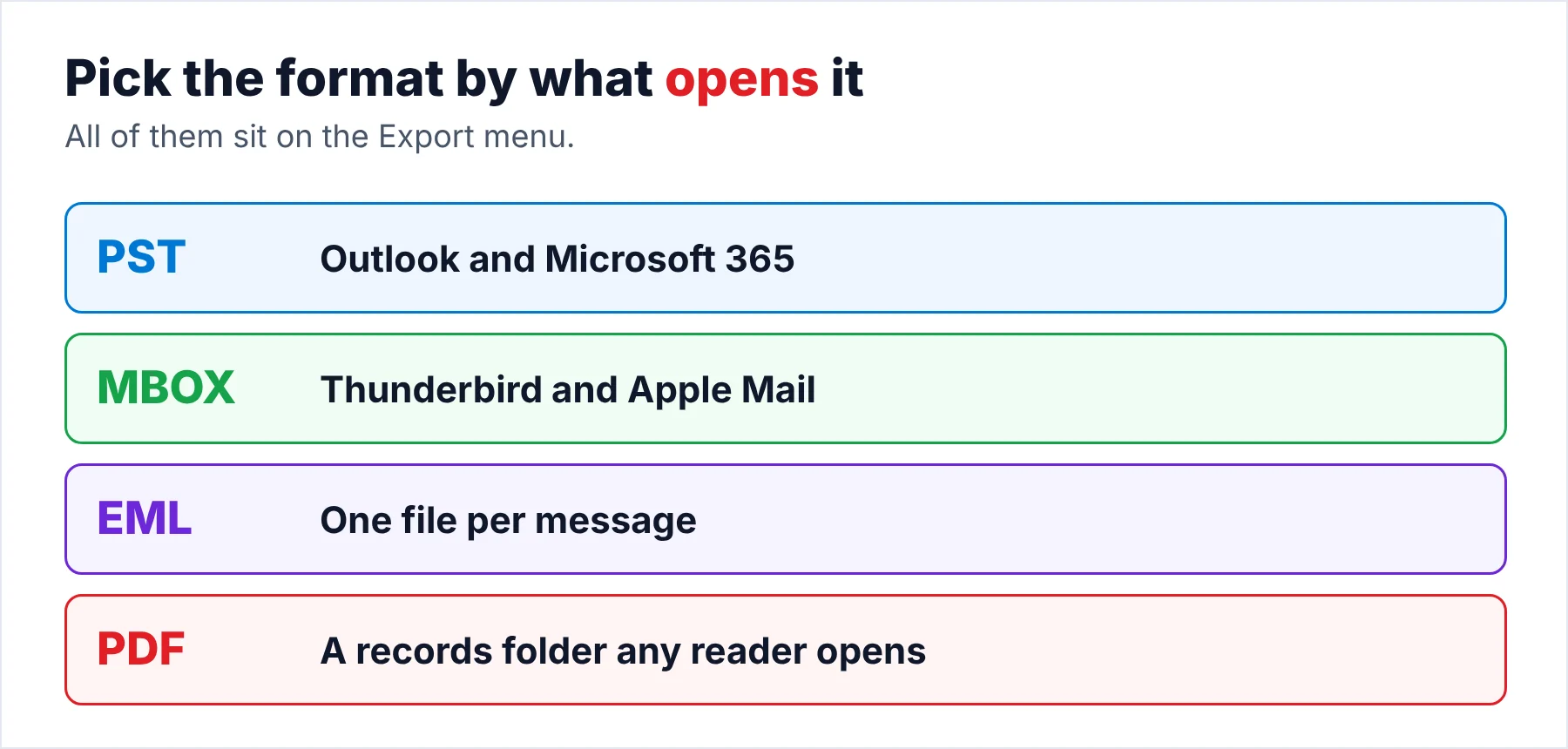
| Format | Opens in | Pick it when | Catch |
|---|---|---|---|
| PST | Outlook and Microsoft 365 | Outlook is where the mail is going | Microsoft Learn lists 50 GB as the default cap of a Unicode PST |
| MBOX | Thunderbird and Apple Mail | You are moving to Thunderbird or a Mac | Apple Mail imports it under File > Import Mailboxes, per Apple Support |
| EML | Most desktop mail apps | You want one file per message | Thousands of loose files. The new Outlook only displays them |
| Any PDF reader | You want a records folder to read or print | Can't be imported back into a mail app | |
| HTML or TEXT | A browser or a text editor | You only need to read or search the mail | Plain text drops the layout |
| CSV | A spreadsheet | You want a sortable list of messages | A list for sorting, not a way to restore mail |
| SQL script | MySQL, SQL Server, PostgreSQL, SQLite, MariaDB and Oracle | The mail belongs in a database | Needs a database server on your side |
| Direct move | Gmail, Office 365, any IMAP account or a Thunderbird profile | You want no file step at all | Gmail takes OAuth or an app password, Office 365 takes OAuth only |
My rule of thumb for the Export menu is short: pick the PST format for Outlook (classic or new) and the MBOX format for Thunderbird or a Mac. Pick the PDF format for anything a lawyer or an auditor will read. EML is the safe middle format when you don't know yet, since almost every mail app can open a .eml file and you can convert the files later if your plans change.
How Do You Export Foxmail Emails From Every Account in One Run?
Univik Foxmail Converter writes your mail in any of those formats straight from the Storage folder, so you can leave the Foxmail client closed or even uninstall it. Each account shows up with its folder tree and a count per folder. The chosen format is written for every ticked folder. The converter works locally on your PC. Nothing is uploaded and no folder leaves the machine.
- Point the converter at the mailInstall the converter on a Windows PC and open it. If Foxmail was used on this machine, the converter finds the mail through FMStorage.list without any help. If you only have a copy, click Browse and select the copied Storage folder. Either way, each account appears with its folders.
- Tick the accounts and foldersEvery folder shows a message count next to its name. Tick the accounts and folders you want in the output. A folder you leave unticked stays out of the run, which helps when you only need one account.
- Choose the formatOpen the Export menu. Under Email Files pick EML, MBOX or PST. Under Document Files pick PDF, HTML, TEXT or CSV. The same menu also holds the direct targets: Gmail, Office 365, any IMAP account and a Thunderbird profile.
- Set the output folder and runChoose an output folder on a local drive. The converter opens the Storage folder read-only and writes to the separate folder you chose, so you leave the source untouched. Start the run and let the counter finish.
- Check the outputOpen the output folder and compare one folder with the count Foxmail shows. Then open your oldest message and the message with the biggest attachment. If both look right, you can usually trust the rest of the run too.
Our test run with the converter covered the 2 accounts and 86,000 emails in one pass. The same run carried 289 contacts and 589 calendar entries. The whole run came to about 5.8 GB and took roughly 42 minutes. Inbox, Sent and the custom folders kept their names in the output of that run, which saved us a round of renaming that you would otherwise do by hand after the export.
Note: the trial keeps the same names but saves 10 items per folder. One format tested end to end fits inside that cap, so run the trial first and look at dates and attachments. A paid licence lifts the cap for your real run.
Run your full store with Univik Foxmail Converter on Windows 11 or 10. It reads the Foxmail store of 7.2, 7.1, 7.0 and 6.x. Pick EML, MBOX, PST, PDF or a direct move and the converter writes that store to a separate folder.
Download Free Trial Select a Licence - From $39Works on Windows 11 or 10 (64-bit) once .NET Framework 4.8 is installed. The trial exports 10 items per folder.
Can the Same Run Carry Contacts, Calendars and Attachments?
Yes, they come out of the same run as your mail. Contacts are saved as .vcf files and calendar entries as .ics files, which most mail apps open on their own. Foxmail's mail export never touches either file type, so those two need their own step when you stay with Export Mail.
The Extract menu goes one step further and pulls out the pieces around your mail. The pieces are email addresses, phone numbers, address and phone pairs, contact photos and attachments. Attachments are the pieces that matter for a records job, because you can collect every invoice or contract from years of mail without opening a single message.
What Should You Check After You Export Foxmail Emails?
A quick check right after the export saves you from finding a gap in your mail a year later. That check usually takes about ten minutes. Finally, keep the Foxmail copy untouched until the check passes.
- The folder names in the output match the tree you saw in Foxmail.
- Two or three folders hold the same message counts as Foxmail shows.
- You see a count for each account in Foxmail, so you check every account against its output and not only the sum.
- Your oldest message carries its original date.
- You can open the biggest attachment from the exported copy.
- A search for one frequent sender shows you mail from several years in the EML or PST files.
If the mail is headed for Outlook, the Foxmail to Outlook guide covers the PST import in both the classic and the new app. For a backup, keep one copy of the Storage folder and one PST of the same mail on a second drive.
What If the Output Stops Halfway or Looks Wrong?
Do this: Copy the Storage folder to another drive and point the converter at the copy. The converter works without Foxmail, so a client that crashes at startup doesn't block the export.
Do this: You are hitting the trial limit, so treat those 10 items as a test. Check the format and dates on those items, then buy a licence and run again for the full count.
Do this: The folder was most likely left unticked when you picked the accounts. Load the Storage folder again, tick that folder and run a clean export for it alone. Compare the count of that folder with Foxmail before you move on.
Do this: A store the size of our test store (about 5.8 GB) probably needs room for the output as well. Check the free space on the output drive before you start. Choose a local drive over a USB stick, since a local drive stays fast.
Still stuck? Send Univik support your folder counts along with a screenshot of the Export menu.
- Each Export Mail pass produces .eml or .box files for a single folder, with Foxmail open.
- A Storage folder run exports every ticked account at once and doesn't need Foxmail.
- Choose the format by the app that will open the mail: PST, MBOX, EML or PDF.
- Contacts come out as .vcf and calendars as .ics in that same run.
- Compare folder counts and open one old message before you rely on the export.
FAQ: Exporting Foxmail Emails

Apple and Microsoft facts come from support pages opened on October 21, 2026. Converter steps follow version 6.10 and the product page.
Sources we read: